
Housing Society ERP · Set up
Set up a new society in the right order
The order to set up a new housing society once - housing, plots, plan heads, accounts, users, dealers and email - before you start selling.
Before you book the first file, set up your society once in this order. Each step needs the one before it, for example plots need phases, blocks and plot sizes.
Steps
- Housing: in the top menu, Housing > Phase, then Block, Street No and Marla/Sq (plot sizes).
- Plots: in the top menu, Plots > Plot Category (Residential, Commercial ...) and Plot Type, then Add Plot, or Plot List > Bulk upload for many plots at once.
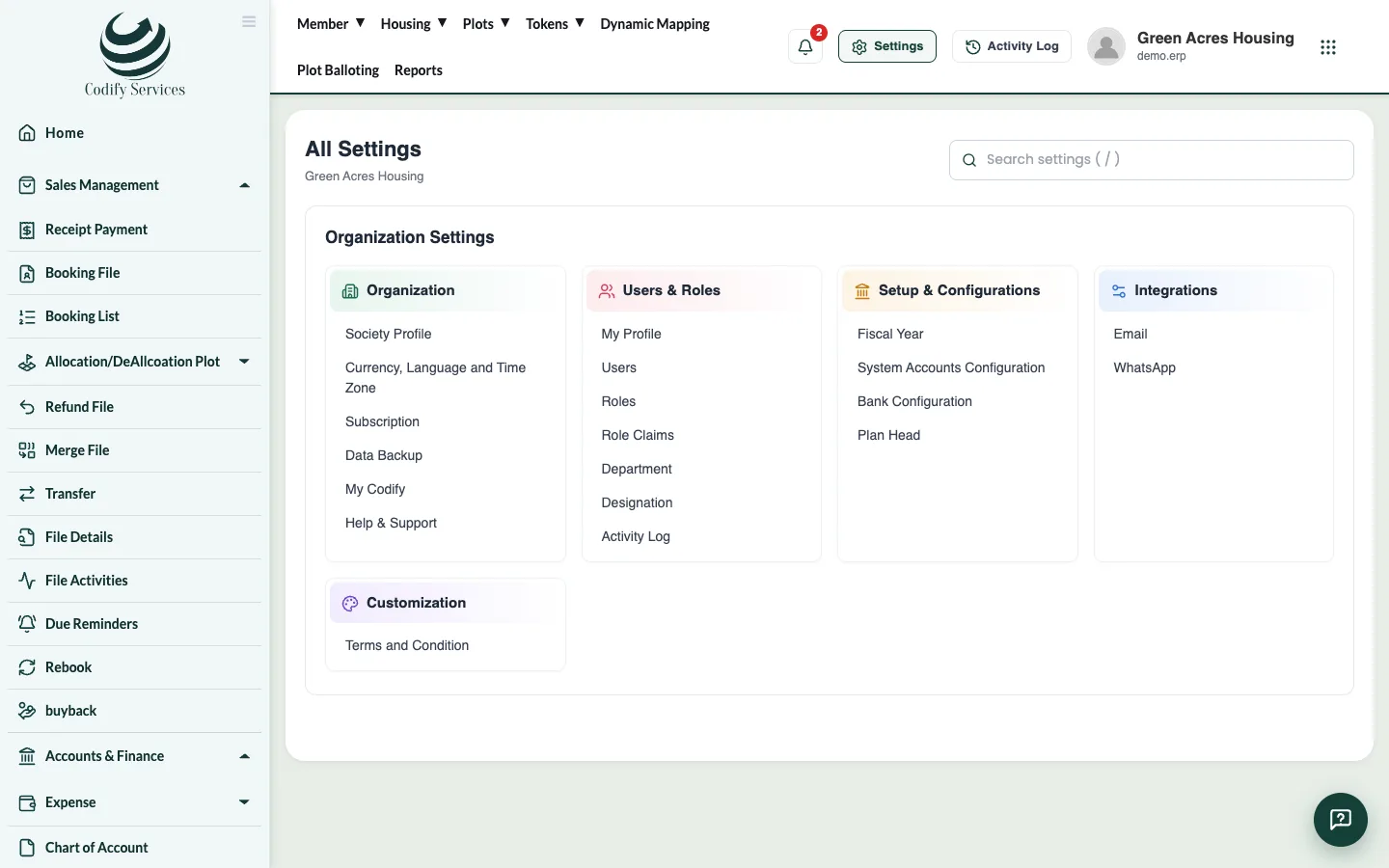
- Plan heads: Settings > Setup & Configurations > Plan Head (Booking, Monthly Installment, Possession Charges ...).
- Accounts: Settings > Setup & Configurations > Fiscal Year (add one and keep it open), Bank Configuration, System Accounts Configuration, and check the Chart of Account in the sidebar.
- Users: Settings > Users & Roles: make Roles, tick their Role Claims, then add Users and give each a role.
- Dealers and agents (if you sell through them): Sidebar > Dealer Management > Dealer/Agency.
- Email for reminders and app passwords: Settings > Integrations > Email.
Good to know
- A new society that signs up gets a ready chart of accounts, system accounts, a bank, plan heads and a fiscal year. Check them and change what you need.
- You can come back to any step later, but plots can't be added before their phase, block and size exist.
Related
More in Set up
Add phases, blocks and streetsDescribe your society's layout - its phases, the blocks in each phase and the streets in each block - before adding plots.Add plot sizes, categories and typesAdd the plot sizes (marla or square yards), plot categories such as Residential or Commercial, and plot types your society sells.Add plots one by one or in bulkAdd a single plot, or upload hundreds of plots from an Excel template, and check each plot's status in the Plot List.Set up plan headsPlan heads are the parts of a payment plan, such as Booking, Monthly Installment or Possession Charges, with the order they are paid in.
Ready to try it? Open Housing Society ERP