
Housing Society ERP · Tokens and bookings
Reserve a plot with a token
Hold a free plot for a member with a token payment until an end date, then turn the token into a booking.
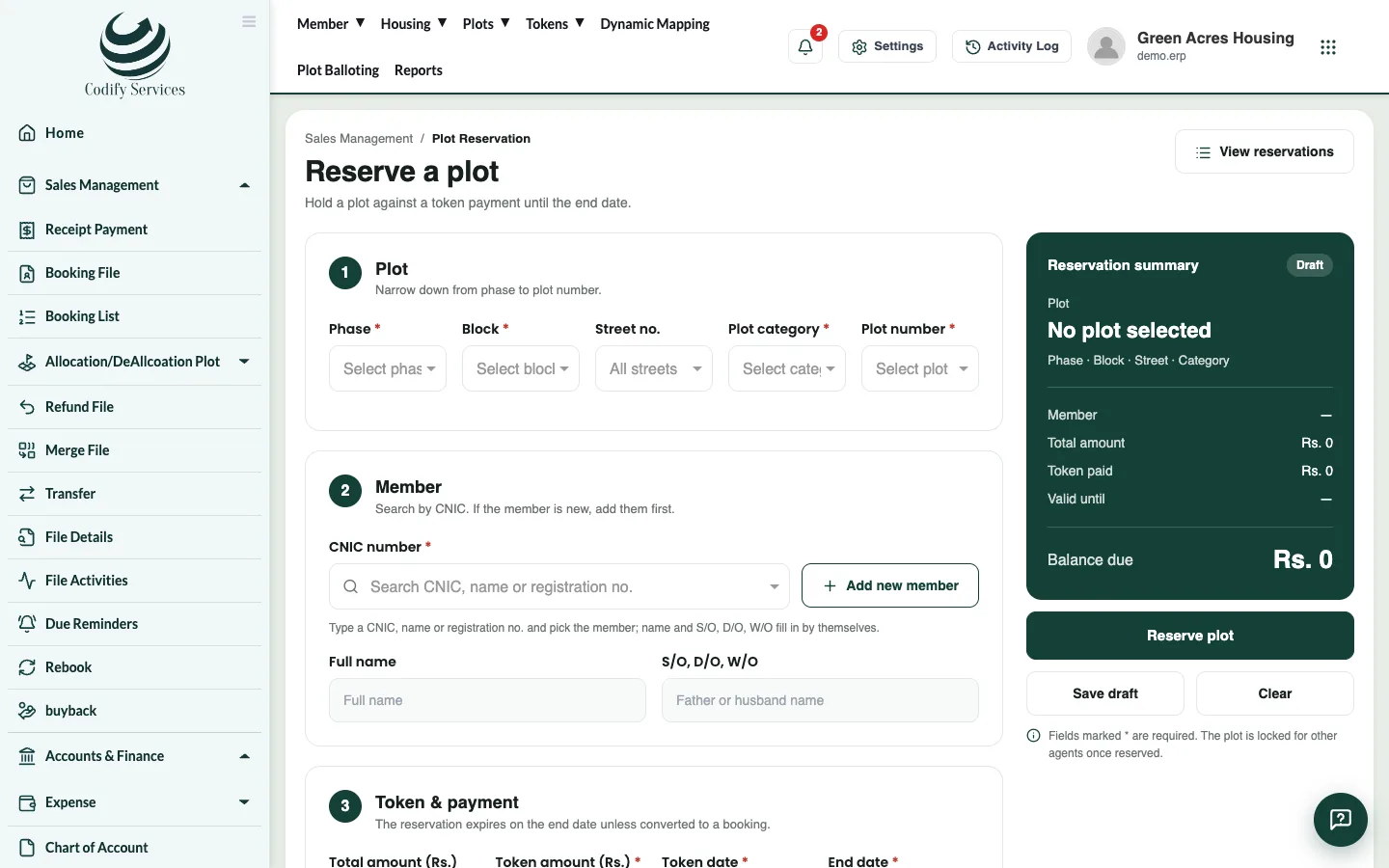
A token holds a plot for a member for a short time, against a token payment. While the token is active, the plot shows as Reserved and nobody else can book it.
Before you start
- The member must be registered. If they are new, add them first (Add new member on the page opens the form).
Steps
- In the top menu, open Tokens > Plot Reservation.
- Choose the plot category, then the phase, block, Street no. and the free plot.
- Type the member's CNIC number and pick the member. Their name fills in.
- Under Token & payment, enter the token amount and the total amount of the plot.
- Choose the Payment mode. For a cheque, enter Cheque no. and Cheque bank; for a bank payment choose Received in bank.
- Enter the Token date and the End date.
- Add a Dealer/Agent if the sale came through one, and a Description if needed.
- Press Submit. Save draft keeps it unfinished; Clear empties the form.
Good to know
- The Reservation summary shows the balance due.
- The token can't be more than the total amount, and the end date can't be before the token date.
- The reservation expires on the end date unless it is turned into a booking.
- Print the token from Tokens > Reservation List.
Related
More in Tokens and bookings
Manage tokens in the Reservation ListSee every token with its status, print a token, turn a token into a booking, or refund it.Book a file for a memberBook a plot file for a member, set the price and discount, build the installment plan, add a dealer commission and print the file.Build and change a file's installment planSplit a file's price over plan heads and installments, set the due dates, and update the plan later if the terms change.Work with the Booking ListSee every booked file, filter by status or dues, open its payments, edit the file, upload documents, send a notice or print.
Ready to try it? Open Housing Society ERP