
Housing Society ERP · Dues and reports
Send due reminders by email and WhatsApp
Remind members of upcoming and overdue installments by email or WhatsApp, one by one or automatically every day.
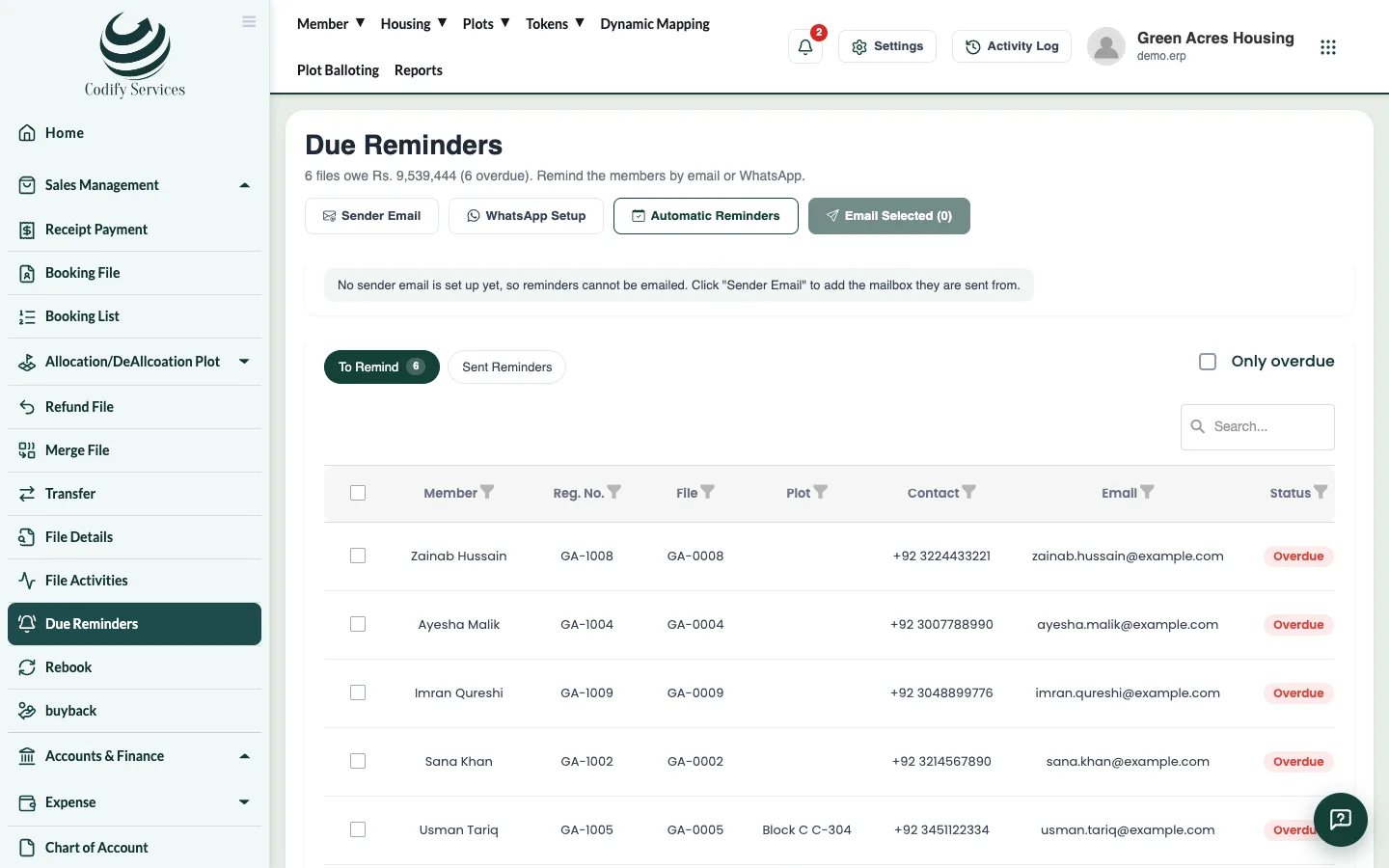
Due Reminders lists files with installments overdue or due soon. You can email the selected members, open WhatsApp with the message ready, or let the software send reminders by itself every day.
Before you start
- To email, set up the sender mailbox: press Sender Email on the page (or Settings > Integrations > Email). Gmail needs an App Password, not your normal password. Press Send Test Email to check it.
Steps: remind now
- In the sidebar, open Sales Management > Due Reminders.
- On To Remind, tick Only overdue if you want only late files.
- Tick the files and press Email Selected.
- Or press the WhatsApp button on a row: WhatsApp opens with the reminder ready to send.
Steps: automatic reminders
- Press Automatic Reminders.
- Tick Email reminders by themselves every day (and WhatsApp, once WhatsApp Setup is done).
- Set Remind before the due date (days) and Repeat while overdue (every … days).
- Add a Message added to every reminder if you want.
- Press Save.
Good to know
- Automatic reminders go out every morning: once before each installment falls due, and again every few days while it is overdue.
- Sent Reminders shows every reminder sent, by whom and to where.
- Members without an email can only be reminded on WhatsApp. Check their contact number and country code.
- WhatsApp sent by itself needs a WhatsApp Business (Cloud API) account set up in WhatsApp Setup.
- Your role needs the Due Reminders permission.
Related
More in Dues and reports
See dues and outstanding by block, size or memberRun the Due & Outstanding reports to see each file's price, what is due, received, outstanding and overdue, by block, plot size or member.Send dues notices to membersPrepare formal outstanding-dues notices with a clear-by date, then print, email or WhatsApp them, and keep a record of sent notices.Sales, receipt and plot reportsFind the main sales reports - receipts, bookings, file details, plot status, allotments, tokens, documents and dealer sales.
Ready to try it? Open Housing Society ERP