
Housing Society ERP · Members
Register a new member
Add a member with their CNIC, name, contact number, city, address and photo, so you can reserve plots and book files for them.
A member is a person who buys or holds a file in your society. Register the member once; then you can reserve plots, book files and receive payments for them.
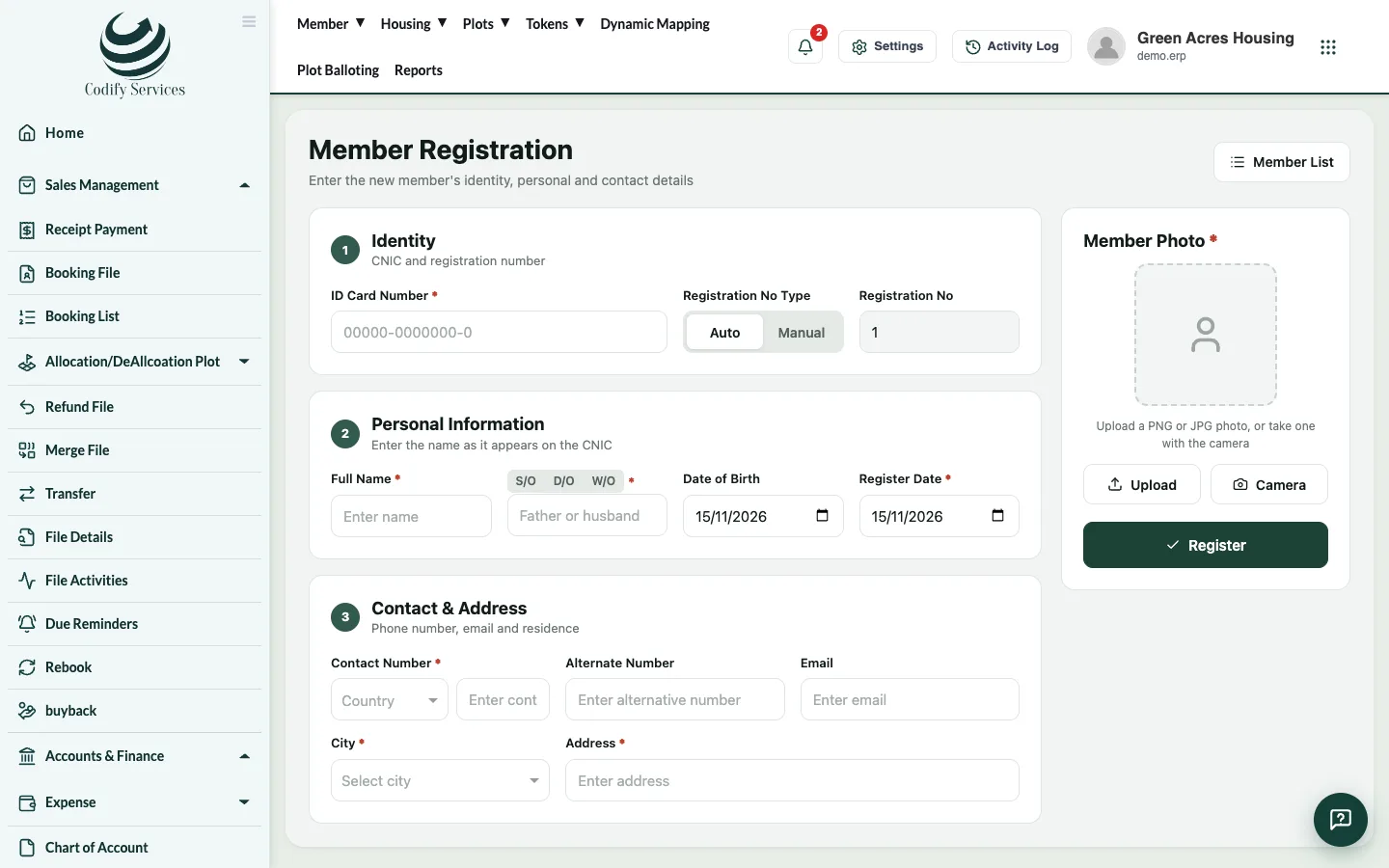
Steps
- In the top menu, open Member > Member (or press Add Member on the Member List).
- Enter the ID Card Number (CNIC).
- Choose the Registration No Type: Auto (the next number) or Manual (type the Registration No yourself).
- Enter the Full Name, Date of Birth and Register Date.
- Enter the Contact Number (choose the country code first), an Alternate Number and Email if any.
- Choose the City and enter the Address.
- Under Member Photo, press Upload or Camera to add a photo.
- Press Register.
Good to know
- Fields with a star are required: ID Card Number, Full Name, Register Date, Contact Number, City and Address.
- Use the right country code: WhatsApp reminders and app passwords are sent to this number.
- The email is used for reminders and notices. Add it if the member has one.
- To change a member later, use Edit on the Member List, or Update Membership on the member profile.
Related
More in Members
Find a member and open their profileSearch the Member List by name, CNIC or registration number and open the member profile with files, payments, tokens, nominees and history.Post news to the members' appUse App Announcements to show news, notices and reminders to your members in the mobile app, for a set period.
Ready to try it? Open Housing Society ERP