
Housing Society ERP · Set up
Add plots one by one or in bulk
Add a single plot, or upload hundreds of plots from an Excel template, and check each plot's status in the Plot List.
Plots are the units you sell. Add them one at a time with Add Plot, or many at once with Bulk upload in the Plot List.
Before you start
- The phases, blocks, streets, plot sizes, categories and types must already exist.
Steps: one plot
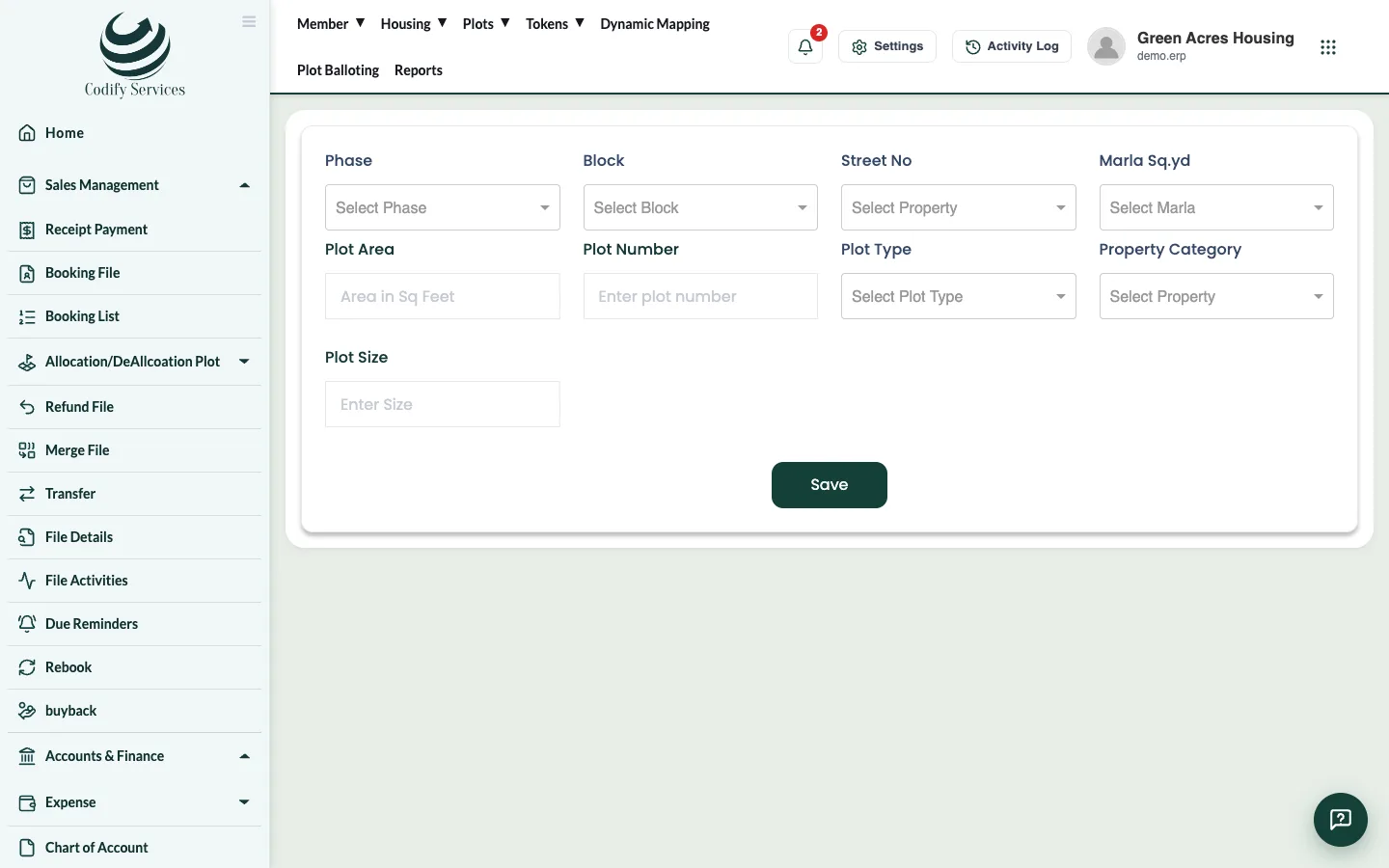
- In the top menu, open Plots > Add Plot.
- Choose the Phase, Block and Street No.
- Choose the Marla \ Sq.yd, enter the Plot Area and the Plot Number, then choose the Plot Type, Property Category and Plot Size.
- Press Save.
Steps: many plots
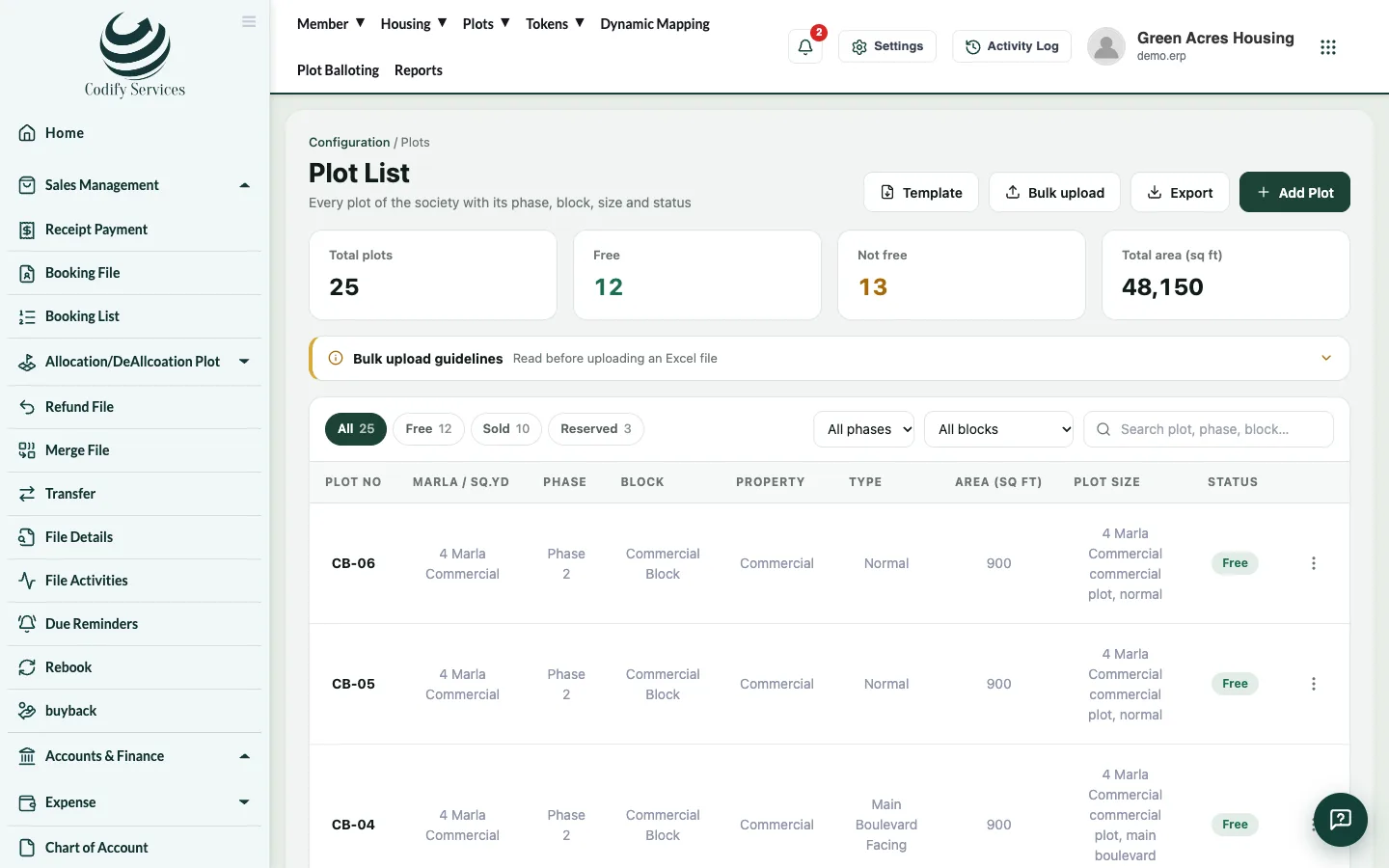
- Open Plots > Plot List.
- Press Template to download the Excel template.
- Fill one row per plot. Keep the column names exactly as they are.
- Press Bulk upload and choose your file.
- A review window lists any plot that could not be imported, with the reason. Fix those rows and upload them again.
Good to know
- Read Bulk upload guidelines on the Plot List: Status must be Free, and the size, type, category, phase, block and area must already exist.
- The Plot List shows each plot's status (Free, Reserved, Sold) with counts. Filter by phase or block, or search.
- Each plot's menu has Edit, Delete (only free plots), Reserve Plot / Un Reserve (with a remark) and View History.
- Export downloads the list to Excel.
Related
More in Set up
Set up a new society in the right orderThe order to set up a new housing society once - housing, plots, plan heads, accounts, users, dealers and email - before you start selling.Add phases, blocks and streetsDescribe your society's layout - its phases, the blocks in each phase and the streets in each block - before adding plots.Add plot sizes, categories and typesAdd the plot sizes (marla or square yards), plot categories such as Residential or Commercial, and plot types your society sells.Set up plan headsPlan heads are the parts of a payment plan, such as Booking, Monthly Installment or Possession Charges, with the order they are paid in.
Ready to try it? Open Housing Society ERP