
Housing Society ERP · File actions
Rebook a file
Give a refunded or cancelled file to a new owner with a new installment plan.
Rebooking gives a file that was refunded or cancelled to a new member, with a new plan.
Steps
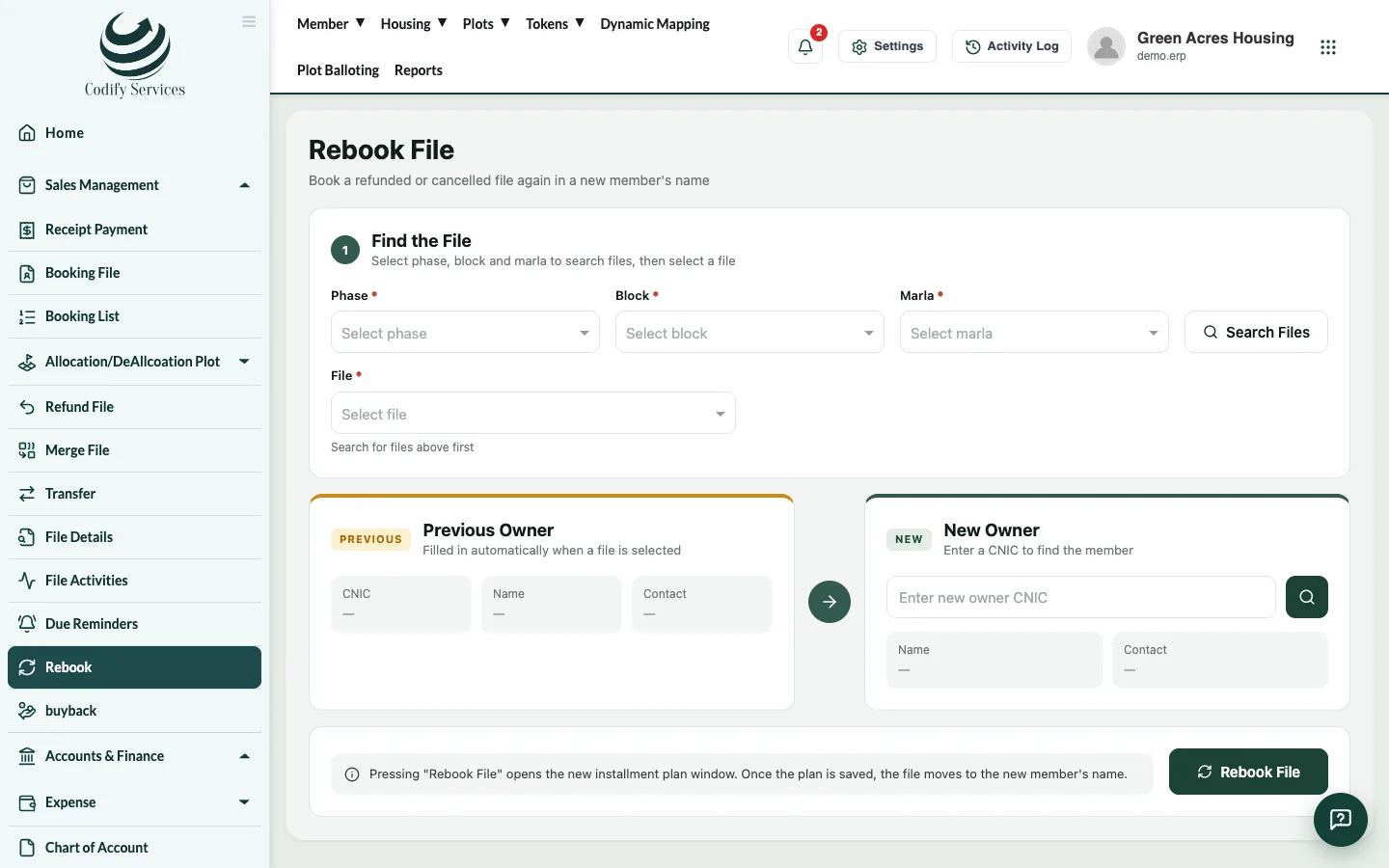
- In the sidebar, open Sales Management > Rebook.
- Under Find the File, choose the phase, block and size, pick the File and press Search Files.
- Check the Previous Owner.
- Under New Owner, type the new owner's CNIC to find them.
- Press Rebook File. The new installment plan window opens.
- Enter the plan, check the dates and save. The file moves to the new member's name.
Good to know
- The new owner must be registered first.
Related
More in File actions
Transfer a file to a new ownerMove a file from one member to another, collect the transfer fee and print the transfer letter.Refund or cancel a fileCancel a member's file and refund what they paid, less a refund fee, or simply make a file inactive.Merge two filesMerge one file into another, so the money paid on the first is counted on the second. Any excess is shown for refund.Buy back a fileRecord that the society bought a file back from its member, so it can be sold again.
Ready to try it? Open Housing Society ERP