
Housing Society ERP · Set up
Add phases, blocks and streets
Describe your society's layout - its phases, the blocks in each phase and the streets in each block - before adding plots.
Every plot belongs to a phase, a block and a street. Add them first, from the top menu Housing.
Steps
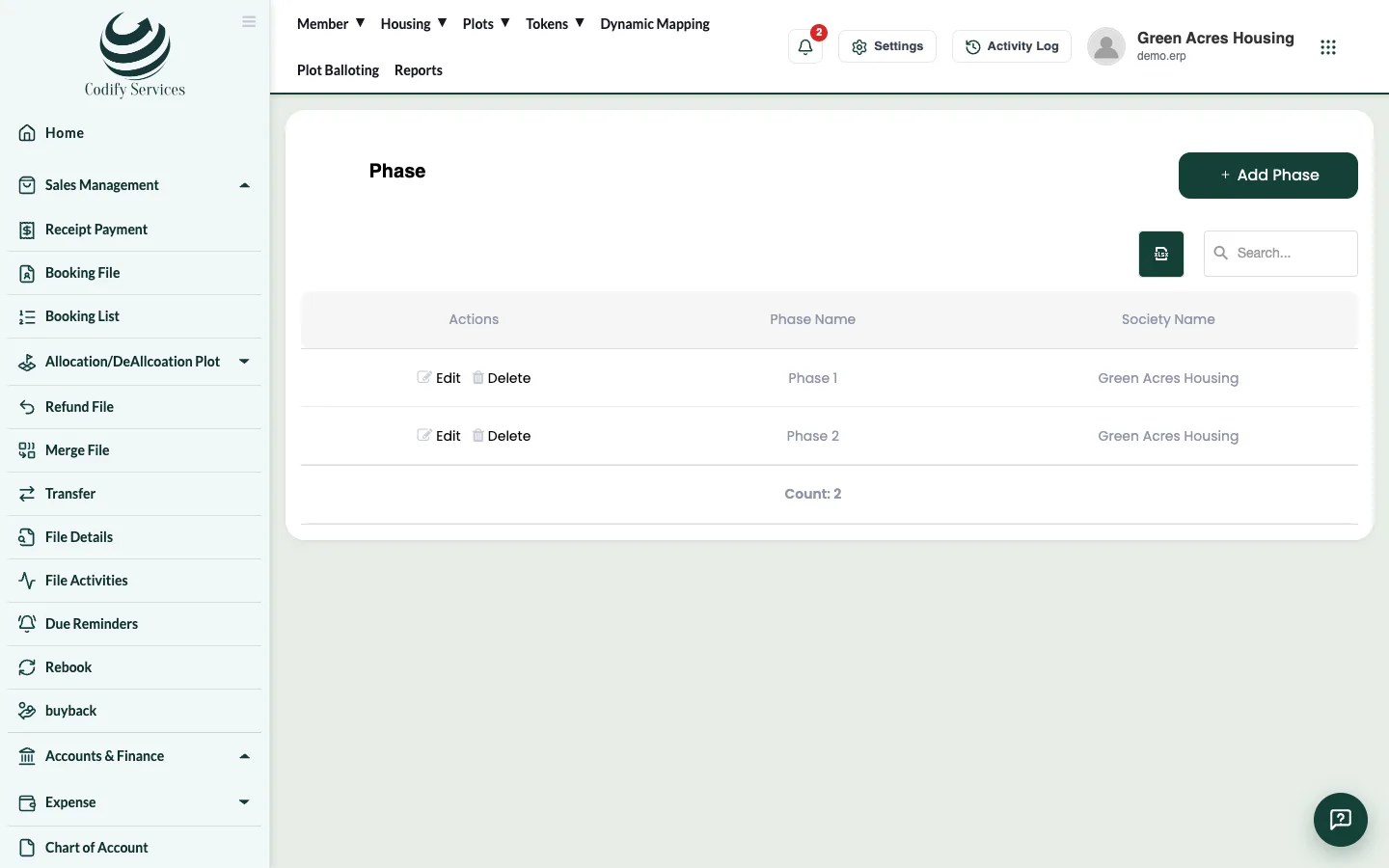
- In the top menu, open Housing > Phase.
- Press Add Phase, type the Phase Name and save. Repeat for each phase.
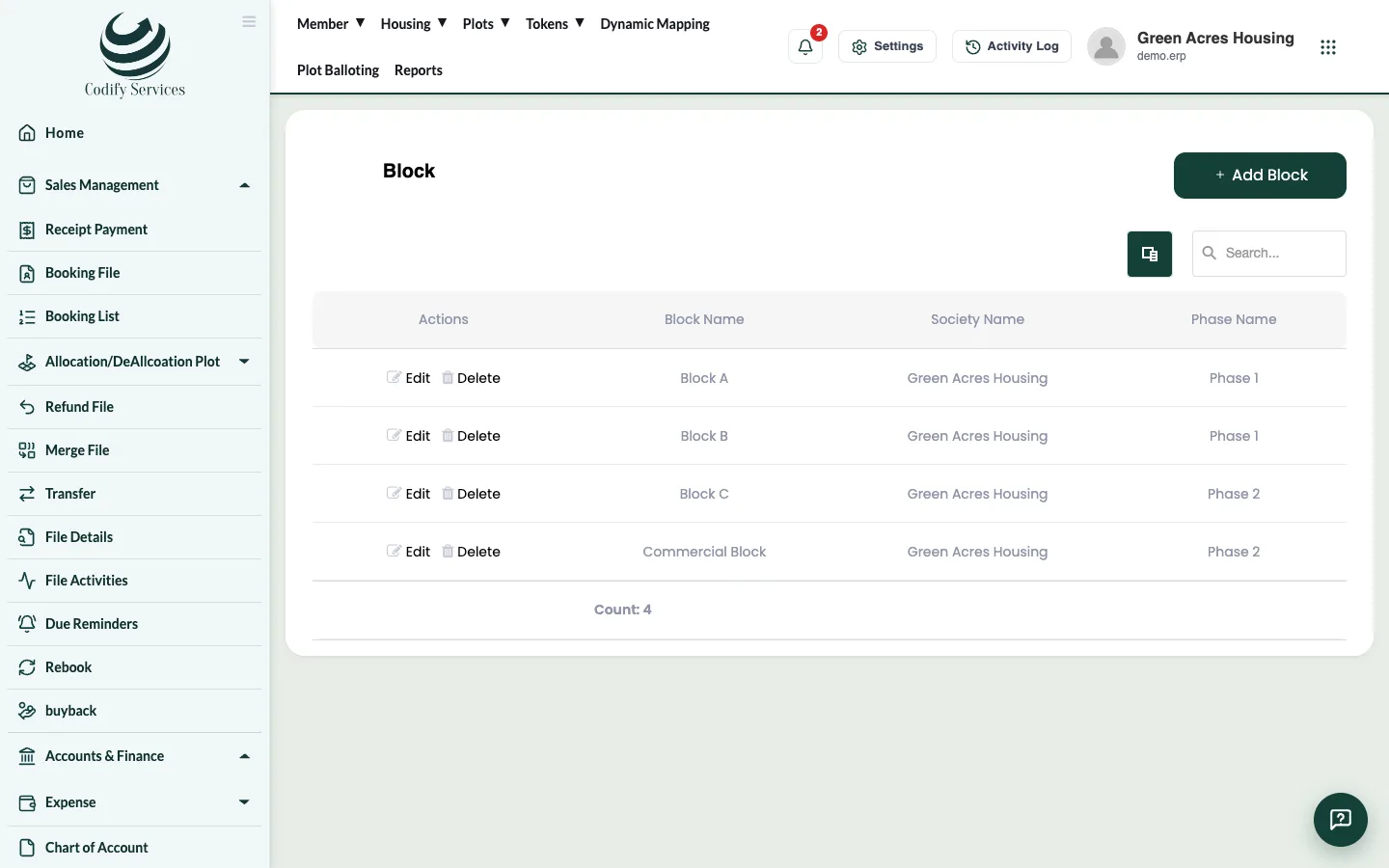
- Open Housing > Block.
- Press Add Block, choose the Phase, type the Block Name and save.
- Open Housing > Street No.
- Press Add Street, choose the Phase and Block, type the Street Name and save.
Good to know
- Use Edit to correct a name and Delete to remove one that is not used yet.
- Your role needs the Housing permissions. If Housing is missing in the top menu, ask your administrator.
Related
More in Set up
Set up a new society in the right orderThe order to set up a new housing society once - housing, plots, plan heads, accounts, users, dealers and email - before you start selling.Add plot sizes, categories and typesAdd the plot sizes (marla or square yards), plot categories such as Residential or Commercial, and plot types your society sells.Add plots one by one or in bulkAdd a single plot, or upload hundreds of plots from an Excel template, and check each plot's status in the Plot List.Set up plan headsPlan heads are the parts of a payment plan, such as Booking, Monthly Installment or Possession Charges, with the order they are paid in.
Ready to try it? Open Housing Society ERP