
Housing Society ERP · Tokens and bookings
Book a file for a member
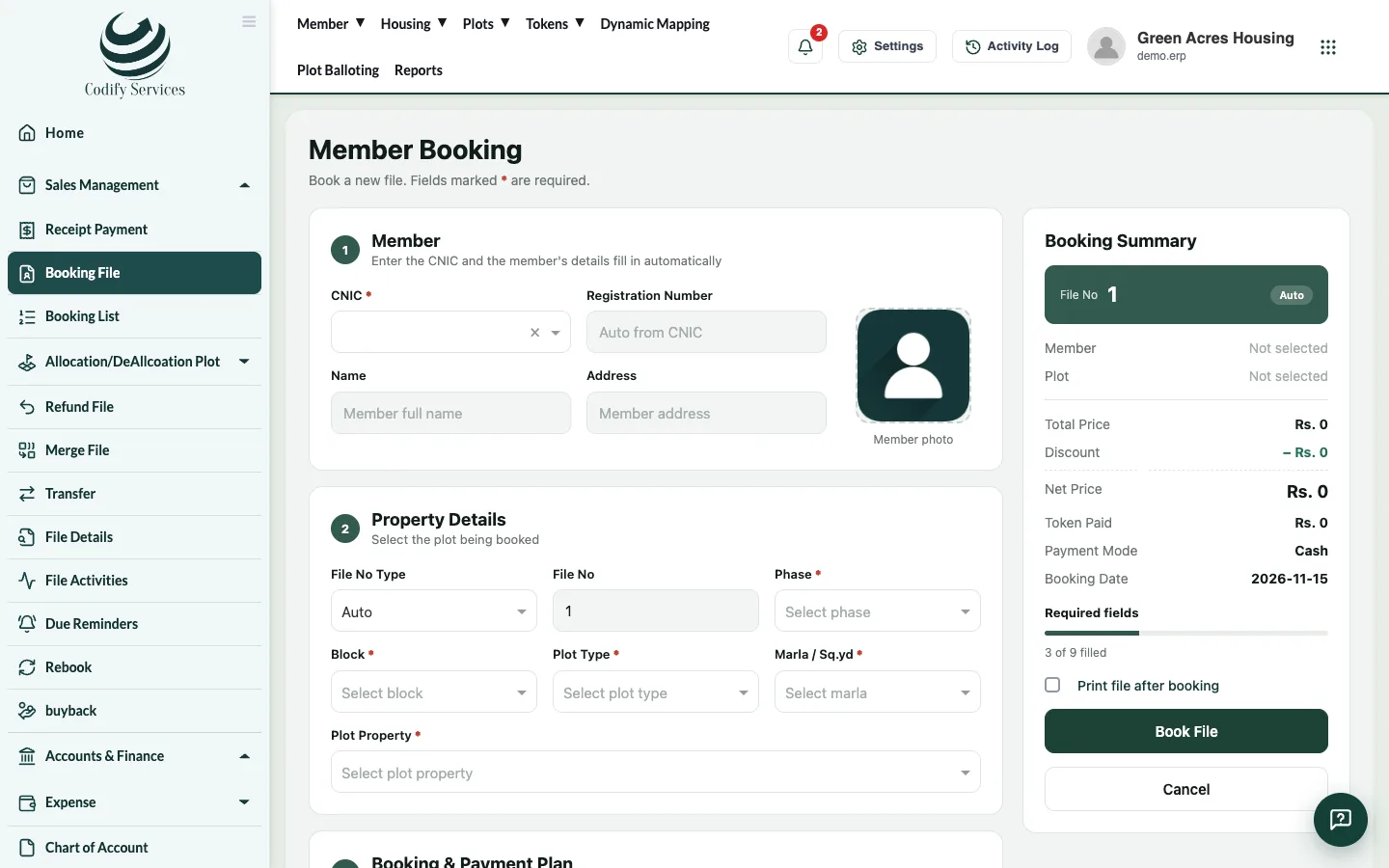
Book a plot file for a member, set the price and discount, build the installment plan, add a dealer commission and print the file.
Booking a file records a sale to a member: the property, the price and the installment plan. After booking, you receive payments against the file.
Before you start
- The member must be registered, and plan heads must be set up.
Steps
- In the sidebar, open Sales Management > Booking File.
- Under Member, type the CNIC, name or registration number and pick the member. Name, address and photo fill in.
- Choose the File No Type: Auto (the next number) or Manual (type the File No; a number already used is refused).
- Under Property Details, choose the phase, block, plot type, size and plot category.
- Under Booking & Payment Plan, choose the Payment Mode and Booking Date, enter the Plan Name, Total Price and Discount Amount. The Net Price is worked out. Enter the Price To Be Print for the documents.
- Under File Token (optional), pick the member's token. Its amount is counted as paid.
- Under Dealer / Agent Commission (optional), pick the agent or agency, the Commission Type (fixed or %) and the Amount.
- Tick Add Nominee to enter a nominee (optional), and add a photo if needed.
- Tick Print file after booking if you want the booking form printed.
- Press Book File.
- The Plan Details window opens: enter the amount and installments count for each plan head, then press Update & Generate Installment.
- Check the due dates in the Installment Plan window and save.
Good to know
- The booking date can't be in the future.
- Booking from a token gives the token's plot to the file, and the plot becomes Sold.
- The commission can't be negative. It shows in Dealer Management.
- Your role needs the booking permission to see Book File.
Related
More in Tokens and bookings
Manage tokens in the Reservation ListSee every token with its status, print a token, turn a token into a booking, or refund it.Build and change a file's installment planSplit a file's price over plan heads and installments, set the due dates, and update the plan later if the terms change.Work with the Booking ListSee every booked file, filter by status or dues, open its payments, edit the file, upload documents, send a notice or print.Reserve a plot with a tokenHold a free plot for a member with a token payment until an end date, then turn the token into a booking.
Ready to try it? Open Housing Society ERP