
Housing Society ERP · Dues and reports
Send dues notices to members
Prepare formal outstanding-dues notices with a clear-by date, then print, email or WhatsApp them, and keep a record of sent notices.
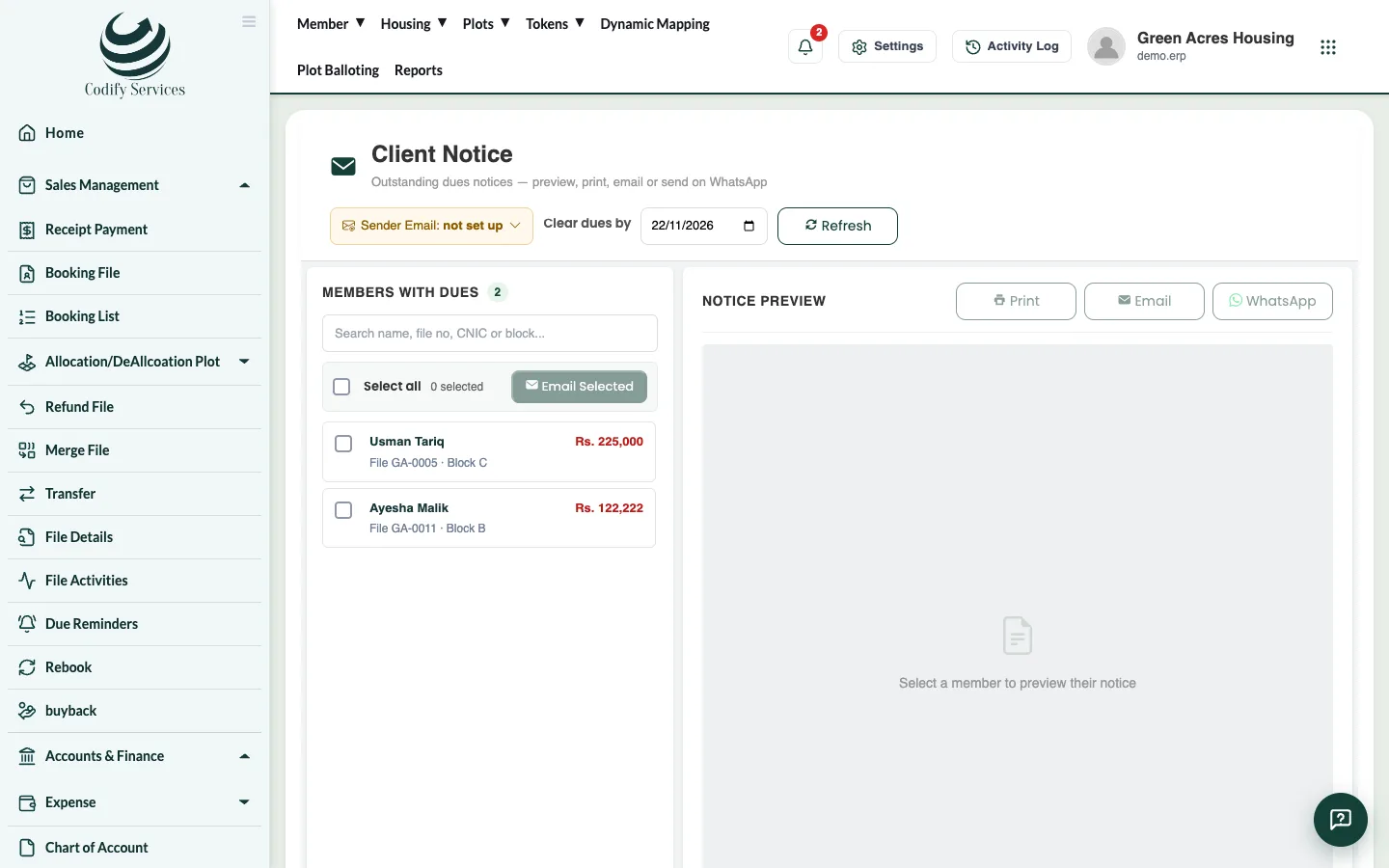
A dues notice is a formal letter asking a member to clear their outstanding dues by a date. You can print it, email it or send it on WhatsApp.
Steps
- Press Reports in the top menu.
- Open Society Charges & Notices > Client Notice.
- Choose the Clear dues by date.
- In Members with Dues, tick the members (or Select all).
- Check the Notice Preview.
- Press Print, Email or WhatsApp for one member, or Email Selected for all ticked members.
Good to know
- Email needs a sender email. Press Sender Email on the page to set it up.
- Society Charges & Notices > Sent Notices lists every notice sent, with the due amount, clear-by date and how it was sent.
- You can also send a notice for one file from the Booking List (Send Notice).
Related
More in Dues and reports
See dues and outstanding by block, size or memberRun the Due & Outstanding reports to see each file's price, what is due, received, outstanding and overdue, by block, plot size or member.Send due reminders by email and WhatsAppRemind members of upcoming and overdue installments by email or WhatsApp, one by one or automatically every day.Sales, receipt and plot reportsFind the main sales reports - receipts, bookings, file details, plot status, allotments, tokens, documents and dealer sales.
Ready to try it? Open Housing Society ERP