
Housing Society ERP · Dues and reports
Sales, receipt and plot reports
Find the main sales reports - receipts, bookings, file details, plot status, allotments, tokens, documents and dealer sales.
Most sales reports are in the Reports window. A few are pages in the sidebar.
Reports window (top menu > Reports)
- Sales & Members: Receipt Details, Receipt Printing, All Receipt Details (Cancel / Delete), Registration Wise Details, Booking Detail with Dues & Outstanding, the Due & Outstanding reports, Reserve Plot List, Token Expire List, Dealer Wise Sale Summary and Agency Wise Sale Summary.
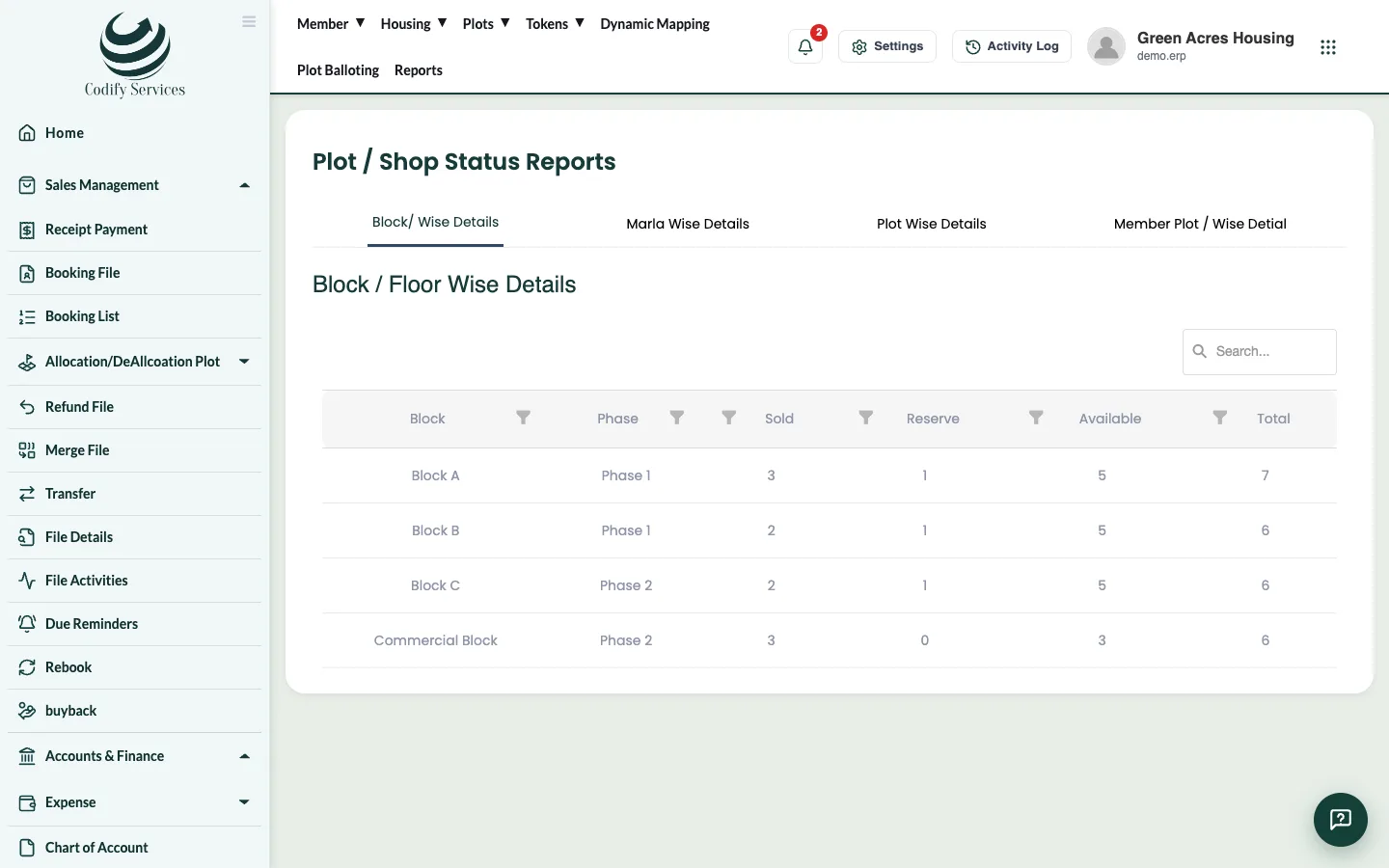
- Property & Inventory: plot status by block, size or plot (sold, reserved, available), Cancel Allotment, Allotment Summary, Dynamic Mapping and Sale File Documents (which documents each file is missing).
- Society Charges & Notices: Other Charges, Client Notice, Sent Notices.
Sidebar pages (Sales Management)
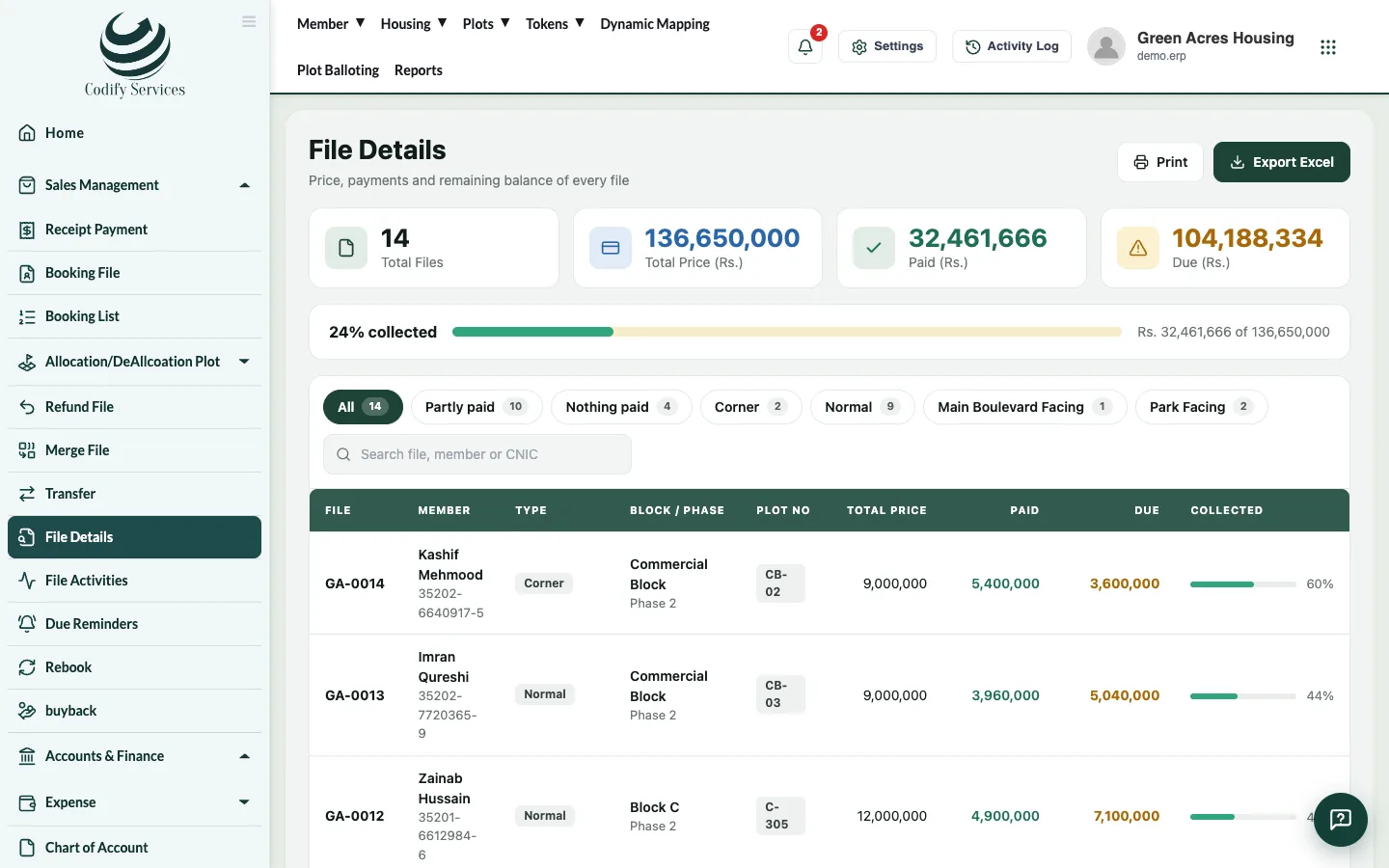
- File Details: each file's price, paid, due and collected. Print or Export Excel.
- File Activities: every action on a file (booked, allotted, transferred ...). Search a File No.
Steps
- Press Reports in the top menu.
- Click a group, then a report.
- Choose dates or filters, press Show, then Print or Excel.
Good to know
- You only see reports your role allows.
- Allow pop-ups so printing works.
Related
More in Dues and reports
See dues and outstanding by block, size or memberRun the Due & Outstanding reports to see each file's price, what is due, received, outstanding and overdue, by block, plot size or member.Send due reminders by email and WhatsAppRemind members of upcoming and overdue installments by email or WhatsApp, one by one or automatically every day.Send dues notices to membersPrepare formal outstanding-dues notices with a clear-by date, then print, email or WhatsApp them, and keep a record of sent notices.
Ready to try it? Open Housing Society ERP