
Housing Society ERP · Tokens and bookings
Manage tokens in the Reservation List
See every token with its status, print a token, turn a token into a booking, or refund it.
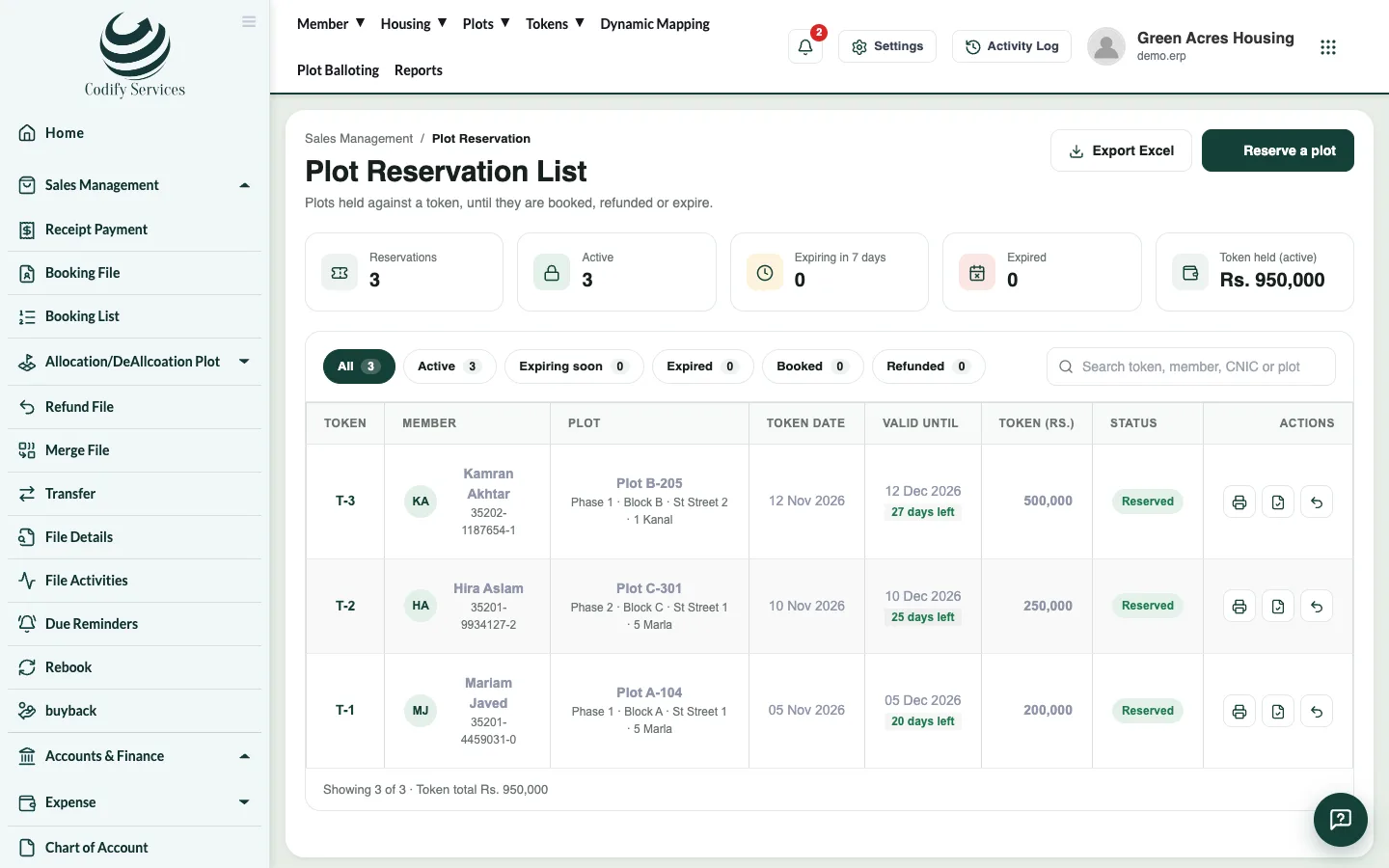
The Reservation List shows all tokens with the member, token date, valid-until date and status. From here you print a token, turn it into a booking or refund it.
Steps
- In the top menu, open Tokens > Reservation List.
- Use the filters at the top: active, Expiring in 7 days or Expired.
- In the row of a token, use the icons:
- Print token prints the token slip.
- Adjust token into a booking opens the booking plan for this member and plot. The token amount is counted as paid.
- Refund token refunds the token after you confirm.
Good to know
- Export Excel downloads the list.
- Expired tokens are also in Reports > Sales & Members > Token Expire List.
- When a token is used for a booking, its plot becomes Sold.
- A refunded token is posted to accounts from Posting A/C Voucher.
Related
More in Tokens and bookings
Book a file for a memberBook a plot file for a member, set the price and discount, build the installment plan, add a dealer commission and print the file.Build and change a file's installment planSplit a file's price over plan heads and installments, set the due dates, and update the plan later if the terms change.Work with the Booking ListSee every booked file, filter by status or dues, open its payments, edit the file, upload documents, send a notice or print.Reserve a plot with a tokenHold a free plot for a member with a token payment until an end date, then turn the token into a booking.
Ready to try it? Open Housing Society ERP