
Codify HR · Attendance and leave
Mark the day's attendance
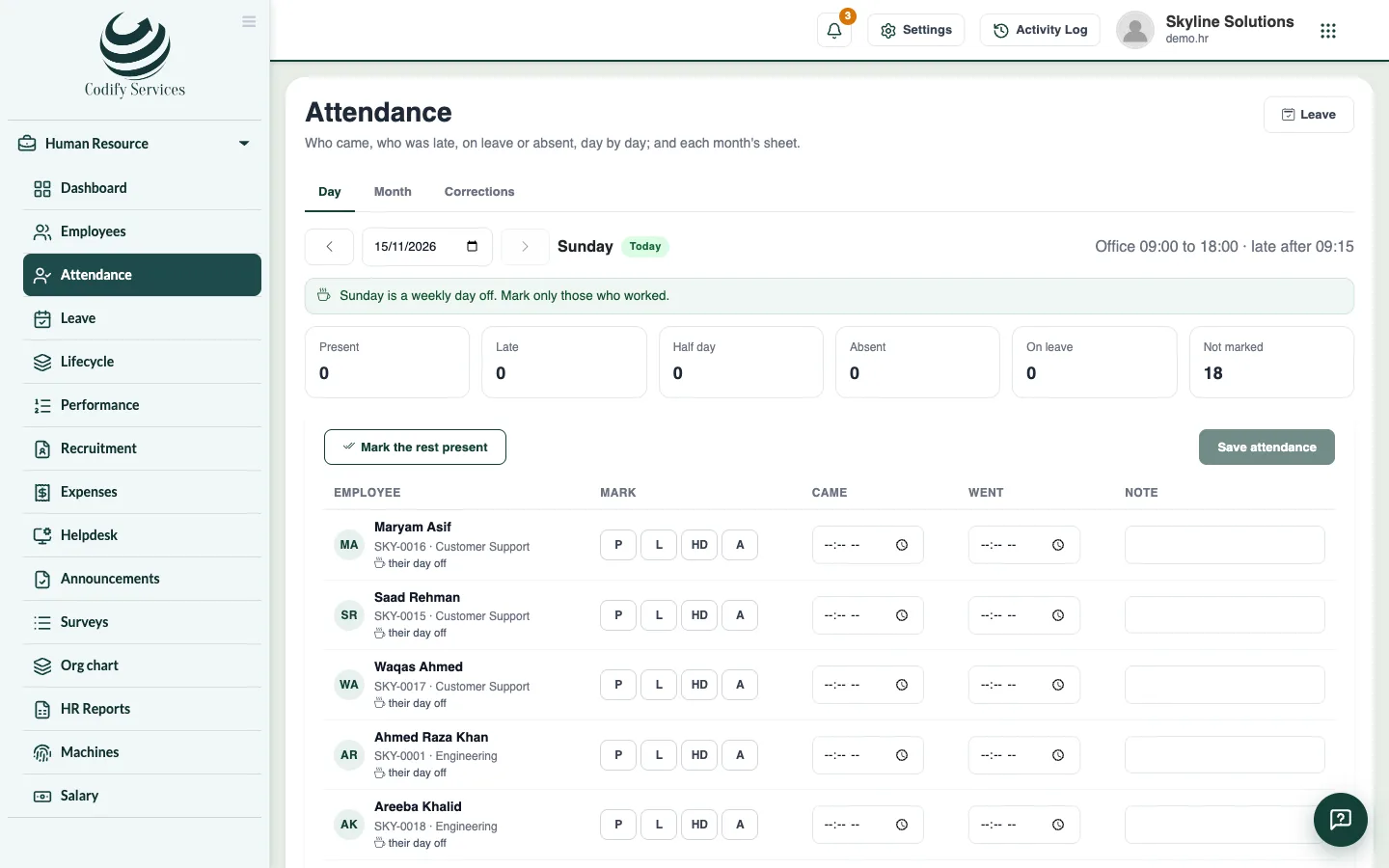
Mark each employee present, late, half day or absent for a day, with the times they came and went.
The Day view shows every working employee for one day. You mark each one, or let the attendance machine do it, and the marks feed the month's sheet and the salary sheet.
Before you start
- Your role needs Can Manage Attendance.
- Employees must be added first.
Steps
- Open Sidebar > Human Resource > Attendance and the tab Day.
- Choose the date (it opens on Today).
- For each employee, choose the Mark: P (Present), L (Late), HD (Half day) or A (Absent).
- Optional: enter the Came and Went times and a Note.
- To mark everyone not marked yet as present, press Mark the rest present.
- Press Save attendance.
Good to know
- The top shows the office hours and when someone becomes late. A time after that is saved as late by itself.
- People on approved leave show On leave with the leave type. You do not mark them.
- On a holiday or a weekly day off, mark only those who worked.
- A mark made by an attendance machine says from the machine and shows the punches. If you change it, it becomes your mark and the machine no longer changes it.
- A day in a closed month cannot be changed. See Monthly attendance sheet.
- The dashboard's Today box opens this page filtered to present, late, absent, on leave or not marked.
Related
More in Attendance and leave
See the monthly attendance sheet and close a monthView a month's attendance with each day's code and totals, export it to Excel, and close the month so it no longer changes.Handle attendance correctionsEnter or decide requests to correct a day's attendance mark and times, sent by HR or by employees from My HR.Enter and approve leaveEnter a leave for an employee, see the working days it counts, and approve, reject or cancel it.Check leave balances and enter opening balances or comp-offSee what each employee has taken and has left of each leave type, and add opening balances, corrections, comp-off or days paid out.
Ready to try it? Open Codify HR