
Codify HR · Set up
Get started with Codify HR
What Codify HR does, where to find it, and the first steps to set it up for your staff.
Codify HR keeps your staff records, attendance, leave and salaries in one place. You can use it as its own product on hr.codifyservices.com, or as the HR add-on inside the Housing Society ERP, Codify Store or the Property Management System, with the same login.
Before you start
- Your package must include HR (the HR product, or the HR add-on). The owner of your account adds the add-on on the Subscription page under Add-on modules. See https://codifyservices.com/pricing/ for packages.
- Your role needs Can View HR Module.
Steps
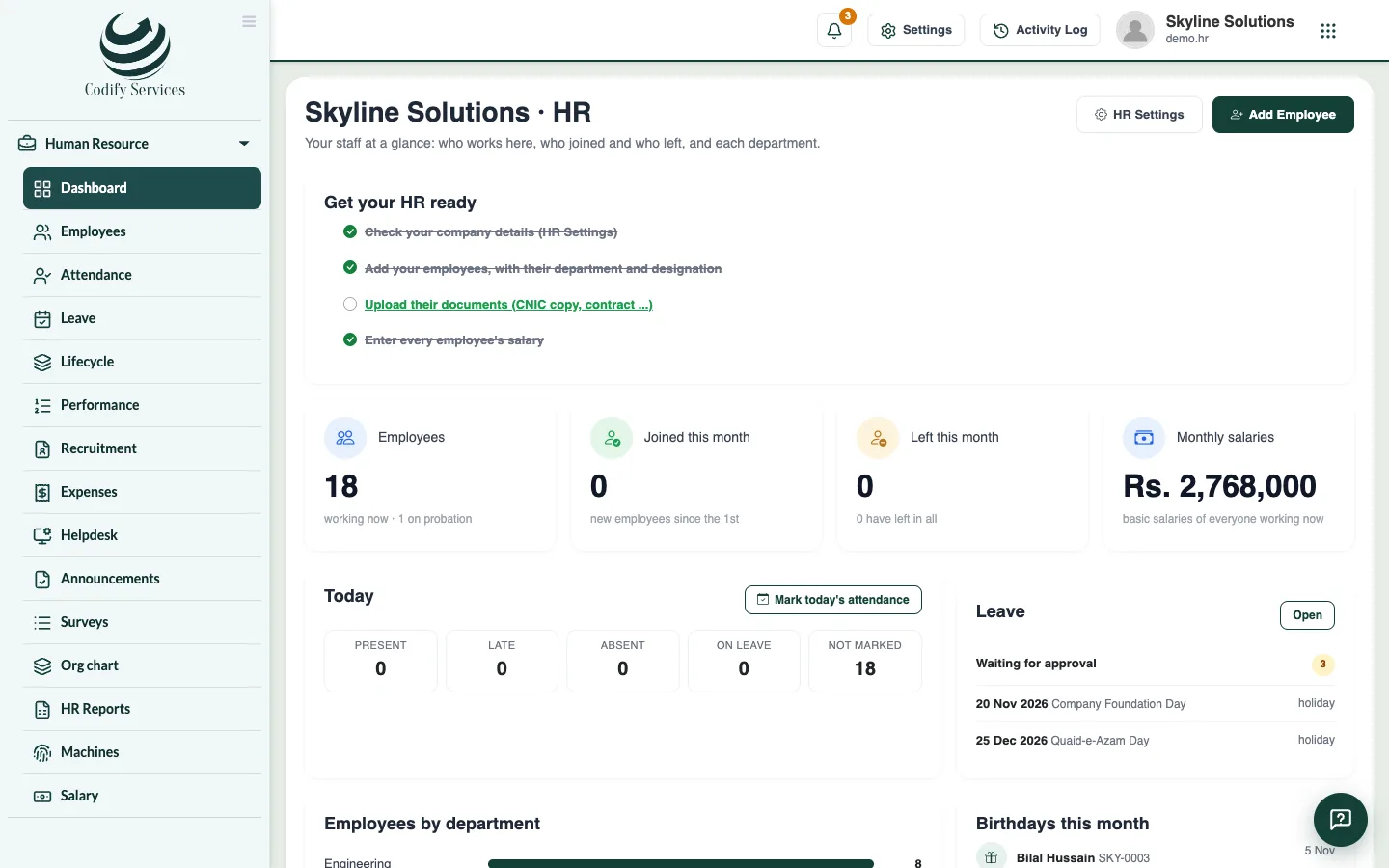
- Sign in and open Sidebar > Human Resource > Dashboard. A user who only has HR lands here after login.
- Read the box Get your HR ready. It lists the first steps until they are done.
- Press HR Settings and enter your company details, office hours and weekly days off.
- Add your holidays and check the leave types.
- Press Add Employee and add your staff.
- Set each employee's salary under Salary > Salaries, allowances and deductions.
- Mark attendance each day (by hand or from an attendance machine), then make the month's salary sheet.
Good to know
- The dashboard shows who works now, who joined or left this month, the monthly basic salaries, today's attendance, leave waiting for approval, coming holidays, employees by department and birthdays this month.
- The Today box opens the day's attendance with one click.
- A page you cannot see in the menu is not given to your role. Ask your administrator to give it under User & Roles > Role Claims > Human Resource.
Related
More in Set up
Set up your company and working hoursEnter your company details, employee codes, office hours, the late margin, weekly days off, departments and designations.Set up shifts and overtimeAdd morning, evening or night shifts with their own hours and late margin, and choose how overtime is counted and paid.Add holidays and set up leave typesAdd public holidays for the year and set up your leave types: days a year, paid or unpaid, carry forward and who can take them.HR roles and permissionsWhich permission opens which part of Codify HR, and how to give your staff the right access.
Ready to try it? Open Codify HR