
Codify HR · Employees
Add an employee
Add a new staff member with their personal details, job, machine number, shift, salary and bank account.
Every person on your payroll needs an employee record. The record holds their personal details, their job, the number they use on the attendance machine and (for people who may see it) their salary and bank account.
Before you start
- Your role needs Can Manage Employees. Salary and bank fields show only with Can Manage Salaries.
- It helps to set up HR Settings first (codes, office hours, departments).
Steps
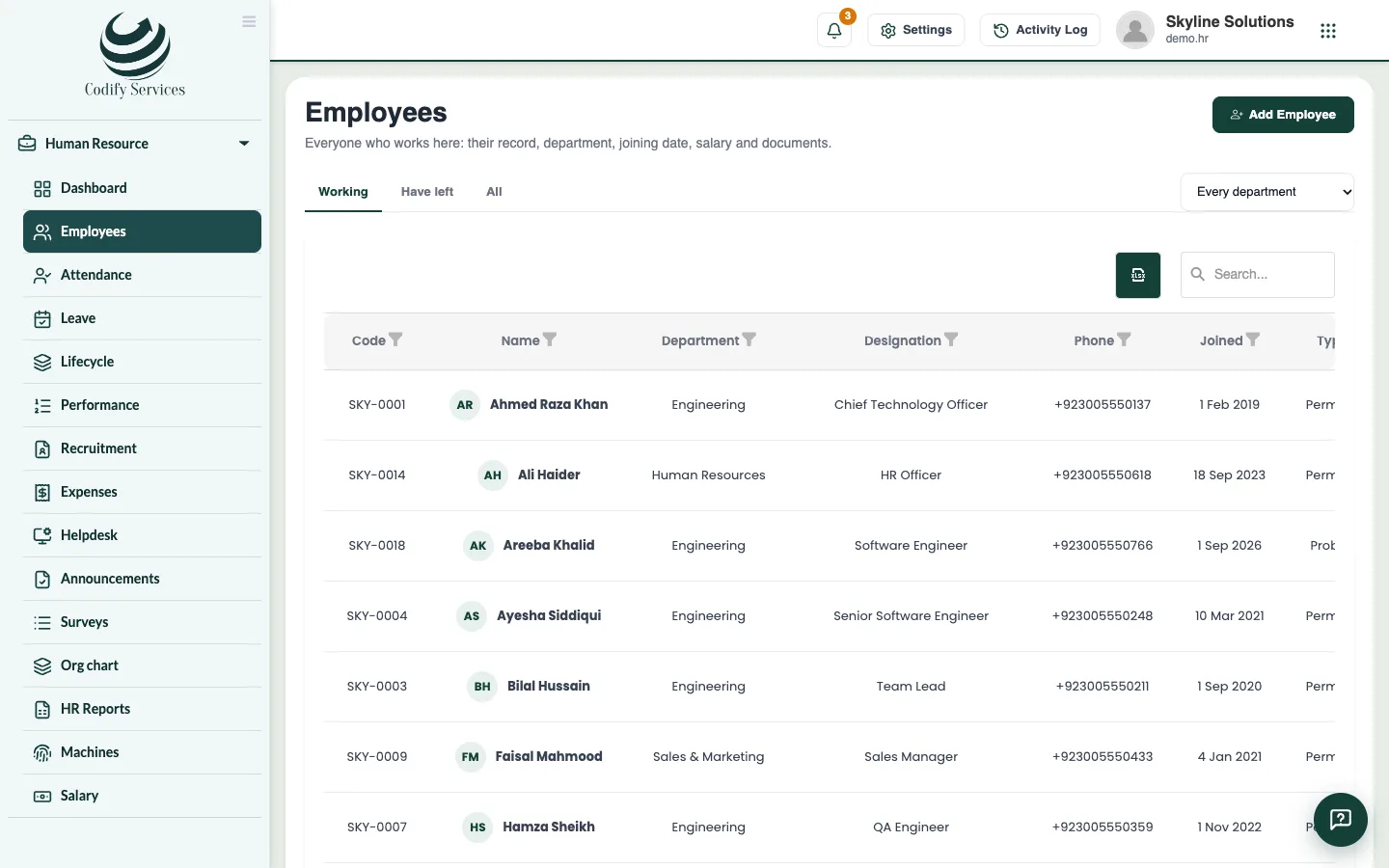
- Open Sidebar > Human Resource > Employees.
- Press Add Employee.
- Under Personal, enter the Name, Father's name, ID number (CNIC or your country's ID), Gender, Date of birth, Phone, Email and Address.
- Under Job, leave Employee code as it is (the next code is given by itself), then choose or type the Department and Designation.
- Enter the Joining date and the Employment type (Permanent, Contract, Probation, Daily wages or Intern).
- Enter the Machine number: the user ID this person has on the attendance machine.
- Optional: enter Probation ends, the Manager, the Shift and Their own weekly days off.
- Under Salary and bank, enter the Basic salary (a month), how they are Paid by (Cash, Bank transfer or Cheque), and their Bank, Account title, Account number and IBAN.
- Optional: add who to call In an emergency, and a Note.
- Press Add Employee.
Good to know
- A department or designation that is not in the list yet is made when you save.
- The Manager you choose is used for the org chart and for leave approval in My HR.
- WPS person number and Bank routing code are only needed for the UAE's Wage Protection System file.
- The list has the filters Working, Have left and All, and a department filter.
Related
More in Employees
Open an employee's record and keep their documentsSee an employee's attendance, leave, salary items and advances, confirm probation, and upload documents such as a CNIC copy or contract.When an employee leaves: last day and final settlementMark an employee as left with their last day and reason, then work out and pay their final settlement with leave and gratuity.Onboarding and exit steps, company assets and lettersUse Lifecycle to track joining and leaving steps, who holds which company asset, and to print letters for employees.
Ready to try it? Open Codify HR