
Codify HR · Attendance machines
Connect a ZKTeco or Hikvision machine over the internet
Add a fingerprint, face or card machine so its punches come to Codify HR over the internet and mark attendance by themselves.
Newer ZKTeco machines (SpeedFace, MB, K40 and others) and Hikvision terminals can send their punches straight to Codify HR over the internet. Each punch then marks the employee's day: the first punch is when they came, the last when they went.
Before you start
- Adding a machine needs Can Manage HR Settings.
- The machine must be connected to the internet.
- Each employee needs their machine number (their user ID on the machine).
Steps
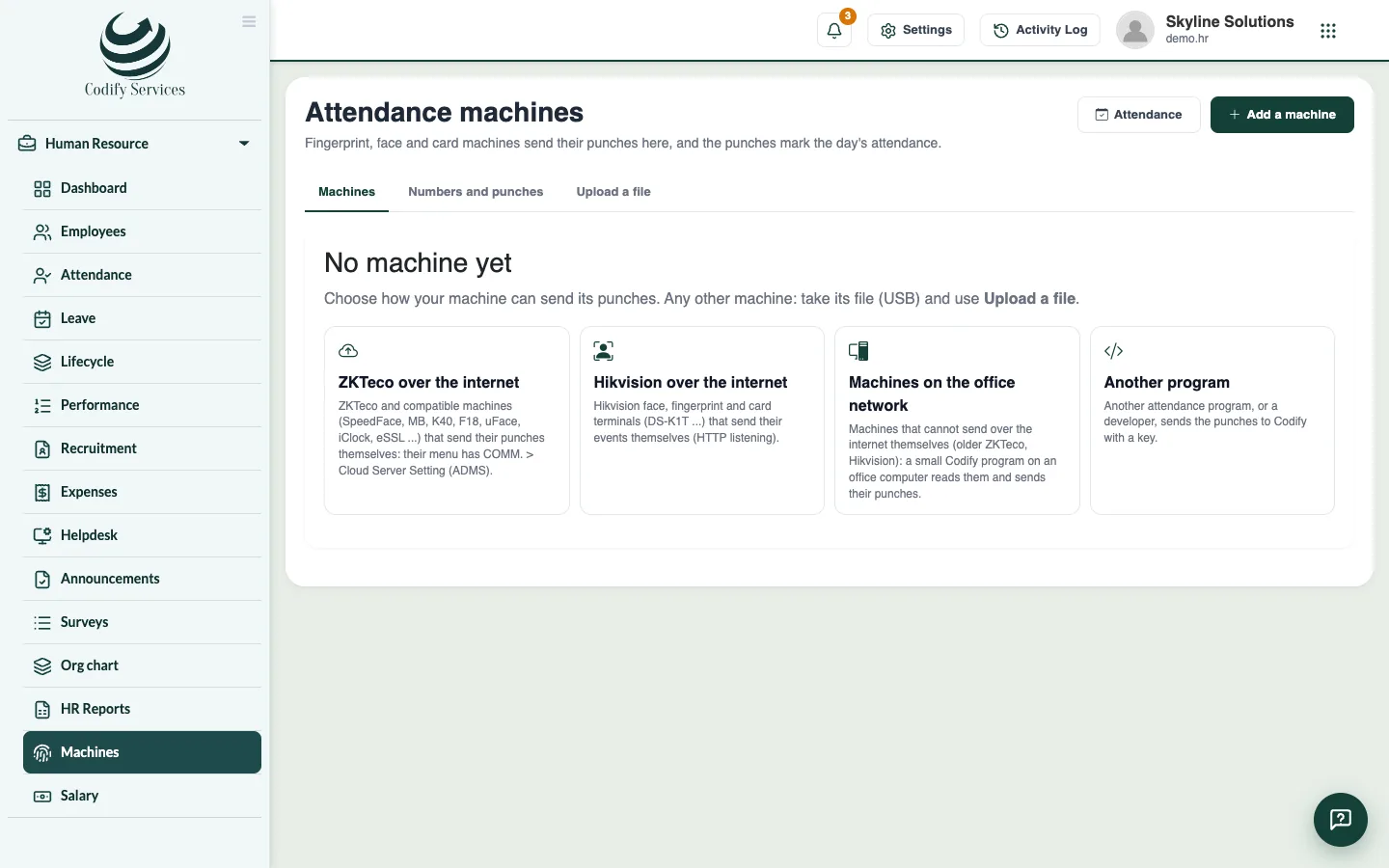
- Open Sidebar > Human Resource > Machines.
- Press Add a machine.
- Choose how it sends its punches: ZKTeco over the internet or Hikvision over the internet.
- Enter a Name. For ZKTeco, also enter the Serial number (on the sticker, or in the machine's menu System Info > Device Info).
- Press Add. The page shows how to set the machine up, and its key.
- Copy the key now: it is shown only once.
- ZKTeco: on the machine open COMM. > Cloud Server Setting. Set Server mode to ADMS, Enable domain name to ON, the Server address shown on the page, Server port 80 (or 443 with HTTPS), and Proxy OFF. Save.
- Hikvision: open the terminal's own page in a browser on the office network and log in as admin. Go to Configuration > Network > Network Service > HTTP(S) Listening and enter the destination address, the URL (with the key), port and protocol shown on the page. Save, then Test.
- Wait a minute. The page says Online when the machine is heard.
- Give each number that punched to its employee (see Related).
Good to know
- Check the machine's date and time: punches carry the machine's clock.
- Punches made while the machine was offline come when it is back online.
- Old punches asks a ZKTeco machine to send a period again. Nothing is taken twice.
- New key makes a new key and the old one stops. Its calls shows what the machine sent in the last week.
- A mark you change on the Attendance page stays as you changed it.
Related
More in Attendance machines
Read older machines with the office network connectorUse the Codify Attendance Connector on an office computer to read machines that cannot send over the internet, or send punches from another program.Upload a machine's attendance fileTake punches from any machine with a USB file (ZKTeco 1_attlog.dat), CSV or Excel export, and turn them into attendance.Give machine numbers and handle days without a punchMatch each machine number to an employee so punches mark attendance, and mark working days with no punch as absent when you choose.
Ready to try it? Open Codify HR