
Codify HR · Set up
Set up your company and working hours
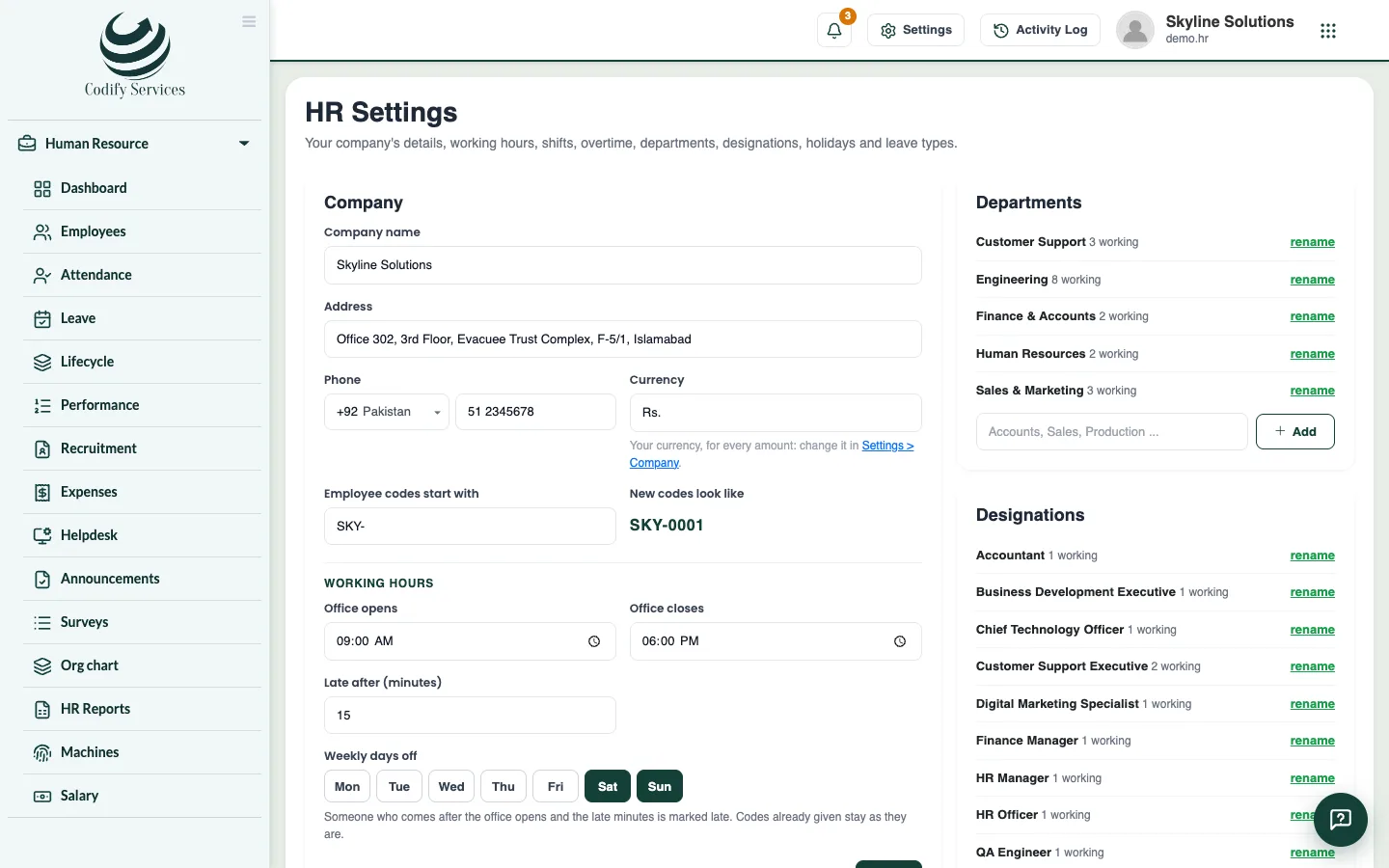
Enter your company details, employee codes, office hours, the late margin, weekly days off, departments and designations.
HR Settings holds the details that every HR page and paper uses: your company's name, how employee codes start, when the office opens and closes, and when someone counts as late. Do this once, before you add employees.
Before you start
- Your role needs Can Manage HR Settings. Others can look but not save.
Steps
- Open Sidebar > Human Resource > HR Settings.
- Under Company, enter the Company name, Address and Phone. They print on HR papers such as payslips.
- In Employee codes start with, type a prefix such as
EMP-. New codes look like shows the result (for example EMP-0001). - Under Working hours, set Office opens and Office closes.
- In Late after (minutes), type the margin. Someone who checks in after the opening time plus these minutes is marked late.
- Under Weekly days off, click each day off (for example Sunday) so it is highlighted.
- Press Save.
- In the Departments and Designations boxes, type a name (for example "Accounts" or "Accountant") and press Add.
Good to know
- Currency is not changed here. It comes from Settings > Society (or your company settings), and every amount in HR uses it.
- Codes already given to employees stay as they are when you change the prefix.
- A department or designation is also made by itself when you type a new one on an employee.
- You can rename a department or designation at any time. delete shows only when no employee has it.
- Staff who work different hours can have their own shift. See Shifts and overtime.
Related
More in Set up
Get started with Codify HRWhat Codify HR does, where to find it, and the first steps to set it up for your staff.Set up shifts and overtimeAdd morning, evening or night shifts with their own hours and late margin, and choose how overtime is counted and paid.Add holidays and set up leave typesAdd public holidays for the year and set up your leave types: days a year, paid or unpaid, carry forward and who can take them.HR roles and permissionsWhich permission opens which part of Codify HR, and how to give your staff the right access.
Ready to try it? Open Codify HR