
Codify CRM · Leads
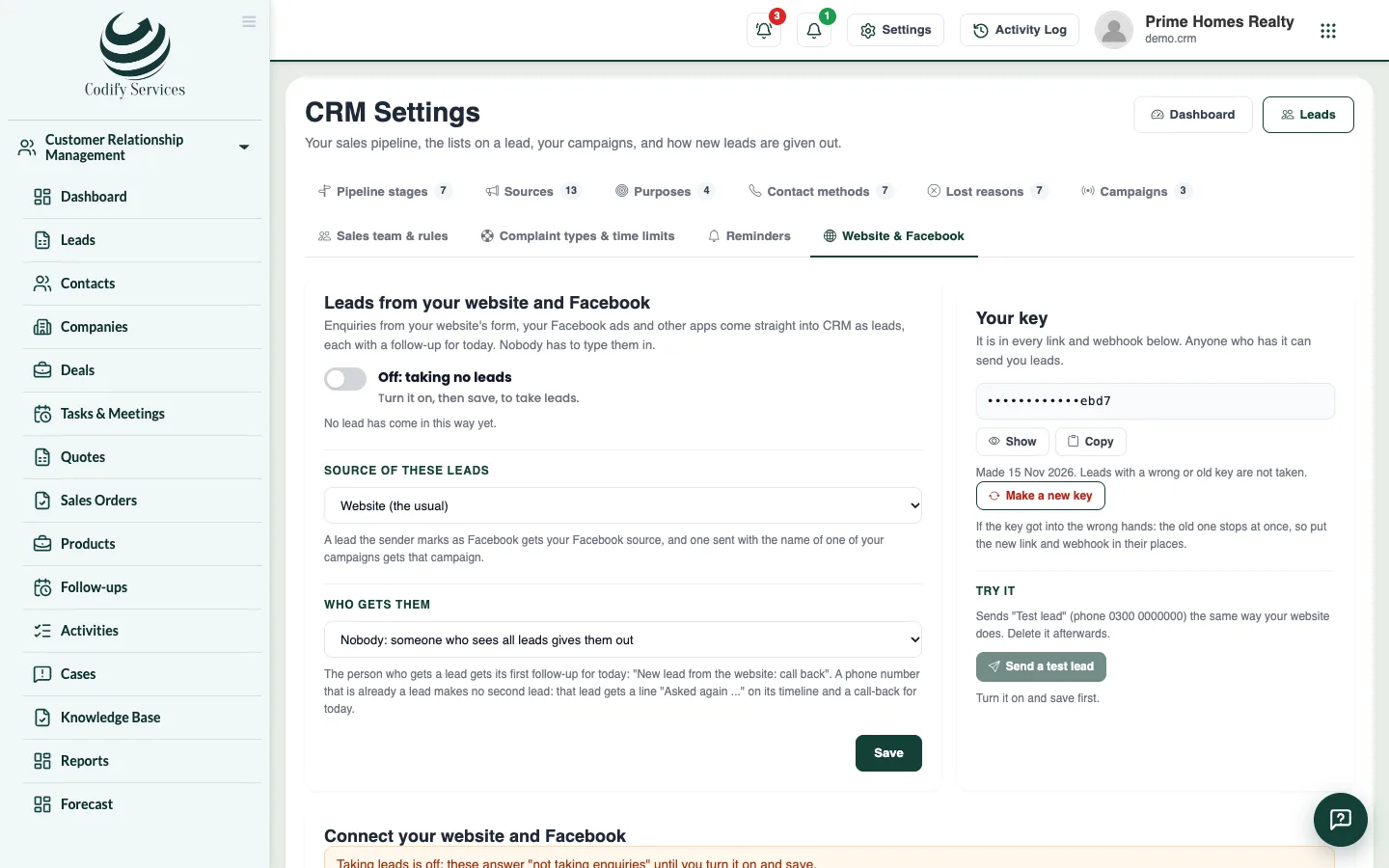
Get leads from your website and Facebook
Take enquiries from your website form, a shareable link and Facebook Lead Ads straight into CRM, each with a follow-up for today.
Enquiries from your website, your Facebook ads and other apps can come into CRM as leads by themselves. Nobody has to type them in, and each new lead gets a call-back for today.
Before you start
- Your role needs Can Manage CRM Settings.
Steps
- Open Sidebar > Customer Relationship Management > CRM Settings and the tab Website & Facebook.
- Turn it on, choose the Source of these leads and Who gets them, and press Save.
- Choose how to connect:
- A link to share: press Copy link and put it in your WhatsApp bio, Facebook page button, Instagram or a QR code. Add
?source=WhatsApp(or another of your sources) to know where a lead came from. - The form in your website: press Copy code and give it to your web developer to paste where the form should show.
- Your website's own form: press Copy form to keep your own form's look and send it to CRM.
- Facebook Lead Ads and other apps (webhook): press Copy address and use it in Zapier, Make or Pabbly Connect. The page shows the steps for each.
- A link to share: press Copy link and put it in your WhatsApp bio, Facebook page button, Instagram or a QR code. Add
- Press Send a test lead to check it works, then open and delete the test lead.
Good to know
- New leads go to your sales team in turn. The person chosen under Who gets them gets them only when nobody of the team is active.
- A phone number that is already a lead makes no second lead: that lead gets "Asked again" on its timeline and a call-back for today.
- The key is in every link and webhook. Make a new key stops the old one at once, so update your website and apps.
- The page shows how many leads came in this way in the last 30 days.
Related
More in Leads
Add a leadAdd a new lead with their contact details, what they want, their budget, the stage, who looks after it and the first follow-up.Import leads from ExcelBring your old leads into CRM in one go from an Excel template, with up to 5,000 leads at a time.Find and move leads on the list and the boardFilter your leads, switch between the list and the stage board, drag leads between stages, and give or move many leads at once.Work a lead: log calls, move stages and close itOpen a lead to call or WhatsApp them, log what was done, move the stage, book the next follow-up, and mark it won or lost.
Ready to try it? Open Codify CRM