
Codify CRM · Follow-ups and activities
Do your follow-ups
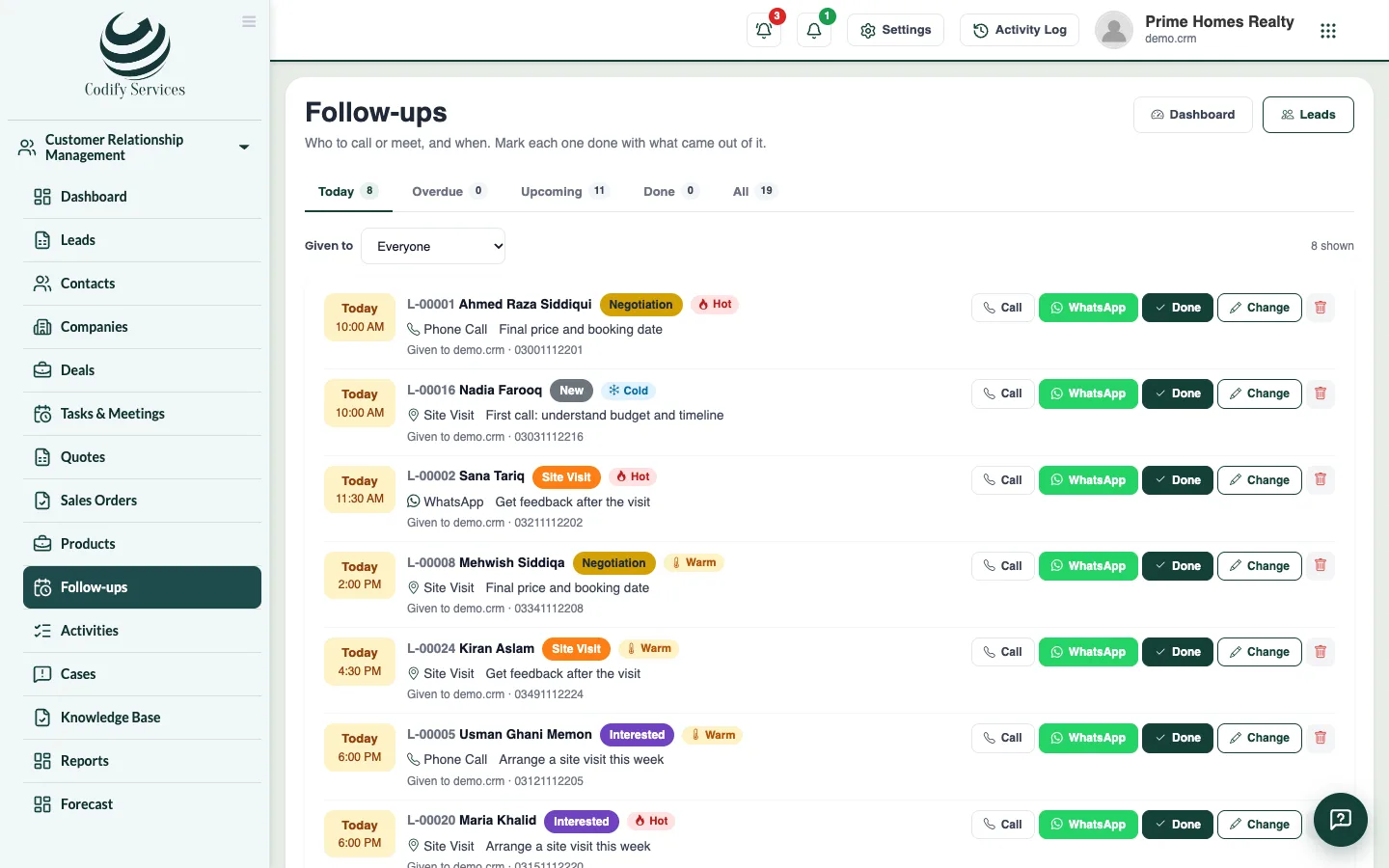
See who to call or meet today and which follow-ups are late, mark each one done with what came out of it, and book the next one.
A follow-up is the next step with a lead: a date, a time, who does it and what to do. The Follow-ups page is your daily to-do list.
Steps
- Open Sidebar > Customer Relationship Management > Follow-ups.
- Choose a view at the top (for example late, today or coming) and who they are Given to (Me, Everyone, Nobody or a person).
- Press Call or WhatsApp on a follow-up to contact the lead.
- Press Done. Choose or write What came out of it.
- Under Book the next follow-up, choose the Day (Tomorrow, In 3 days, In a week or a date), the Time, Type, Given to and Purpose.
- Press Done, book the next one (or Done if no next step is needed).
Good to know
- Change moves a follow-up to another day or person. Open again reopens a done one.
- Late follow-ups also show on the dashboard. Call them first.
- You can also add follow-ups on the lead's own page under Follow-ups > Add.
- Reminders can tell the salesperson before each follow-up. See Follow-up reminders.
Related
More in Follow-ups and activities
Plan tasks, calls and meetingsAdd tasks, calls and meetings on any contact, company or deal, see them in a list or calendar, and send emails, WhatsApp or SMS from templates.Set follow-up reminders by bell, email and WhatsAppRemind salespeople before each follow-up and every morning, in the bell, by email or by WhatsApp, so no follow-up is forgotten.
Ready to try it? Open Codify CRM