
Codify CRM · Get started
Set up stages, sources and other lead lists
Set your lead pipeline stages with their win chance, and your lists of sources, purposes, contact methods and lost reasons.
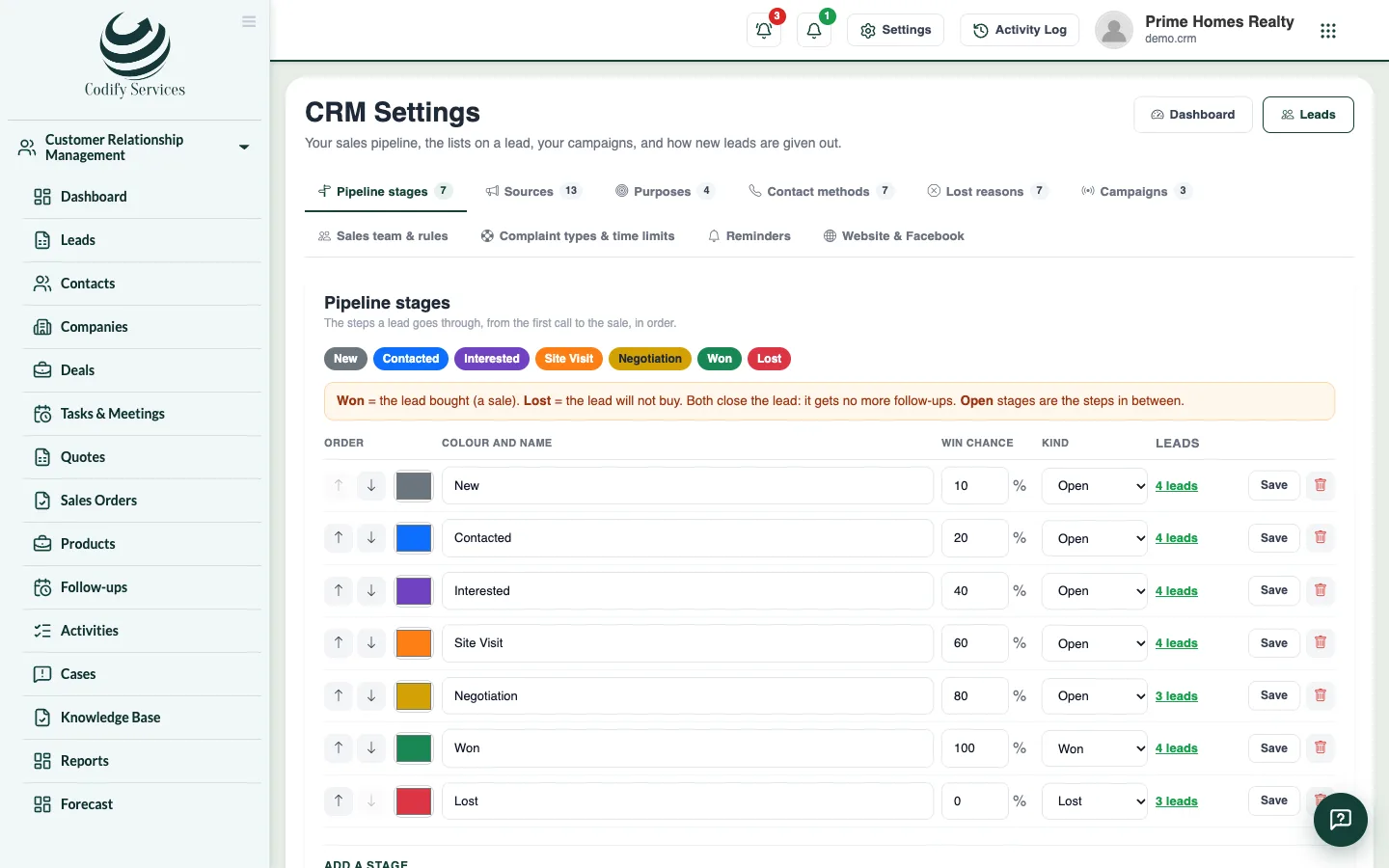
CRM Settings holds the lists every lead uses. Stages are the steps a lead goes through, from the first call to the sale. Sources tell you where leads come from, and lost reasons tell you why sales were lost.
Before you start
- Your role needs Can Manage CRM Settings.
Steps
- Open Sidebar > Customer Relationship Management > CRM Settings.
- On the tab Pipeline stages, change a stage's name and colour, its Win chance (%) and its Kind (Open, Won or Lost). Use the arrows to change the order.
- To add a stage, type its name, its win chance and kind under Add a stage, and press Add. Press Save.
- Open the tab Sources (for example Facebook, Walk-in, Referral). Type a new one and press Add, or press Rename on one.
- Do the same on Purposes (buy, rent, invest ...), Contact methods (call, WhatsApp, visit ...) and Lost reasons (price, location ...).
Good to know
- Won means the lead bought. Lost means it will not buy. Both close the lead: it gets no more follow-ups.
- A stage with leads cannot be removed: move its leads first. There is always at least one open, one Won and one Lost stage.
- The win chance makes the "likely" pipeline value on the dashboard.
- Removing a list entry keeps it on the leads that already have it.
- A contact method's icon follows its name (call, WhatsApp, email, meeting, visit, SMS, note).
Related
More in Get started
Get started with Codify CRMWhat Codify CRM does, how to open it on its own site or as an add-on of the Housing ERP or Property, and the first steps.Set up pipelines, your own fields and message templatesMake sales pipelines with their own stages, add your own fields to contacts, companies and deals, and write email, WhatsApp and SMS templates.Set your sales team, lead numbers and assignment rulesChoose how lead codes start, whether new leads go to whoever adds them or to the sales team in turn, when a lead is quiet, and the WhatsApp greeting.CRM roles and permissionsWhich permission opens which part of Codify CRM, and who sees which leads, deals and cases.
Ready to try it? Open Codify CRM