
Codify CRM · Follow-ups and activities
Plan tasks, calls and meetings
Add tasks, calls and meetings on any contact, company or deal, see them in a list or calendar, and send emails, WhatsApp or SMS from templates.
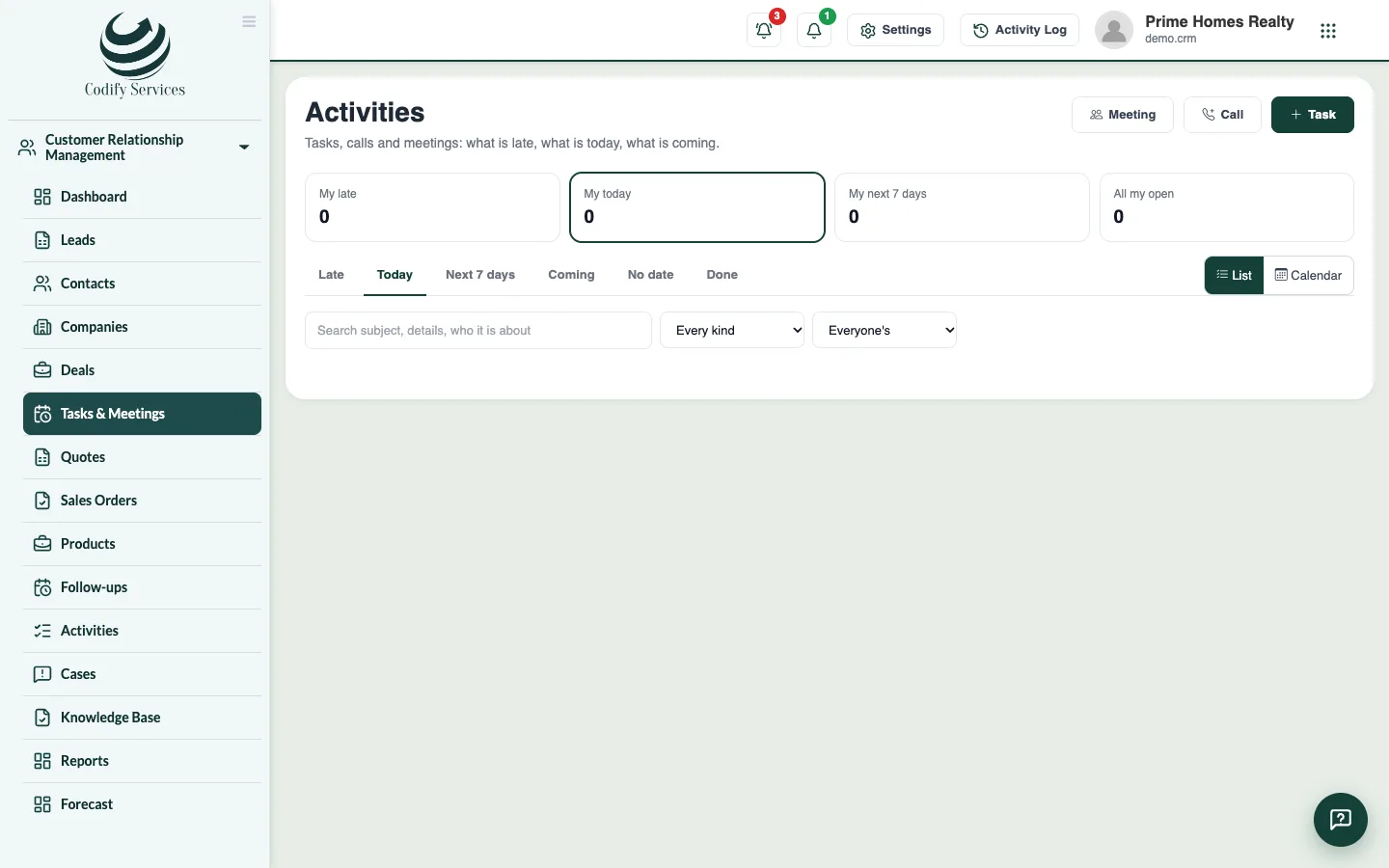
Besides lead follow-ups, CRM keeps tasks, calls and meetings on your contacts, companies and deals. The Tasks & Meetings page shows what is late, what is today and what is coming.
Before you start
- Your role needs Can Log CRM Activities.
Steps
- Open Sidebar > Customer Relationship Management > Tasks & Meetings.
- Press Meeting, Call or Task.
- Enter the Subject, the due day and time (a meeting has From and To, Where or a Video link), a Reminder, the Priority and Who does it.
- Optional: choose Repeat (every day, week or month) and Until, and add Who comes to a meeting.
- Press Save.
- When it is done, press it, choose How it went, write What came of it, and press Done.
- Press Calendar to see the month. Double-click a day to add a task on it.
Good to know
- On a contact, company or deal page, the To do box has Task, Call, Log a call, Meeting, Email, WhatsApp and SMS. Everything done shows under History.
- An email goes from your company's own email (set it up in Due Reminders > Sender Email) and is kept on the record. WhatsApp and SMS open your app with the text; you press send there.
- Email, WhatsApp and SMS templates are made under Pipelines & Templates.
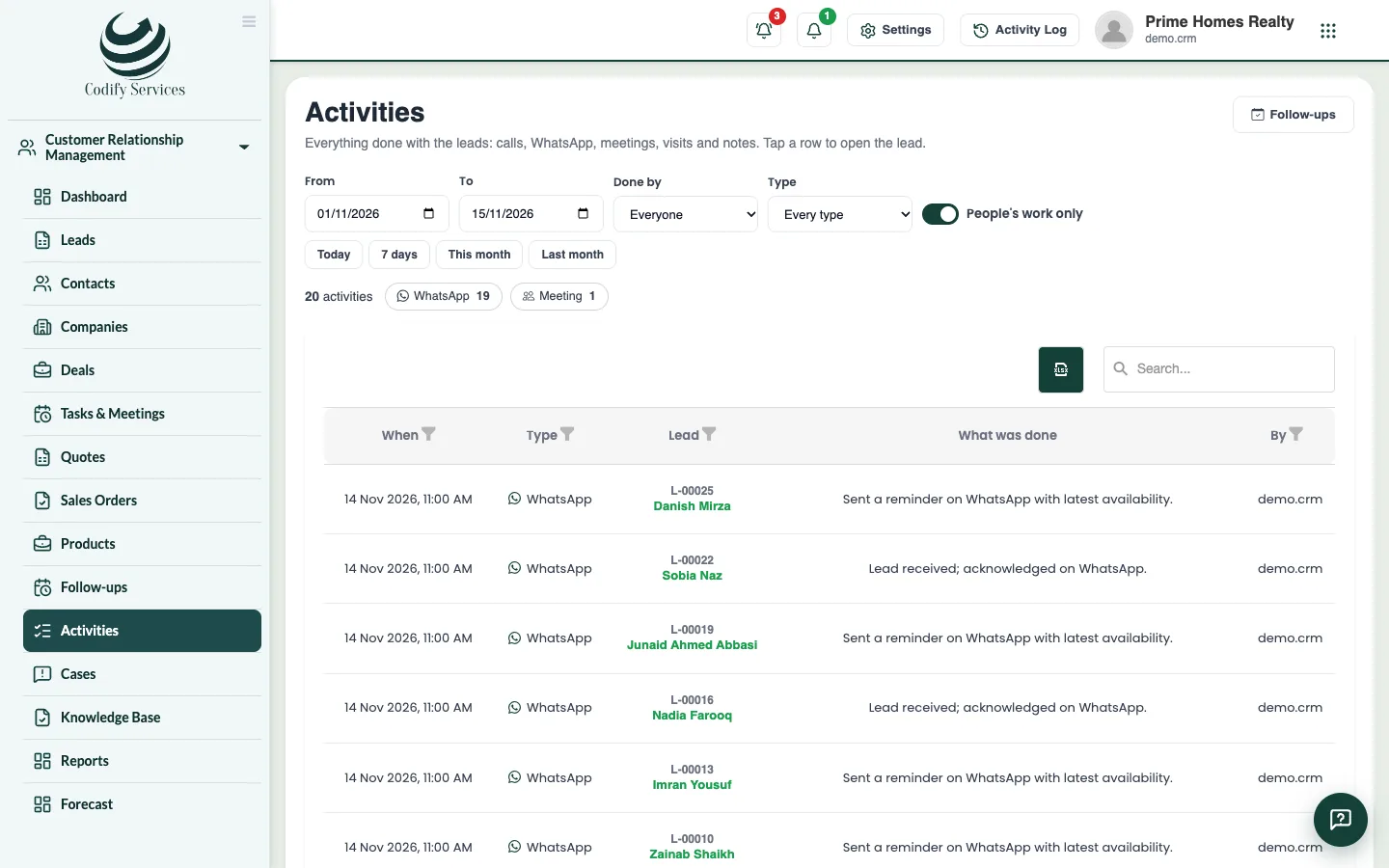
- Sidebar > Customer Relationship Management > Activities lists everything done with leads (calls, WhatsApp, meetings, visits, notes), with filters by date, person and type.
Related
More in Follow-ups and activities
Do your follow-upsSee who to call or meet today and which follow-ups are late, mark each one done with what came out of it, and book the next one.Set follow-up reminders by bell, email and WhatsAppRemind salespeople before each follow-up and every morning, in the bell, by email or by WhatsApp, so no follow-up is forgotten.
Ready to try it? Open Codify CRM