
Codify CRM · Contacts and deals
Send quotes and sales orders
Keep a product list, add products to a deal, make a quote, email or print it, turn an accepted quote into a sales order and invoice it in Billing.
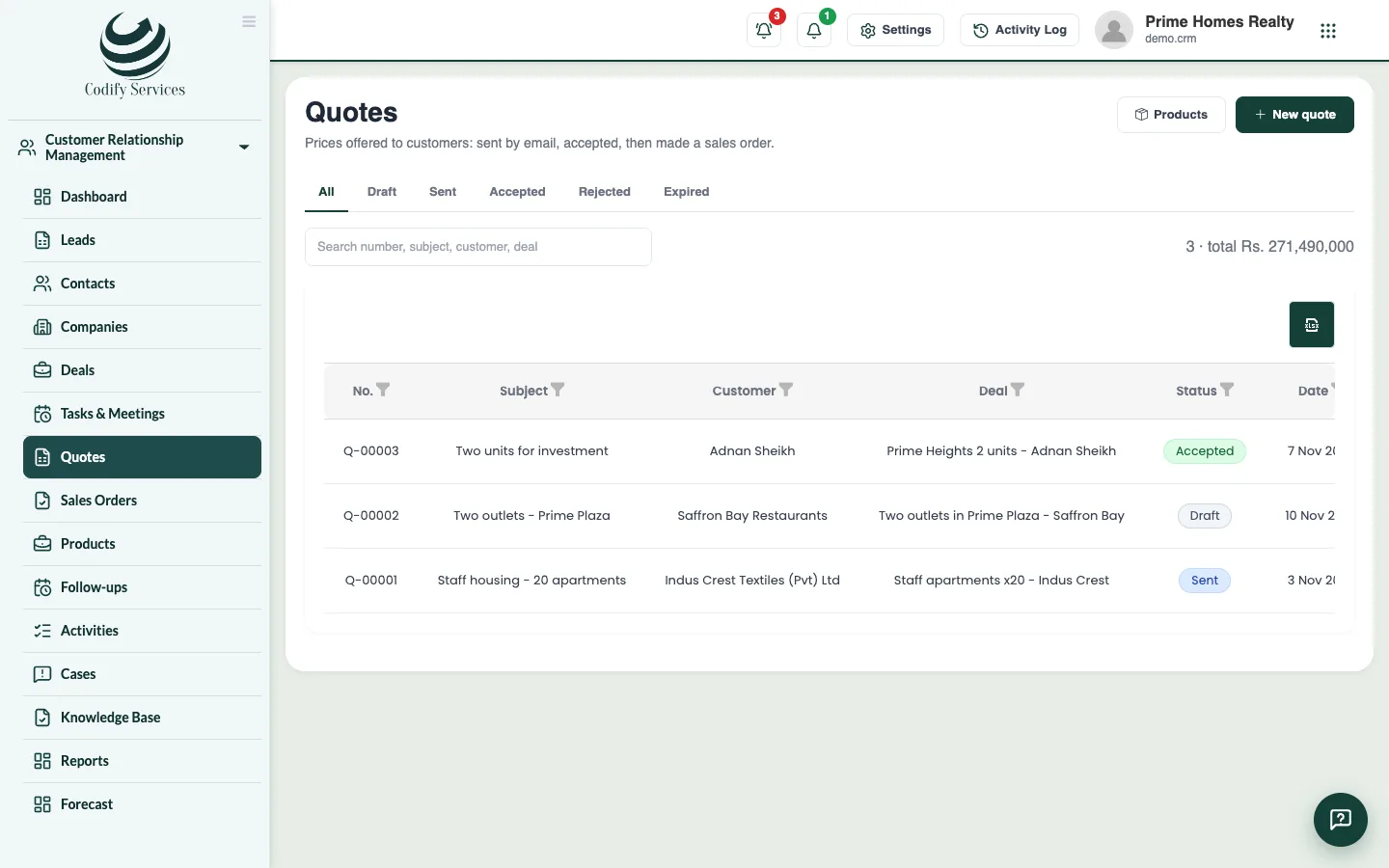
Quotes are prices you offer customers. When a customer accepts, the quote becomes a sales order, and the order can become an invoice in Billing & Invoicing.
Before you start
- Products are set up with Can Manage CRM Settings. Quotes and orders need Can Add Leads (add) and Can Edit Leads (change).
- Making a Billing invoice also needs Billing's permission to add invoices.
Steps
Products
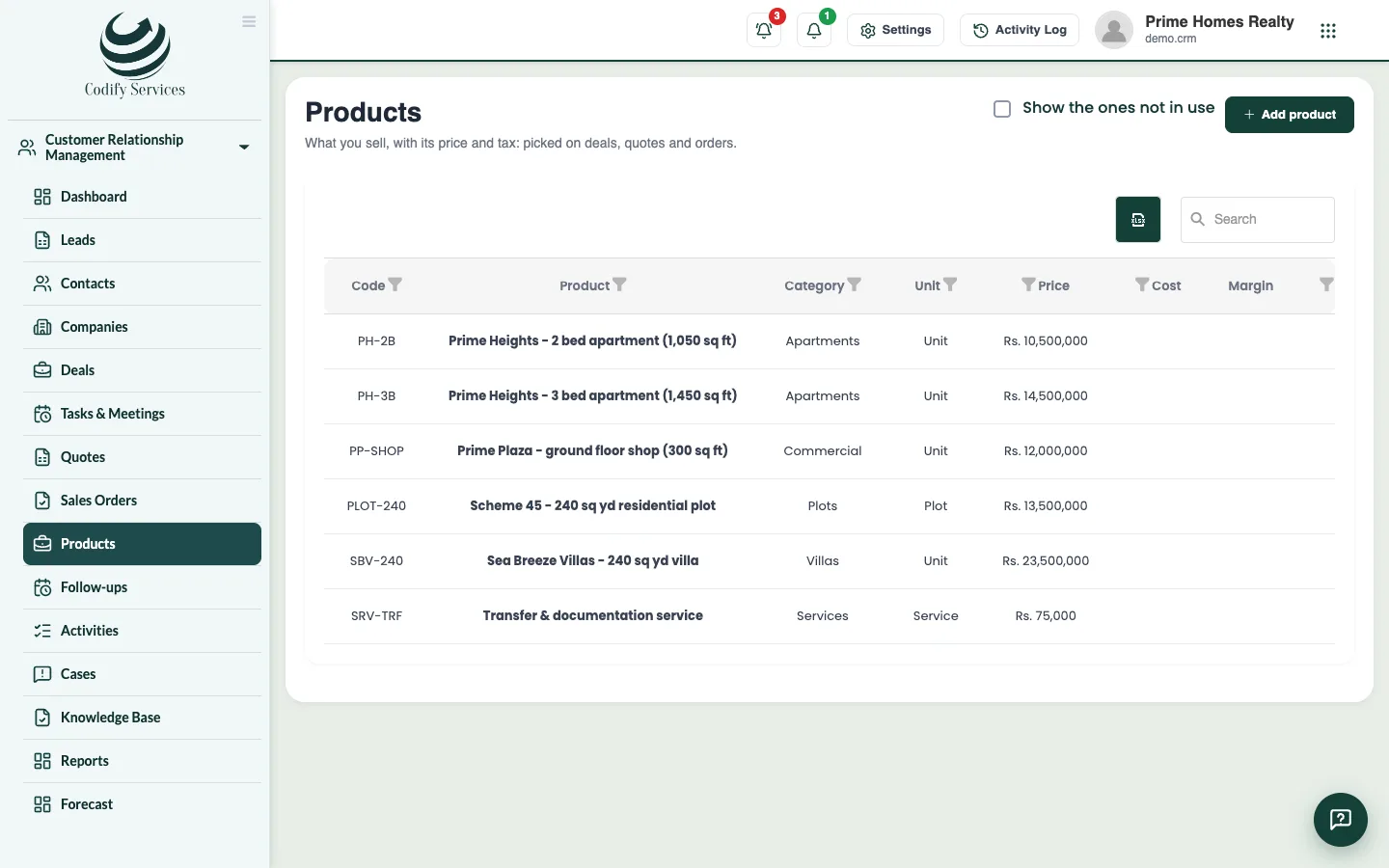
- Open Sidebar > Customer Relationship Management > Products and press Add product.
- Enter the Name, Code (SKU), Category, Unit, Price, Cost and Tax %, and press Save.
Quote
- Open a deal and press Add products in the Products box. Pick the products, quantities, prices and discounts. Tick The deal's value becomes this total if you want, and press Save products.
- Under Quotes and orders, press Quote. Or open Sidebar > Customer Relationship Management > Quotes and press New quote.
- Check the Subject, Company, Contact, Date, Valid until, the lines, addresses and Terms (printed). Press Save.
- Press Email to send it (a draft becomes Sent), or Print / PDF.
- Set the Status when the customer answers (Accepted or Rejected).
Order and invoice
- On an accepted quote, press Make sales order.
- On the order, set its status as it goes (Confirmed, Delivered).
- Press Make invoice, choose Due on and press Make invoice. The invoice is made in Billing for the customer.
Good to know
- Copy makes a new quote from an old one.
- Payments for the invoice are received in Billing.
- Notes (for you, not printed) stay inside CRM.
Related
More in Contacts and deals
Keep contacts and companiesAdd the people and businesses you sell to, import them from Excel, save filtered views, and merge duplicates.Convert a lead to a contact, company and dealWhen a lead is serious, convert it into a contact (and a company if they buy for a business) with a deal to follow in a pipeline.Follow deals on the pipeline boardAdd deals with their value and close date, drag them through your pipeline's stages, and mark them won or lost.
Ready to try it? Open Codify CRM