
Codify CRM · Reports and team
Sales team, territories, targets and forecast
Set who reports to whom, group people into territories, give monthly targets, and forecast sales against the target.
The sales team page decides whose work a manager sees, groups people into territories, and sets targets. The forecast shows what will be sold against those targets.
Before you start
- Team, territories and targets need Can Manage CRM Settings. The forecast needs Can View CRM Reports.
Steps
- Open Sidebar > Customer Relationship Management > Sales Team & Targets.
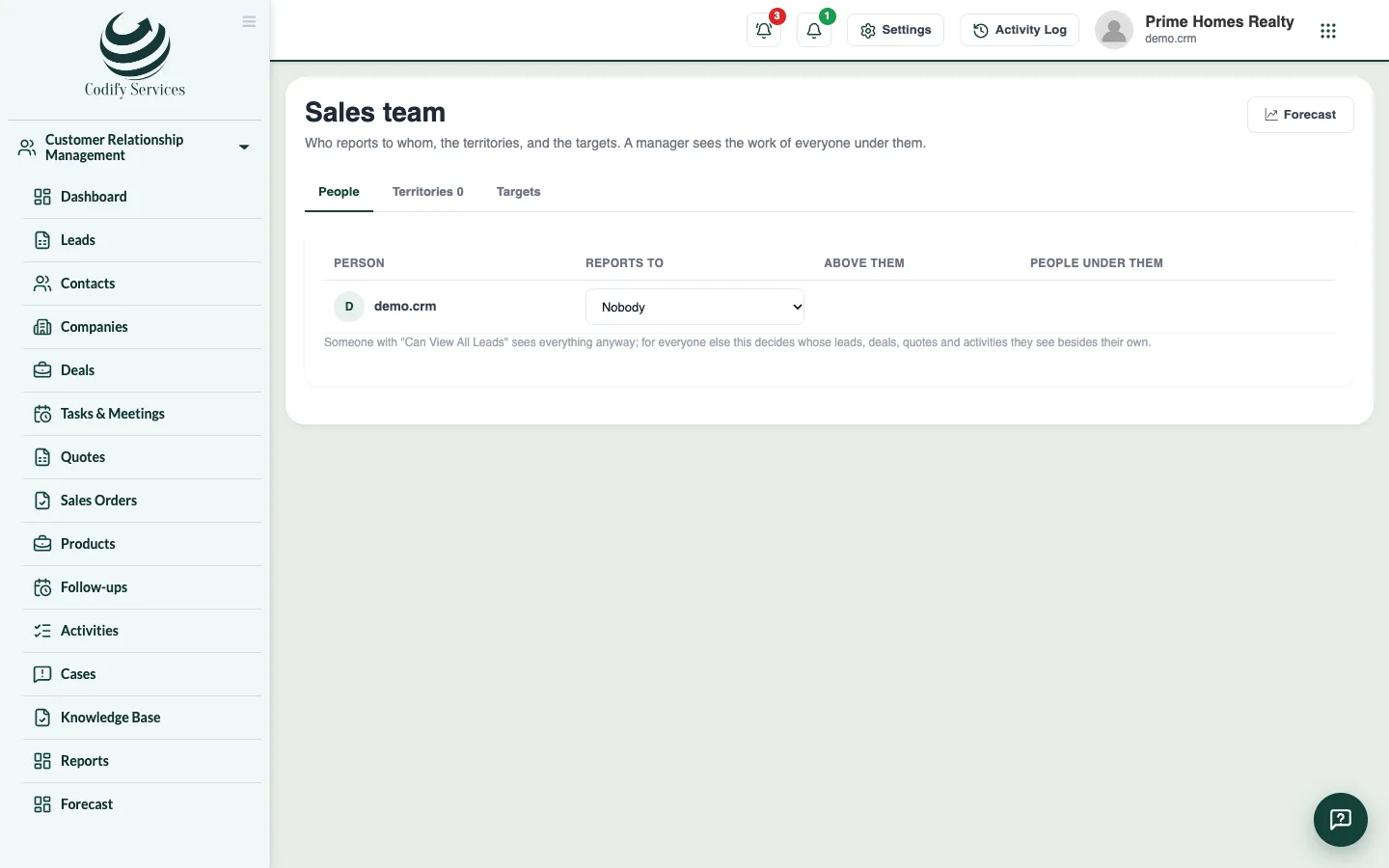
- On the tab People, choose who each person Reports to.
- On the tab Territories, press Add territory. Enter the Name, what it is Part of, the Manager, the Cities and the People. Press Save territory.
- On the tab Targets, choose the year and the measure (value won, deals won, new leads or activities), enter each month's target for the company, a territory or a person, and press Save targets.
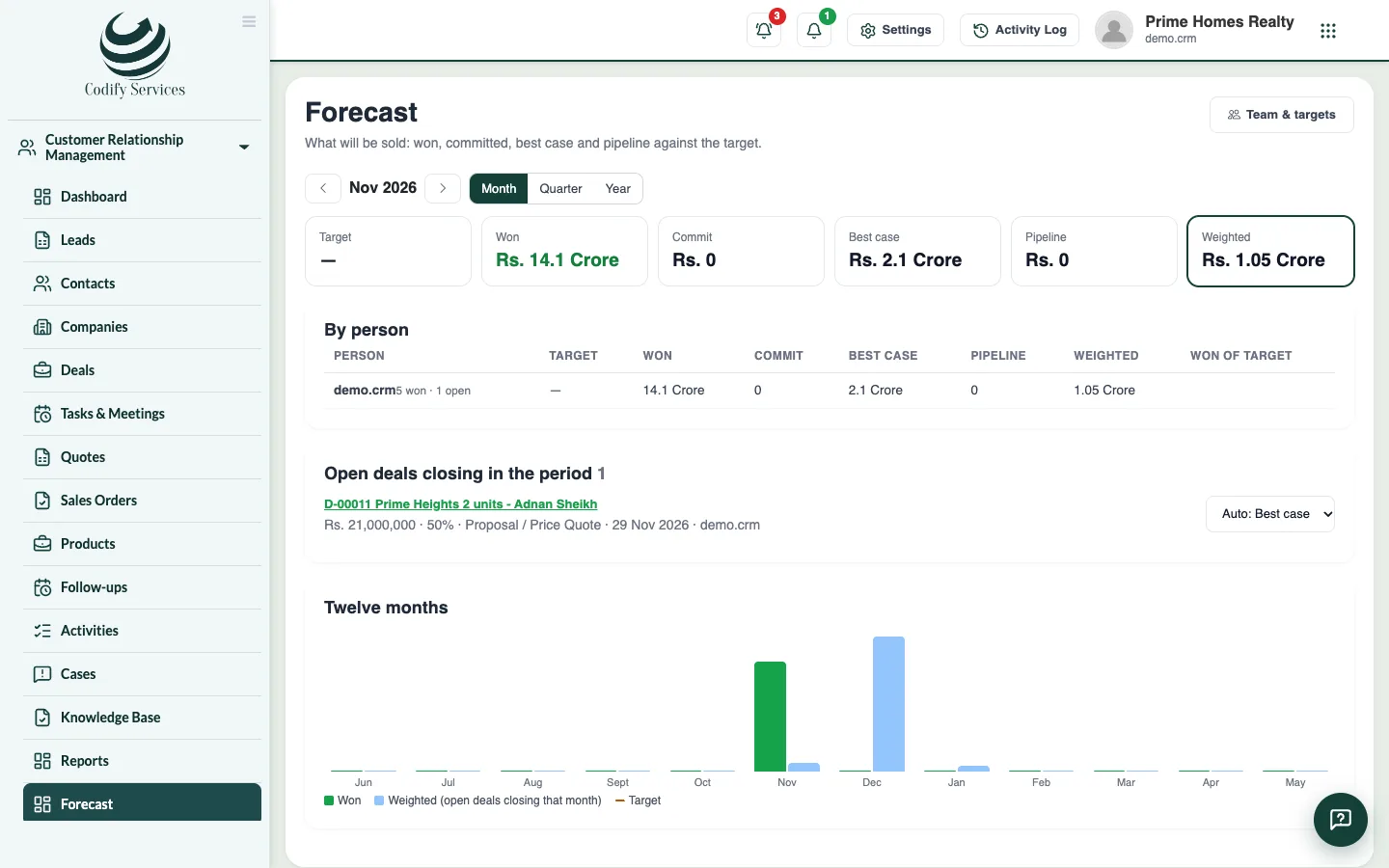
- Open Sidebar > Customer Relationship Management > Forecast. Choose Month, Quarter or Year, and a territory or pipeline.
- Read Won, Commit, Best case, Pipeline and Weighted against the Target, by person.
Good to know
- A manager sees the leads, deals, quotes, cases and activities of everyone under them. Someone with Can View All Leads sees everything anyway.
- Under each target, the page shows what was done that month and the share of the target.
- On the forecast, you can change a deal's forecast category; empty means it follows the deal's chance of winning.
Related
More in Reports and team
Ready to try it? Open Codify CRM