
Codify CRM · Get started
Get started with Codify CRM
What Codify CRM does, how to open it on its own site or as an add-on of the Housing ERP or Property, and the first steps.
Codify CRM keeps every buyer who calls, messages or visits in one place, so nobody is forgotten. It follows each lead from the first call to the sale, then helps you look after customers with contacts, deals, quotes and complaint cases.
Before you start
- CRM is its own product on crm.codifyservices.com. It is also an add-on of the Housing Society ERP and comes with some Property Management System packages. The account owner adds it on the Subscription page under Add-on modules. See https://codifyservices.com/pricing/ for packages.
- Your role needs Can View CRM.
Steps
- Open Sidebar > Customer Relationship Management > Dashboard.
- Follow the box Welcome to your CRM. First open CRM Settings and set your stages, lead sources and sales team.
- Press Add Lead to add your first lead (a name and phone are enough), or bring your old leads from Excel.
- Book a follow-up on each lead so it is called back on time.
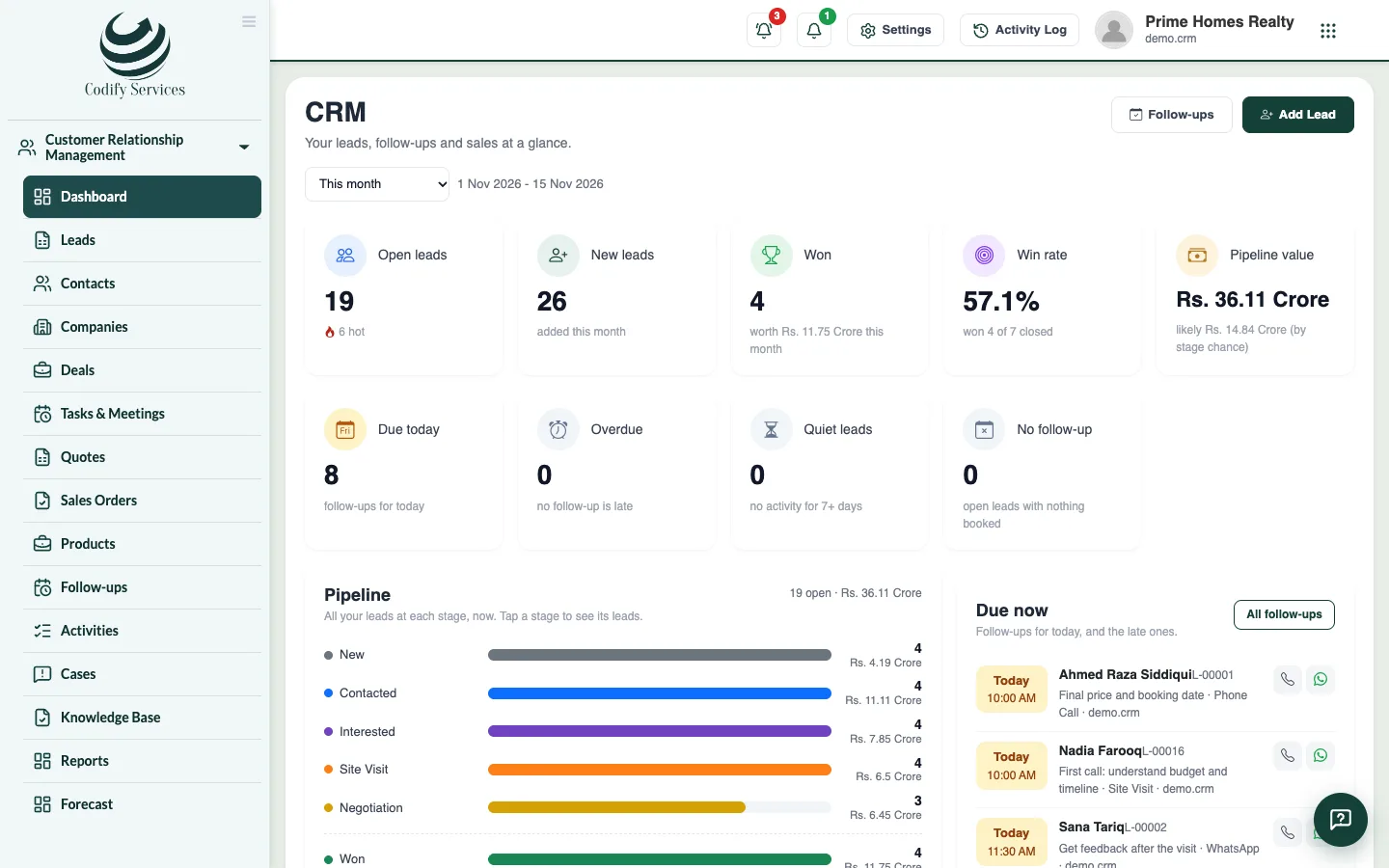
- Check the dashboard every day: Due today, Overdue and Quiet leads show who to call first.
Good to know
- The dashboard shows open leads (and how many are hot), new leads, leads won and their value, the win rate, the pipeline value, follow-ups due and late, quiet leads, open complaints, the pipeline by stage, leads by source, each salesperson's work and recent activity.
- Choose the period at the top of the dashboard. Click a card, a stage or a source to open the matching leads.
- Without Can View All Leads, you see only the leads you look after.
Related
More in Get started
Set up pipelines, your own fields and message templatesMake sales pipelines with their own stages, add your own fields to contacts, companies and deals, and write email, WhatsApp and SMS templates.Set up stages, sources and other lead listsSet your lead pipeline stages with their win chance, and your lists of sources, purposes, contact methods and lost reasons.Set your sales team, lead numbers and assignment rulesChoose how lead codes start, whether new leads go to whoever adds them or to the sales team in turn, when a lead is quiet, and the WhatsApp greeting.CRM roles and permissionsWhich permission opens which part of Codify CRM, and who sees which leads, deals and cases.
Ready to try it? Open Codify CRM