
Codify CRM · Leads
Find and move leads on the list and the board
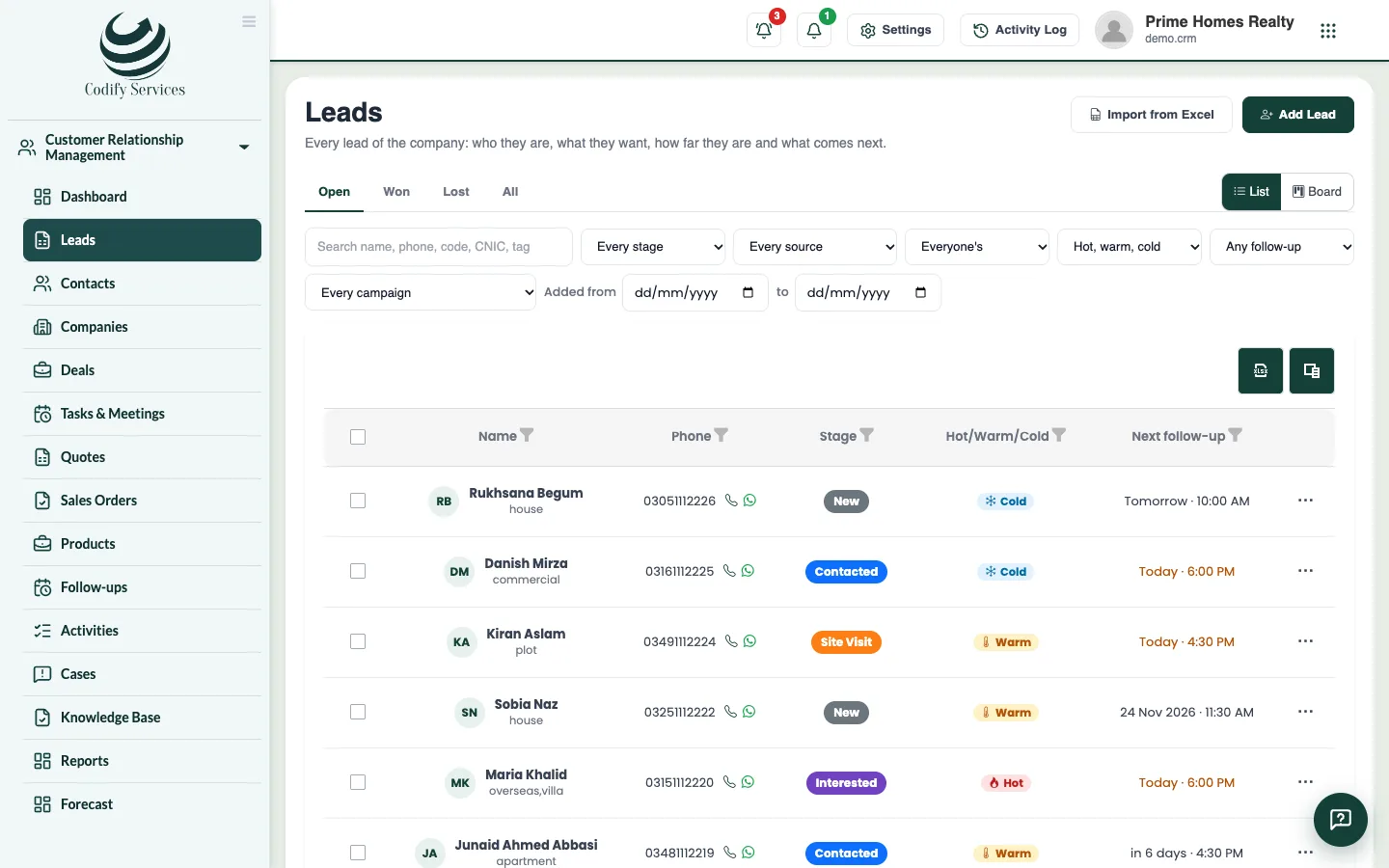
Filter your leads, switch between the list and the stage board, drag leads between stages, and give or move many leads at once.
The Leads page shows every lead you may see. Use the list to search and filter, or the board to see each stage as a column and drag leads forward.
Steps
- Open Sidebar > Customer Relationship Management > Leads.
- Choose Open, Won, Lost or All.
- Filter by stage, source, who looks after it (Everyone's, Mine, Nobody's or a person), hot/warm/cold, follow-up (late, today, none), campaign and dates. Clear removes the filters.
- Press Board to see the stages as columns. Drag a lead to another column to move it to that stage.
- When you move a lead to a Lost stage, choose the Reason, add a Note, and press Mark as.
- On the list, tick several leads to act on them together: Give to ... a person, Move to ... a stage, or Delete.
- Click a lead to open it.
Good to know
- Each row shows the stage, days in the stage, what the lead wants, the budget, the next follow-up and the last activity.
- A board column shows the latest leads; press see all for the rest.
- Deleted leads leave the lists, the dashboard and the reports, and their open follow-ups are removed.
- Giving leads to someone needs Can Assign Leads.
Related
More in Leads
Add a leadAdd a new lead with their contact details, what they want, their budget, the stage, who looks after it and the first follow-up.Import leads from ExcelBring your old leads into CRM in one go from an Excel template, with up to 5,000 leads at a time.Work a lead: log calls, move stages and close itOpen a lead to call or WhatsApp them, log what was done, move the stage, book the next follow-up, and mark it won or lost.Get leads from your website and FacebookTake enquiries from your website form, a shareable link and Facebook Lead Ads straight into CRM, each with a follow-up for today.
Ready to try it? Open Codify CRM