
Codify CRM · Contacts and deals
Follow deals on the pipeline board
Add deals with their value and close date, drag them through your pipeline's stages, and mark them won or lost.
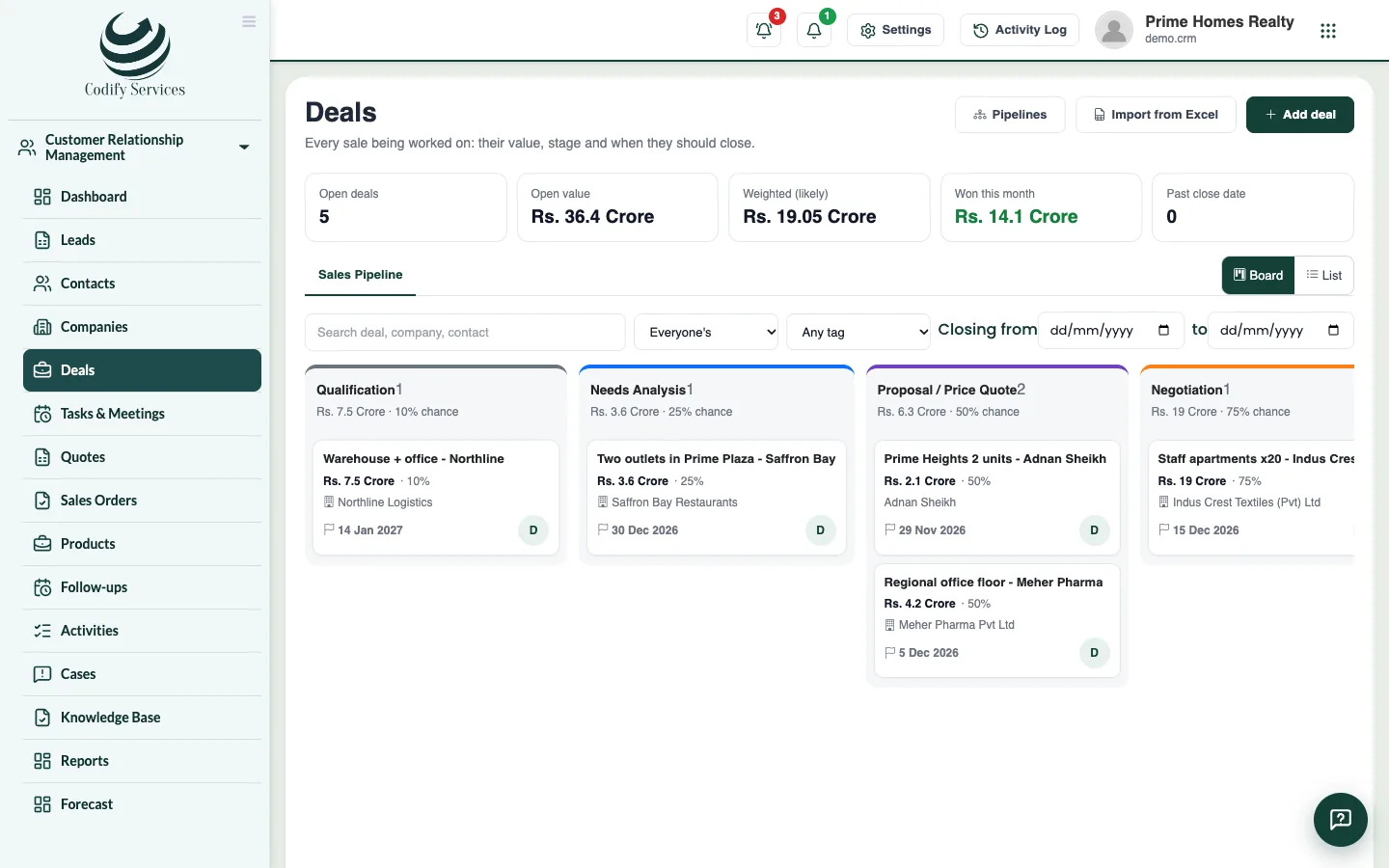
A deal is a sale being worked on: its value, when it should close, its stage, and its contact and company. The Deals board shows each stage as a column so you see the whole pipeline at once.
Before you start
- Adding needs Can Add Leads; moving and changing needs Can Edit Leads.
Steps
- Open Sidebar > Customer Relationship Management > Deals.
- Press Add deal. Enter the Deal name, Value, Expected to close, Pipeline, Stage, Contact, Company and who it is Looked after by. Press Save.
- Choose the pipeline at the top if you have more than one.
- On the Board, drag a deal to another column to move it to that stage.
- When a deal is lost, choose the Reason, add a Note and press Mark as lost.
- Click a deal to open its page: its people, products, quotes and orders, activities, notes, files and Stage history.
Good to know
- The top shows Open deals, Open value, Weighted (likely) value, Won this month and deals Past close date.
- The weighted value is each deal's value times its stage's chance of winning.
- Switch to List to filter by owner, tag, close dates, company or contact, and to act on several deals at once (Give to ..., Add tag, Delete).
- Import from Excel brings many deals at once.
- Pipelines opens the page where you set up your pipelines and their stages.
Related
More in Contacts and deals
Keep contacts and companiesAdd the people and businesses you sell to, import them from Excel, save filtered views, and merge duplicates.Convert a lead to a contact, company and dealWhen a lead is serious, convert it into a contact (and a company if they buy for a business) with a deal to follow in a pipeline.Send quotes and sales ordersKeep a product list, add products to a deal, make a quote, email or print it, turn an accepted quote into a sales order and invoice it in Billing.
Ready to try it? Open Codify CRM