
Land Management · Land deals
Move deals through the pipeline and log negotiations
See every land deal by stage on a board, add new prospects, move deals forward with checks, and log each meeting, offer and counter-offer.
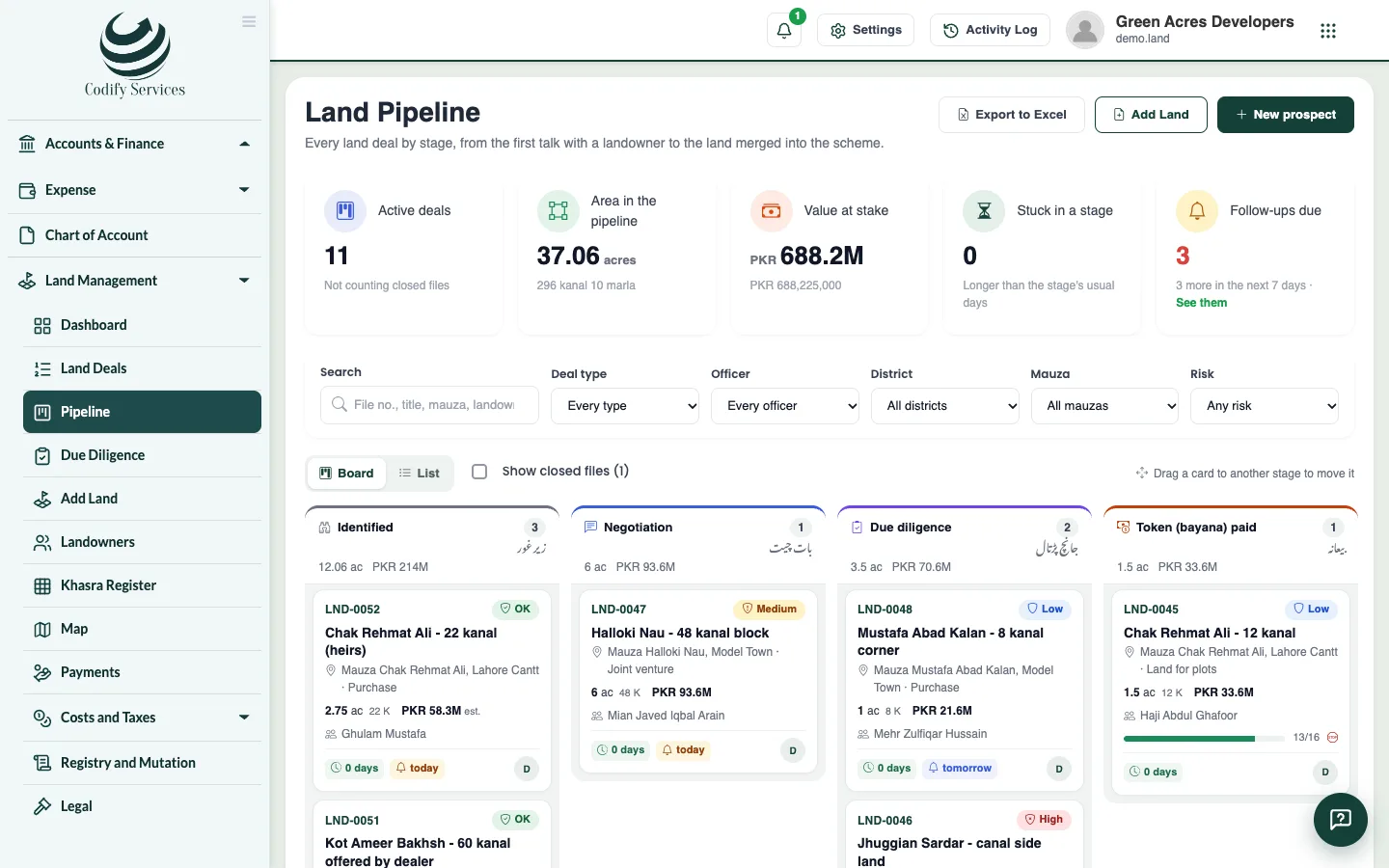
The Pipeline shows each land deal as a card in its stage: Identified, Negotiation, Due diligence, Token (bayana) paid, Agreement signed, Payments, Registry, Mutation, Possession, Demarcated and Merged into the scheme. A bayana is the token money paid to fix the deal.
Before you start
- Looking needs View Land List. Moving deals and logging negotiations needs Can Manage Pipeline and Negotiations.
Steps
- Open Sidebar > Land Management > Pipeline.
- To record land offered to you before a deal is entered, press New prospect. Enter the title, mauza, approximate area, asking price, the landowner's name and phone, and the next follow-up. It gets its own file number.
- To move a deal, drag its card to another stage, or press Move.
- Read what the move says. It names anything that stops it (open due-diligence checks, no clear title opinion). Going back, dropping, cancelling or reopening asks for a reason.
- Click a card to open the land file. Press Edit file to set the officer, target close date, and entry and walk-away prices.
- On the Negotiation tab, log each meeting, call, site visit, WhatsApp, offer and counter-offer, with a next follow-up. Press Done to close a follow-up.
Good to know
- Cards turn amber and red as a deal sits longer than its stage's usual days.
- The top shows the active deals, the area, the value at stake, deals stuck in a stage and follow-ups due.
- Dropped and Cancelled close a file; tick Show closed files to see them.
- List shows the same deals in rows, and Export to Excel downloads them.
- Prices show only with Can See Land Prices and Costs.
Related
More in Land deals
Add a land dealEnter a land purchase: its place, khasras and areas, landowners and their shares, the price, the agreement, commission and buyers.Find land deals and use a deal's pageSearch and filter every land deal, export them to Excel, and open a deal's page with its summary and tabs.Run due diligence on a land dealStart a deal's checklist of title and legal checks, mark each one clear or with an issue, record the lawyer's title opinion, and handle risk flags.Record agreements and the payment scheduleRecord a deal's agreement to sell or bayana receipt with its signatories, and set each landowner's schedule of token, installments and final payment.Post a land deal to accountsPost a complete land deal into Finance as vouchers, set up the land accounts it needs, and reverse a posting when needed.
Ready to try it? Open Land Management