
Land Management · Payments and costs
Record land costs, taxes and valuations
Record every cost beyond the price, work out stamp duty, CVT and withholding taxes, pay challans, and keep DC and FBR valuations.
A land deal costs more than its price: stamp duty, CVT, registration fees, mutation fees, advance tax, legal and survey fees, and more. Costs and Taxes keeps them all, works out the taxes, and posts them to accounts.
Before you start
- Looking needs Can See Land Prices and Costs or Can Manage Land Costs, Taxes, Valuations and Commission. Adding and changing need the second one. Posting needs Can Post Land into Finance.
Steps
A cost
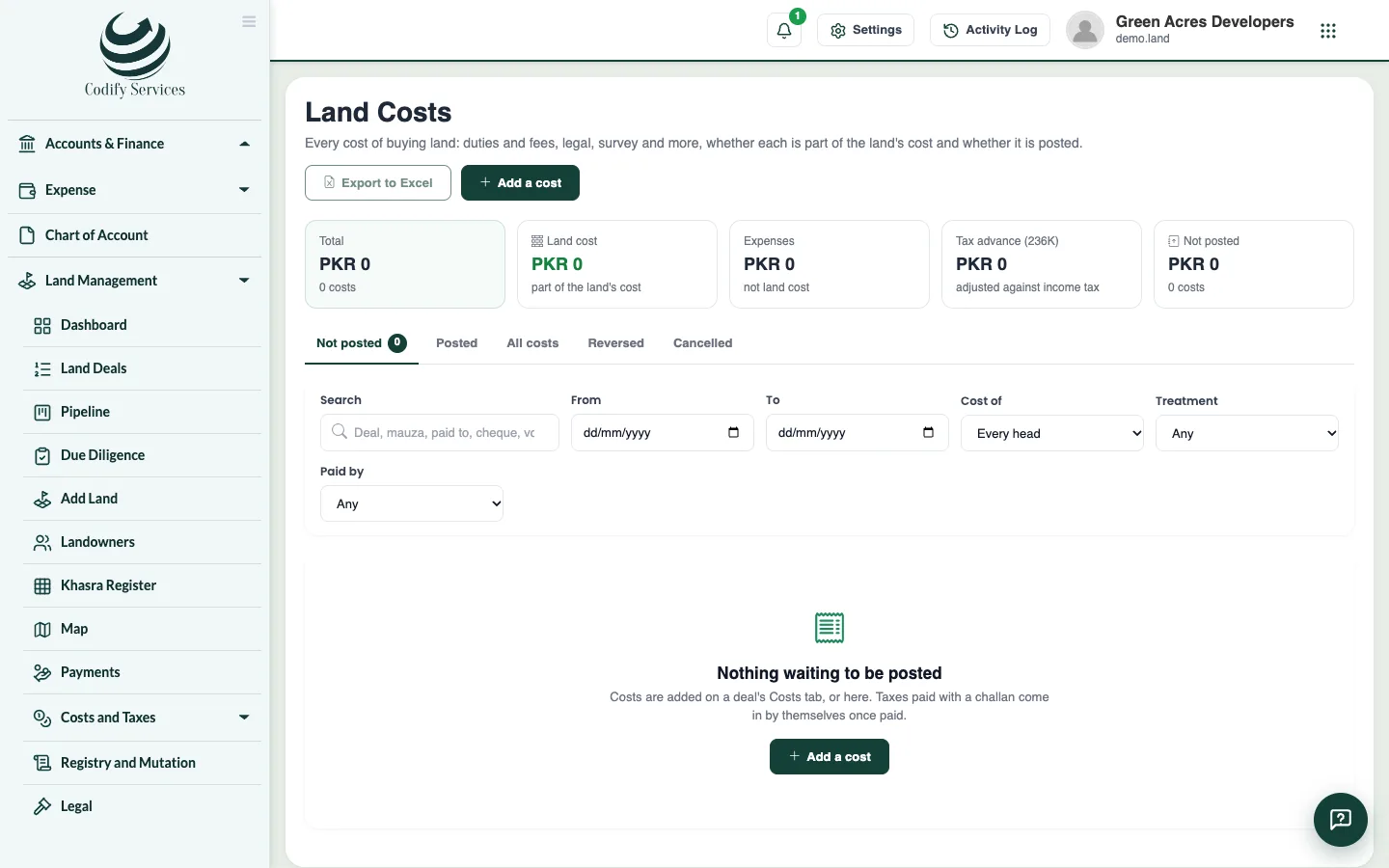
- Open Sidebar > Land Management > Costs and Taxes > Land Costs and press Add a cost.
- Choose the deal (and khasra if the cost is for one), the head, the date and amount, who it was paid to, how, from which bank, and the invoice. Save.
- Press Post to write its voucher on a date you confirm.
Taxes
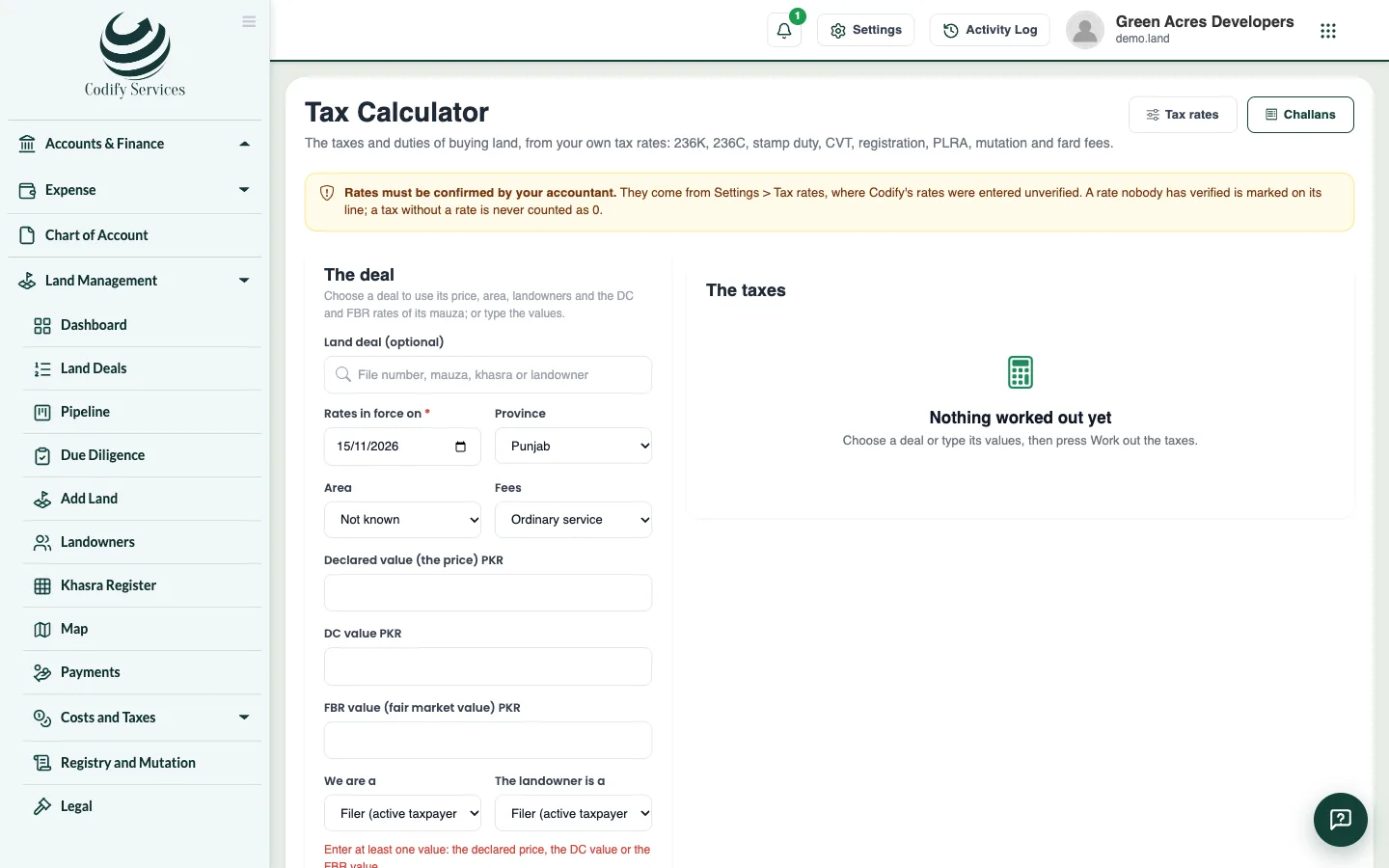
- Open Costs and Taxes > Tax Calculator. Choose the deal and date. Check the declared value, the DC value and the FBR value, the province, and the filer status.
- Read each tax with its rate, slab and source. Tick the taxes to pay and press Make the challans.
- Pay at the bank. Then open Costs and Taxes > Taxes and Challans, press Mark paid, and enter the date, PSID or CPR number, amount and the scan of the paid challan.
- Post it.
Valuations
- Open Costs and Taxes > Valuations and add the DC rates, FBR values, market rates and valuers' reports by mauza. Press Compare by mauza to see them side by side.
Good to know
- The DC rate is the district collector's official land rate; the FBR value is the tax authority's value.
- Set your province in Land Settings > General. Without it only the federal taxes (236K, 236C) are worked out.
- Tax rates come unverified. An accountant must tick each one Verified in Land Settings > Tax rates before it is used.
- The 236K advance tax is never land cost: it is an advance of income tax.
- Cancel removes a cost not yet posted. Reverse a posted one (with Can Reverse Land Postings). Nothing is deleted.
Related
More in Payments and costs
Pay landownersEnter a payment to a landowner against their schedule, send it for approval, post it to accounts and print the receipt.Record commission on a land dealRecord commission for agents, agencies or brokers on a land deal, worked out by percent, area or a fixed amount, and post it to accounts.
Ready to try it? Open Land Management