
Land Management · Landowners and records
Keep the khasra register
Record every khasra of your mauzas with its area, status and owners' shares, and see each khasra's chain of title.
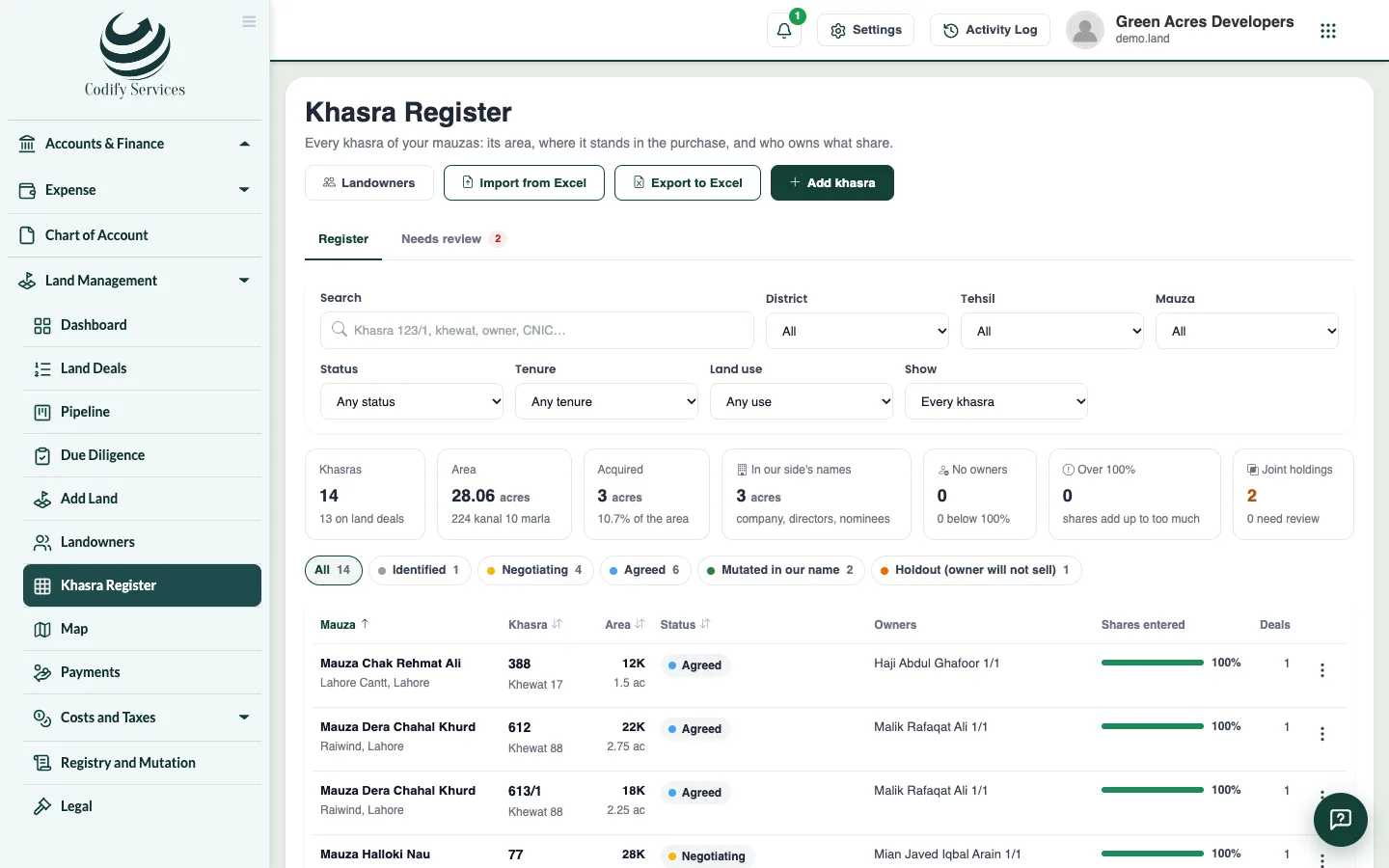
A khasra is one numbered field in the revenue record of a mauza. The Khasra Register keeps every khasra the way the record names it, with its area, its status in your purchase, and who owns what share of it. (The khewat is the holding number and the khatooni the cultivation number in the same record.)
Before you start
- Looking needs View Land List. Changing needs Can Manage Parcels and Maps.
Steps
- Open Sidebar > Land Management > Khasra Register.
- Filter by district, tehsil, mauza, status, tenure, land use and checks (joint holdings, no owners, shares above or below the whole, on a deal or not).
- Use Search to find a khasra number (Urdu digits and a dash for the tatima are fine), a khewat or khatooni number, or an owner.
- To add one, press Add a khasra and enter the khasra number (with its tatima, like 123/1, or murabba and killa, like 45//12), the mauza, the area as the fard gives it, and its status.
- Click a khasra to open its page. On Owners and shares, press Edit owners and shares.
- Choose whether you are correcting the current record or entering a newer one (the current owners then end on the new record's date).
- Pick each owner from Landowners and enter their share as a fraction (3/40, 1/2), and the record it comes from.
Good to know
- Statuses: Identified, Negotiating, Agreed, Acquired, Mutated in our name, Holdout, Disputed, Government land, Excluded.
- One khasra at a time: lists ("112, 113") or ranges are refused.
- A khasra on a deal, with owners or tatimas, cannot be deleted.
- The Chain of title tab shows every owner from the first fard to today and what is wrong with the title.
- The Needs review tab lists what an import or the old records could not decide. Mark each item fixed or ignored.
Related
More in Landowners and records
Keep the landowners registerEnter every landowner, seller, buyer, heir, attorney and broker once, with ID numbers, heirs and powers of attorney, and merge duplicates.Import khasras and owners from ExcelBring a whole mauza's khasras and owners in at once from an Excel or CSV file, checked line by line before anything is saved.See and draw khasras on the land mapSee every khasra on a map coloured by its purchase status, draw or import shapes, place scanned maps, and export to Google Earth or shapefile.
Ready to try it? Open Land Management