
Land Management · Settings and reports
Land reports and prints
Print the land register, ownership schedule, mauza summary, land movement, landowner ledger, cost sheet, tax and title reports, in English or Urdu.
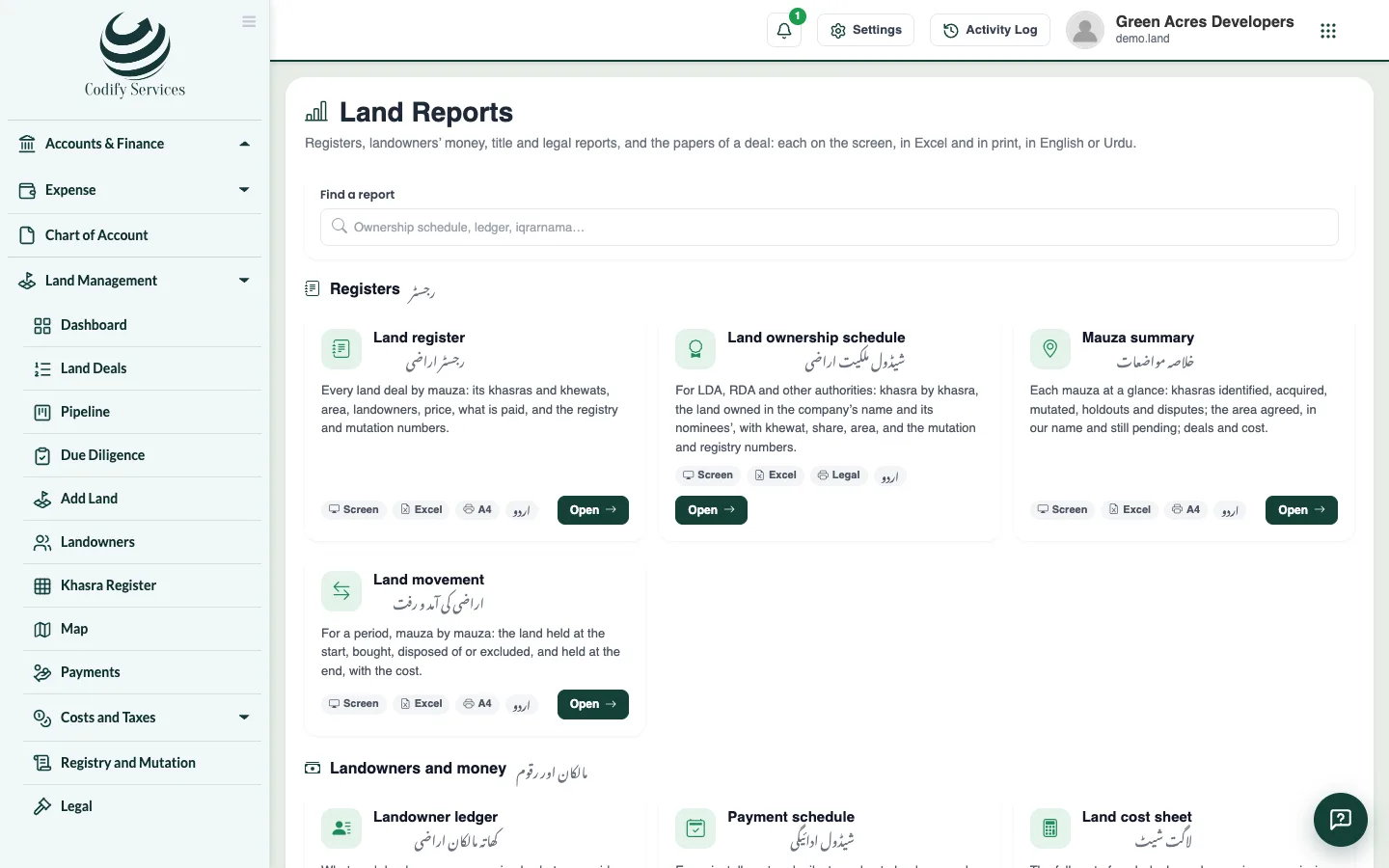
Land Reports brings the land's figures together for management, auditors and authorities. Every report prints in English or Urdu and exports to Excel.
Before you start
- Your role needs Can View Land Reports and Export. The prints of one deal need Can Print Land Pdf or the reports permission.
Steps
- Open Sidebar > Land Management > Reports.
- Choose a report: Land register, Land ownership schedule, Mauza summary, Land movement, Landowner ledger, Payment schedule, Land cost sheet, Taxes on land (236C / 236K), Chain of title, Due-diligence status, Court cases or Land held by nominees.
- Set its filters (place, dates, deal, landowner ...) and the area unit.
- Choose English or Urdu.
- Press Excel, or Print (and Save as PDF from the print window).
- For one deal's papers, choose the Land file, the Bayana (token) receipt or the Iqrarnama (agreement to sell). Special conditions can be added to the iqrarnama before printing.
Good to know
- Without Can See Land Prices and Costs, reports show no amounts; without Can See Land Identity Numbers (CNIC), CNICs and phones are hidden.
- A user who may see only some deals sees only those in every report.
- The ownership schedule can include khasras bought whose mutation is not sanctioned yet (tick "pending").
- Area reconciliation and FX revaluation are also reached from Reports.
- Every print carries an e-signature and QR code.
Related
More in Settings and reports
Approvals, alerts and historyDecide actions that need a second person, set the approval rules, follow the daily land alerts, and see who changed what.Set up Land Settings and your country packSet your country and province, land currency, file numbers, area units, place names, lists, tax rates and map, or apply a country pack in one go.Connect other systems to your land recordsMake API keys so other programs can read your land records, webhooks that report stage moves and payments, and LADM exports for land offices.
Ready to try it? Open Land Management