
Land Management · Settings and reports
Connect other systems to your land records
Make API keys so other programs can read your land records, webhooks that report stage moves and payments, and LADM exports for land offices.
Another program, such as your website's plot map, an accounting program or a GIS, can read your land records with a key. Webhooks tell a program at once when a deal moves stage or a payment is posted.
Before you start
- Your role needs Can Manage Land Settings. Making a key also needs Can View Land Reports and Export.
Steps
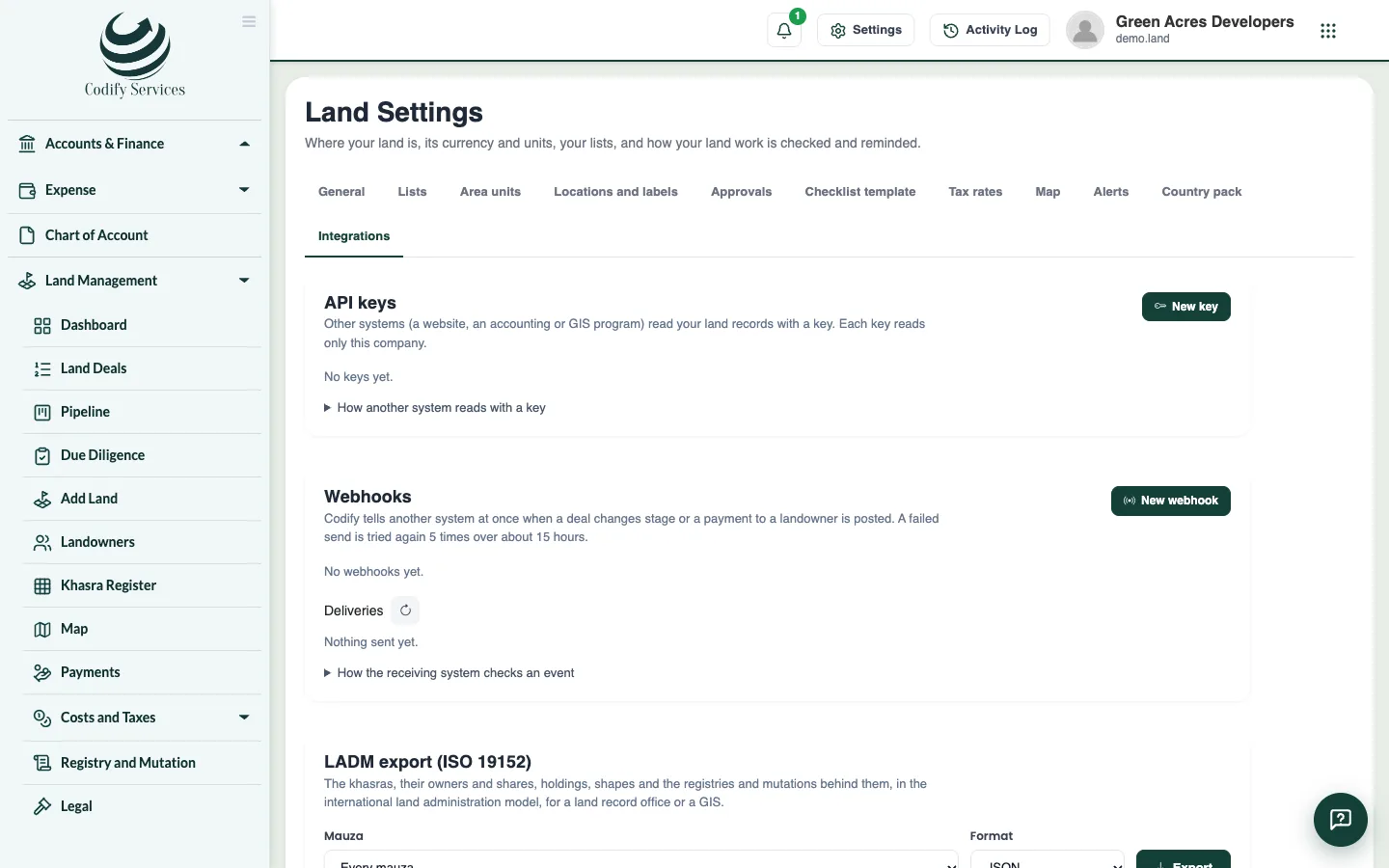
- Open Sidebar > Land Management > Settings and the tab Integrations.
- Press New key. Enter a name, choose what it may read (land deals, khasra register, landowners, payments, the LADM export) and an expiry date (at most two years).
- Copy the key now: it is shown once.
- Press New webhook. Enter a name, the program's https address, the events, and whether payment amounts are sent. Copy the signing secret (shown once).
- Press Send a test to check the webhook. Deliveries shows each event and its answer.
- For a land office, GIS or auditor, use the LADM export to download a mauza's khasras, owners, holdings, shapes, registries and mutations as JSON or GML.
Good to know
- A key reads only your company, and only what its maker may still see. Prices and identity numbers come masked unless the maker may see them.
- Revoke stops a key at once. At most 20 working keys and 10 webhooks.
- No identity number or phone is ever sent by a webhook.
- A program that does not answer gets the event again several times, then the delivery is marked Failed (Send again retries).
Related
More in Settings and reports
Approvals, alerts and historyDecide actions that need a second person, set the approval rules, follow the daily land alerts, and see who changed what.Land reports and printsPrint the land register, ownership schedule, mauza summary, land movement, landowner ledger, cost sheet, tax and title reports, in English or Urdu.Set up Land Settings and your country packSet your country and province, land currency, file numbers, area units, place names, lists, tax rates and map, or apply a country pack in one go.
Ready to try it? Open Land Management