
Land Management · Landowners and records
Import khasras and owners from Excel
Bring a whole mauza's khasras and owners in at once from an Excel or CSV file, checked line by line before anything is saved.
Typing a whole mauza by hand takes long. Fill one line per khasra and owner, as the fard lists them, and import the file.
Before you start
- Your role needs Can Import Land Data.
Steps
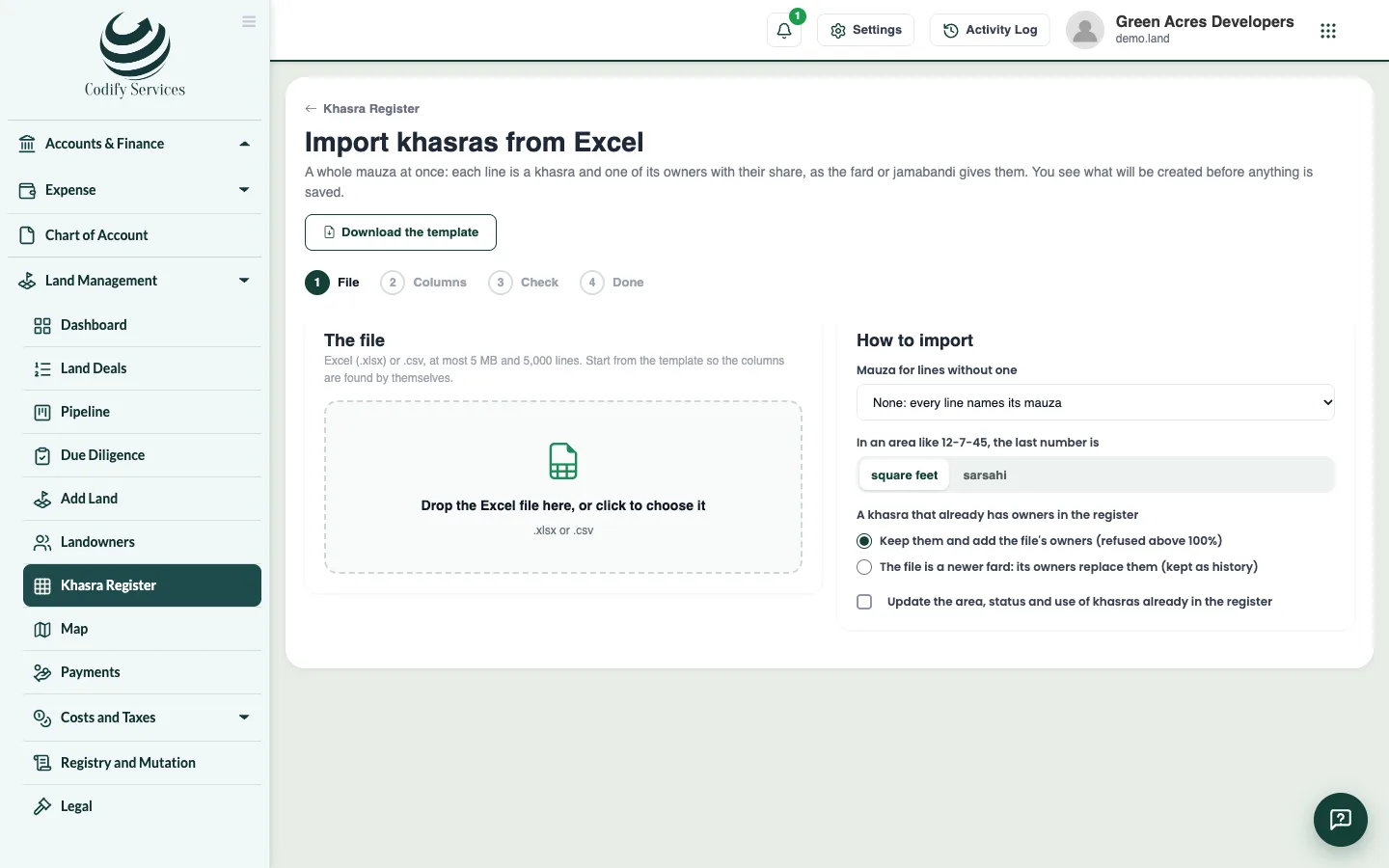
- Open Sidebar > Land Management > Khasra Register and press Import from Excel.
- Press Download the template.
- Fill one line per khasra and owner: mauza, khewat, khatooni, murabba, killa, khasra, area, owner, father's name, CNIC, share and status.
- Choose your .xlsx or .csv file.
- Press Check. Each line shows which khasras and landowners are new or already there, which shares are added or replace the current owners, and every error and warning. Nothing is saved yet.
- If the file is a newer record of khasras that already have owners, choose to replace the owners.
- Press Import to save it all at once. Lines with errors can be left out.
Good to know
- The import reads Urdu digits, lists and ranges of khasras ("112 to 115"), "min" for part of a khasra, areas like 12-7-45 or 2.5 acres, and shares like 3/40 or 25%.
- A cell it cannot read is shown as an error, never guessed.
- Owners are matched by CNIC; without a CNIC, by name and father's name.
Related
More in Landowners and records
Keep the landowners registerEnter every landowner, seller, buyer, heir, attorney and broker once, with ID numbers, heirs and powers of attorney, and merge duplicates.Keep the khasra registerRecord every khasra of your mauzas with its area, status and owners' shares, and see each khasra's chain of title.See and draw khasras on the land mapSee every khasra on a map coloured by its purchase status, draw or import shapes, place scanned maps, and export to Google Earth or shapefile.
Ready to try it? Open Land Management