
Land Management · Payments and costs
Pay landowners
Enter a payment to a landowner against their schedule, send it for approval, post it to accounts and print the receipt.
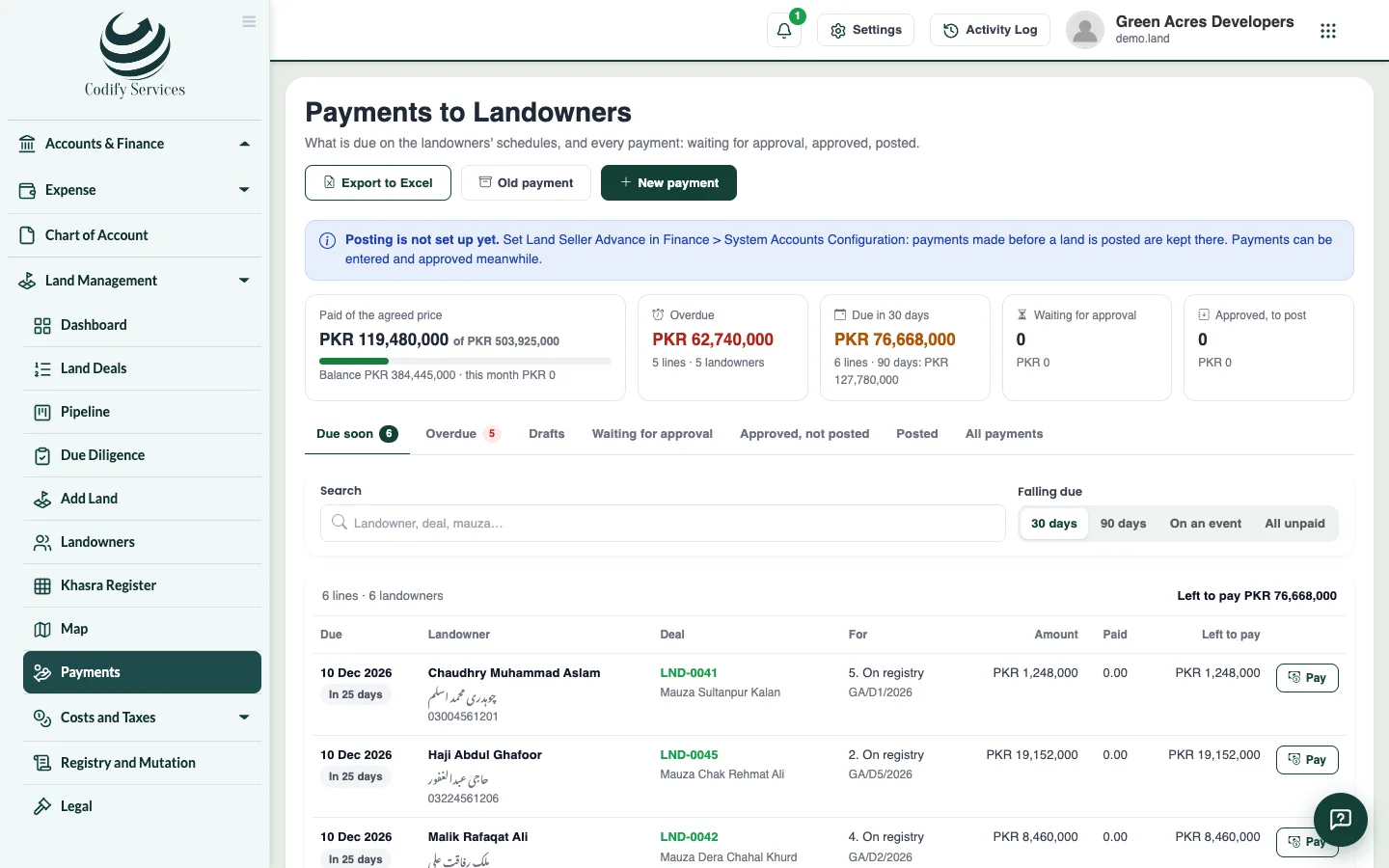
The Payments page shows what is due to landowners and every payment made to them. A payment is entered, approved by a second person when your company asks for it, then posted to accounts.
Before you start
- Looking needs Can See Land Prices and Costs, Can Enter Payments to Landowners or Can Approve Payments to Landowners.
- Entering and posting need Can Enter Payments to Landowners. Approving needs Can Approve Payments to Landowners.
- In System Accounts Configuration, link Land Seller Advance and Land Tax Payable before posting.
Steps
- Open Sidebar > Land Management > Payments and press New payment (or Pay on a schedule line).
- Choose the land deal, the landowner and the schedule line it pays.
- Enter the date, amount and currency (another currency needs its rate).
- Choose how it is paid: cash, cheque, pay order, demand draft or bank transfer. Everything but cash needs your bank account and the cheque or transaction number.
- Choose who receives it: the landowner, their attorney, an heir, or a minor's guardian.
- Enter any tax withheld and its section (for example 236C).
- Press Save draft, or Save and send for approval.
- The approver opens it from Land > Approvals (or the payment) and presses Approve or Reject.
- On the approved payment, press Post, choose the date, and post it.
- Press Print the receipt to print it in English, Urdu or both.
Good to know
- A payment can never be more than what is left on its line, or what the landowner is still owed on the land.
- The person who entered a payment can never approve it.
- Nothing is approved while the deal's payments are held (an open due-diligence check, a stay order). The payment says what holds it.
- Old payment records a payment made before Codify (an opening balance). It is never posted.
- Cash above the legal limit is refused or must be confirmed, as set in Land Settings.
- Reverse (with Can Reverse Land Postings) writes the exact opposite voucher.
Related
More in Payments and costs
Record land costs, taxes and valuationsRecord every cost beyond the price, work out stamp duty, CVT and withholding taxes, pay challans, and keep DC and FBR valuations.Record commission on a land dealRecord commission for agents, agencies or brokers on a land deal, worked out by percent, area or a fixed amount, and post it to accounts.
Ready to try it? Open Land Management