
Land Management · Title and legal
Track permits and NOCs
Keep every approval your scheme needs from an authority, such as the LOP, layout plan and NOCs, with stages, expiry, conditions and renewals.
A housing scheme or building project needs many approvals: the letter of permission (LOP), layout plan, environmental approval, change of land use, and NOCs (no objection certificates) from utility and road authorities. Permits and NOCs follows each one.
Before you start
- Looking needs View Land List. Adding and changing need Can Manage Permits and NOCs.
Steps
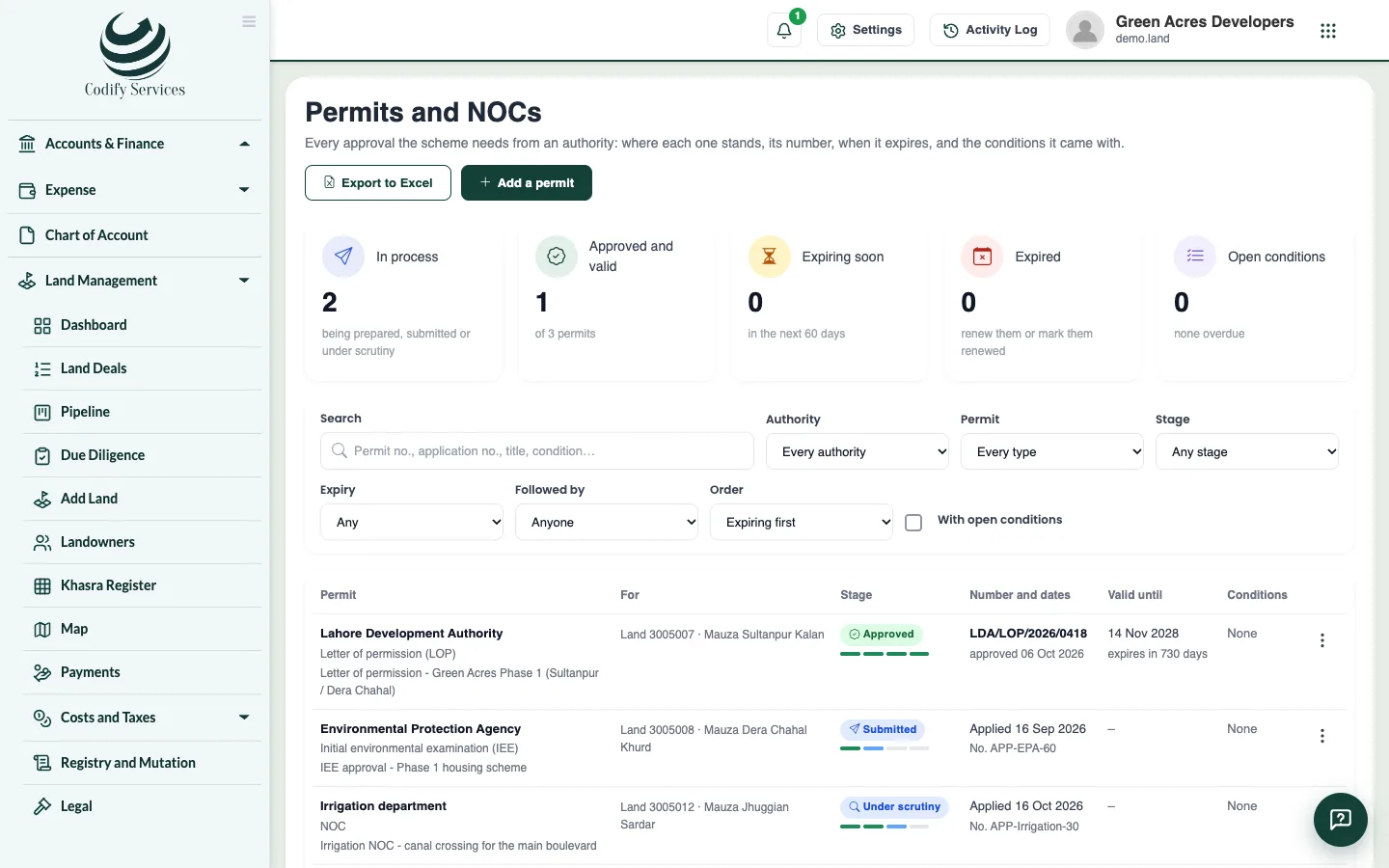
- Open Sidebar > Land Management > Permits and NOCs and press Add a permit.
- Choose the authority and type, enter a title and the stage (Being prepared, Submitted, Under scrutiny, Approved, Rejected or Withdrawn).
- Say what it covers (the whole scheme, a phase or one land deal), and enter the applied date, diary number, fee and the person who follows it.
- When approved, enter the permit number, approval date and valid-until date. Save.
- Add its documents (the letter, the plan) in the permit's Documents.
- Add the approval letter's Conditions with due dates, and mark each Met (with proof) or Waived.
- Press Renew to make the next permit of the same kind before it expires.
Good to know
- The top shows permits in process, approved and valid, expiring in the next 60 days, expired, and open conditions.
- The fee shows only with Can See Land Prices and Costs.
- Delete asks why and keeps the permit in its history.
Related
More in Title and legal
Track registry deeds, mutations and record copiesRecord each registered sale deed (registry) and each mutation until every khasra is in your company's name, and keep fresh copies of the revenue record.Record possession and demarcationRecord when land is handed over to you, print the possession letter, track demarcation, and compare each khasra's areas across records.Court cases, stay orders, encumbrances and encroachmentsKeep the court and revenue cases on your land, the hearings diary, stay orders, mortgages and other encumbrances, and encroachment incidents.Keep land documentsUpload and find every land document in one place, see what is expiring or missing, and keep identity documents private.
Ready to try it? Open Land Management