
Land Management · Land deals
Find land deals and use a deal's page
Search and filter every land deal, export them to Excel, and open a deal's page with its summary and tabs.
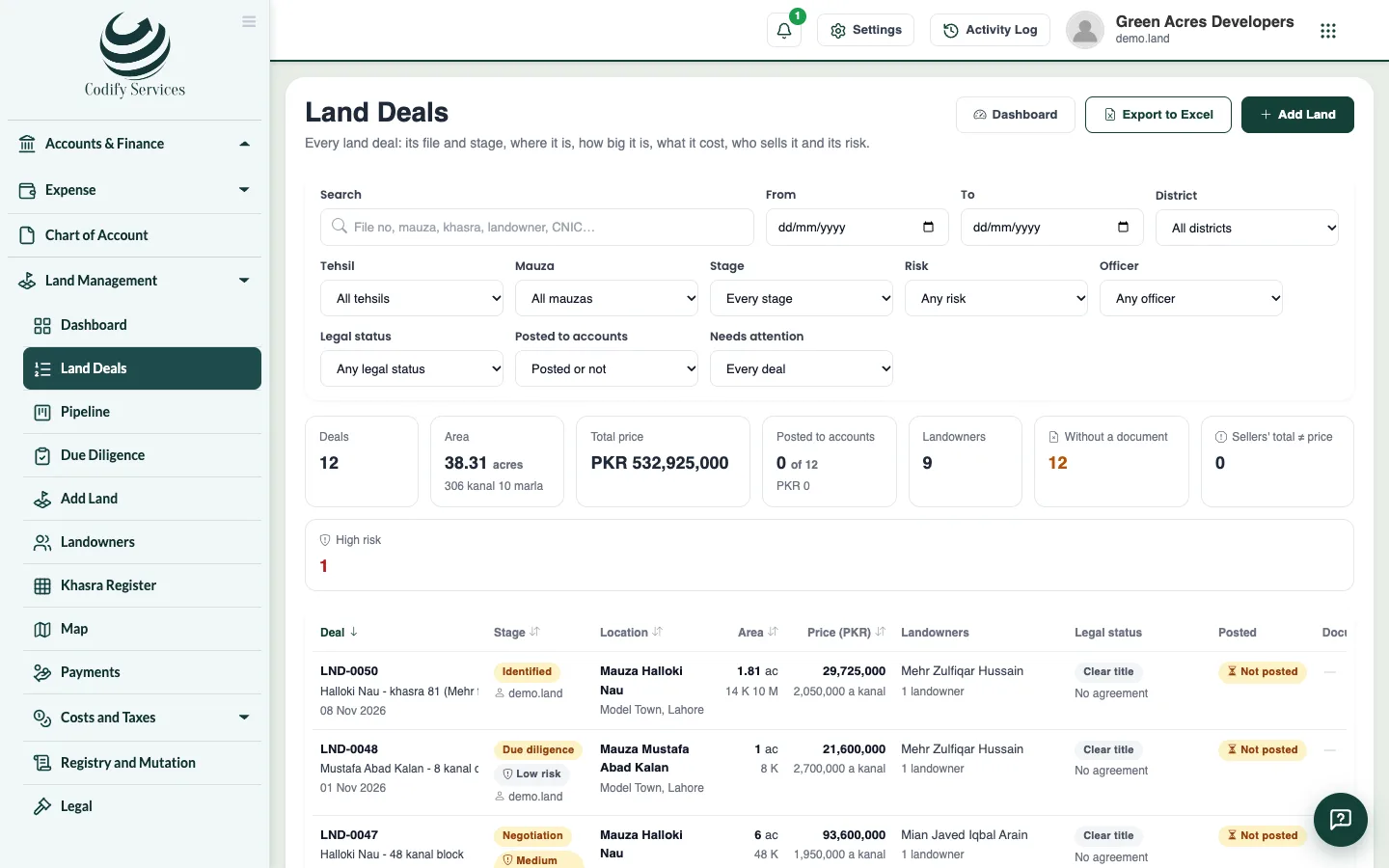
Land Deals lists every deal with its file number, stage, risk, location, area, landowners and price. Each deal opens on its own page, with tabs for every part of the work.
Before you start
- Your role needs View Land List (to list deals) or Can View Land.
Steps
- Open Sidebar > Land Management > Land Deals.
- Use the filters: dates, district, tehsil, mauza, legal status, posted or not, stage, risk, officer and Needs attention.
- Use Search to find a file number, title, place, khewat or khasra number, a landowner's name (English or Urdu), a voucher number, or a landowner's whole CNIC.
- Press Export to Excel to download every matching deal.
- Click a deal to open its page.
- On the Summary tab, see where the deal stands, what it still needs before posting, what waits for approval, its accounts, khasras, landowners, price, agreement and commission.
- Use the other tabs as needed: landowners, parcels, negotiation, due diligence, agreements, schedule and payments, costs, commission, registry and mutation, legal, possession, documents and history.
Good to know
- Each deal's menu has View, Details, Edit, Documents, Print, Post to accounts, Reverse the posting and Delete, each with its own permission.
- A tab shows only for roles with its permission. The last tab you used opens first next time.
- Export needs Can View Land Reports and Export.
- A deleted deal is kept in the records with who deleted it and when.
- The old Land List address now opens Land Deals.
Related
More in Land deals
Add a land dealEnter a land purchase: its place, khasras and areas, landowners and their shares, the price, the agreement, commission and buyers.Move deals through the pipeline and log negotiationsSee every land deal by stage on a board, add new prospects, move deals forward with checks, and log each meeting, offer and counter-offer.Run due diligence on a land dealStart a deal's checklist of title and legal checks, mark each one clear or with an issue, record the lawyer's title opinion, and handle risk flags.Record agreements and the payment scheduleRecord a deal's agreement to sell or bayana receipt with its signatories, and set each landowner's schedule of token, installments and final payment.Post a land deal to accountsPost a complete land deal into Finance as vouchers, set up the land accounts it needs, and reverse a posting when needed.
Ready to try it? Open Land Management