
Land Management · Settings and reports
Set up Land Settings and your country pack
Set your country and province, land currency, file numbers, area units, place names, lists, tax rates and map, or apply a country pack in one go.
Land Settings fits Land Management to your country, province and way of working. Every land user may look; changing needs Can Manage Land Settings.
Steps
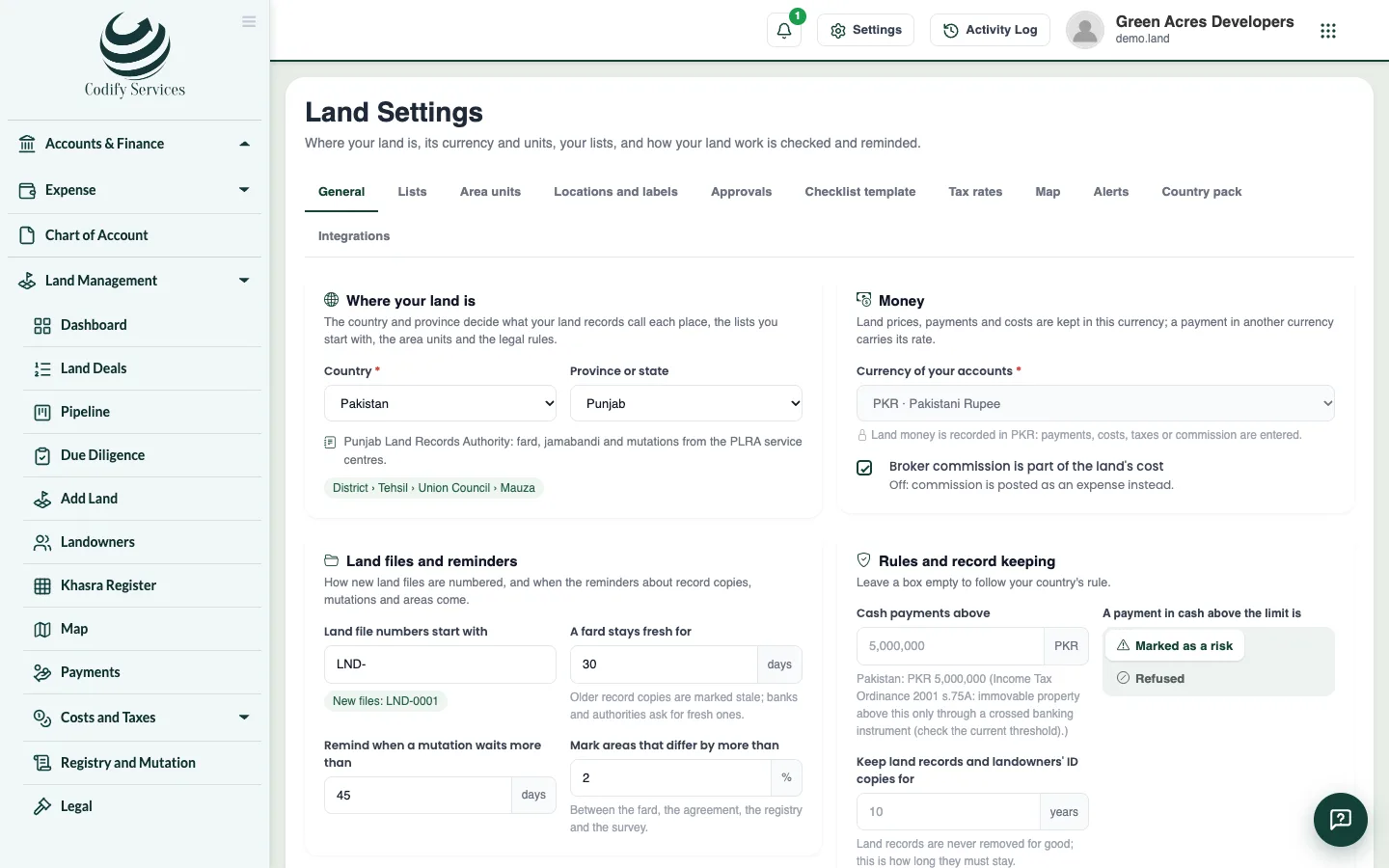
- Open Sidebar > Land Management > Settings.
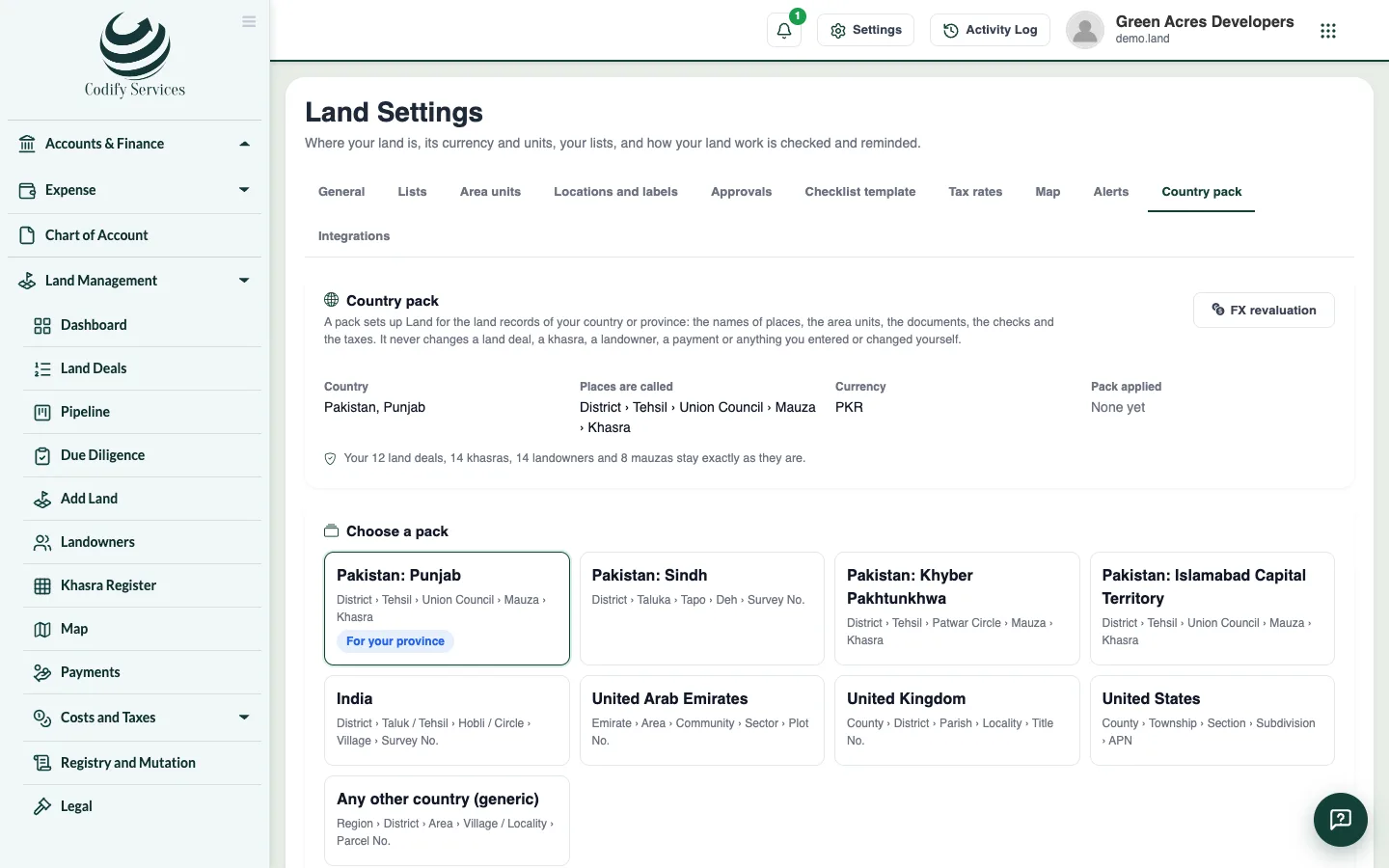
- On Country pack, choose your pack (Pakistan Punjab, Sindh, Khyber Pakhtunkhwa, Islamabad, India, UAE, UK, US or Any other country). Read what it holds, press See what changes, then Apply this pack.
- On General, set the country and province, the currency of land money, whether broker commission is part of the land cost, how file numbers start (LND-0001), how long a fard stays fresh, the area difference that is flagged, the cash limit, and whether every land user sees every deal.
- On Area units, set the revenue marla and the plot marla, the default units, which units show, and your own units (such as a local bigha).
- On Locations and labels, set what your records call each level and a parcel, in English and Urdu.
- On Lists, rename, switch off, reorder or add your own document types, deal types, cost heads and other lists.
- On Tax rates, check each rate and tick it Verified. Use Start next year's rates for a new year.
- On Map, enter your map provider and key for a satellite or street background.
- Save each tab.
Good to know
- A pack never changes your deals, khasras, landowners, payments or documents, or entries you already have or renamed. Applying it again changes nothing.
- The land currency cannot change once land money is recorded.
- Changing a marla never changes an area already saved.
- An entry in use is switched off instead of deleted, so old records still show it.
- Other tabs: Approvals, Checklist template, Alerts and Integrations.
Related
More in Settings and reports
Approvals, alerts and historyDecide actions that need a second person, set the approval rules, follow the daily land alerts, and see who changed what.Land reports and printsPrint the land register, ownership schedule, mauza summary, land movement, landowner ledger, cost sheet, tax and title reports, in English or Urdu.Connect other systems to your land recordsMake API keys so other programs can read your land records, webhooks that report stage moves and payments, and LADM exports for land offices.
Ready to try it? Open Land Management