
Billing & Invoicing · Purchases and expenses
Enter vendors' bills and pay them
Add your vendors, enter the bills they send you, pay them in full or in part, and set up bills that repeat every month.
A bill is what a vendor has billed you for and when you have to pay it. Paying it takes it off what you owe.
Steps
Add a vendor
- Open Sidebar > Expense > Vendors and press Add Vendor.
- Enter the Vendor Name, Contact, Email, Tax number and Address, and press Add Vendor.
Enter a bill
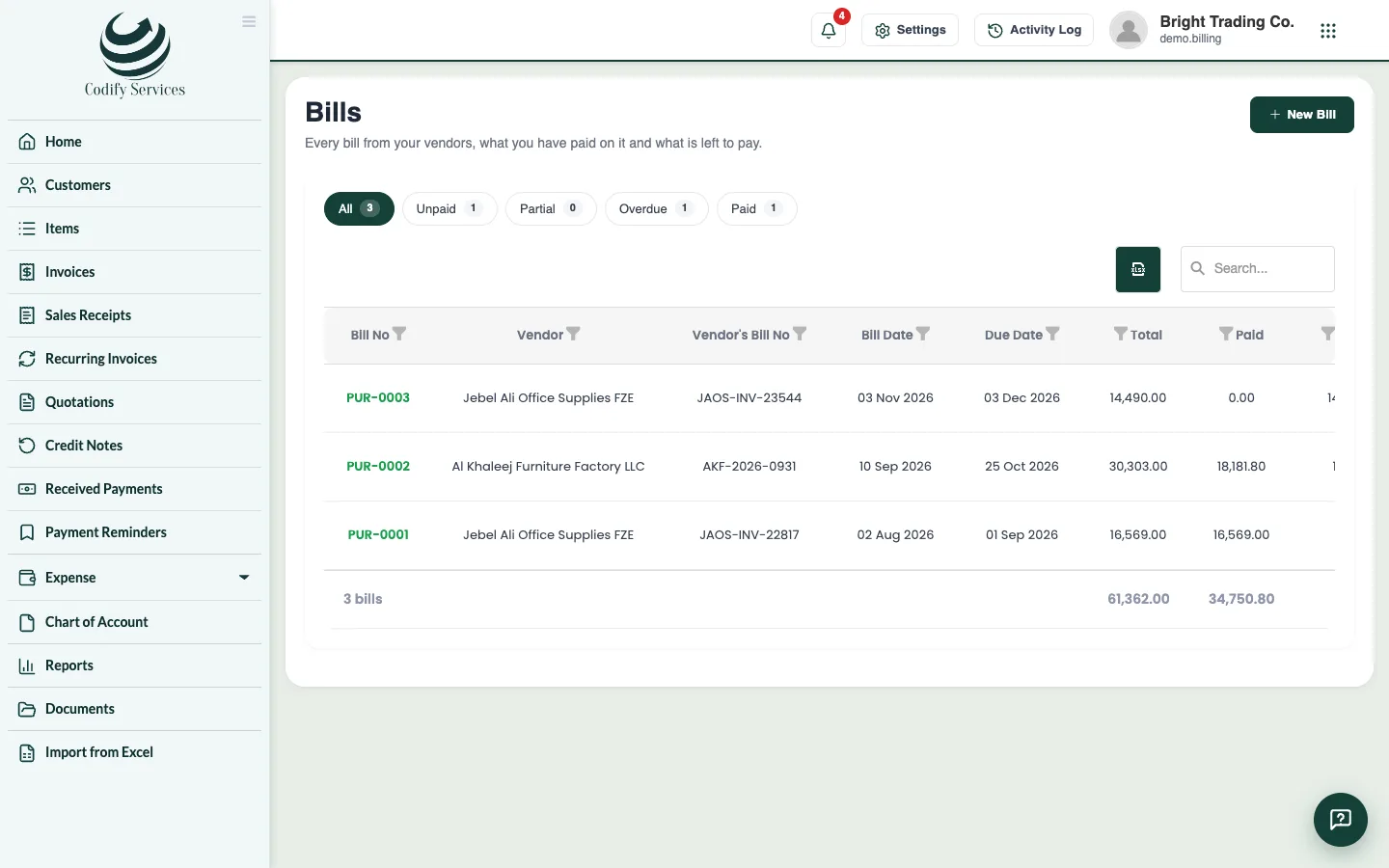
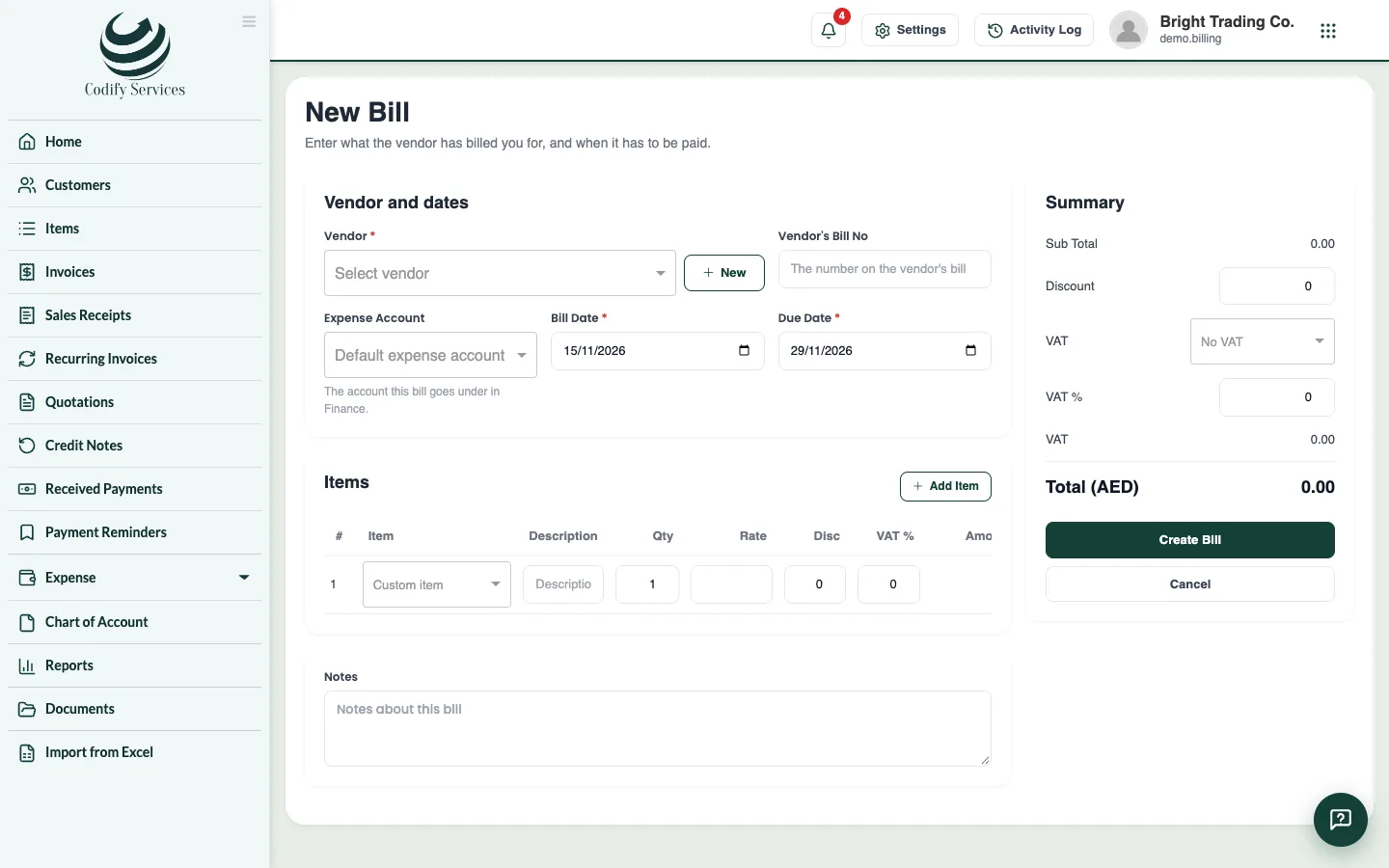
- Open Sidebar > Expense > Bills and press New Bill.
- Choose the Vendor (or New) and enter the Vendor's Bill No.
- Choose the Expense Account it goes under in Finance.
- Enter the Bill Date and Due Date.
- Add the items with Qty, Rate, discount and tax %.
- Press Create Bill.
Pay a bill
- Open the bill and press Record Payment.
- Enter the Amount, Payment Date, Payment Mode, Reference No and a Note.
- Press Save Payment.
Good to know
- Payments Made lists every payment to vendors, by month, with the total.
- For a bill that comes every month (rent, internet), use Recurring Bills > New Recurring Bill: choose Repeat Every, the First Bill Date, an End Date and Due After (days). Generate Due Bills makes the ones due today or earlier at once.
- The Vendors list shows what each vendor has billed you, what you paid and what you still owe.
- A bill's page has a Vendor credit button for goods sent back.
- In the other Codify products these pages are under Billing Management > Purchases.
Related
More in Purchases and expenses
Ready to try it? Open Billing & Invoicing