
Billing & Invoicing · Payments
Sales receipts
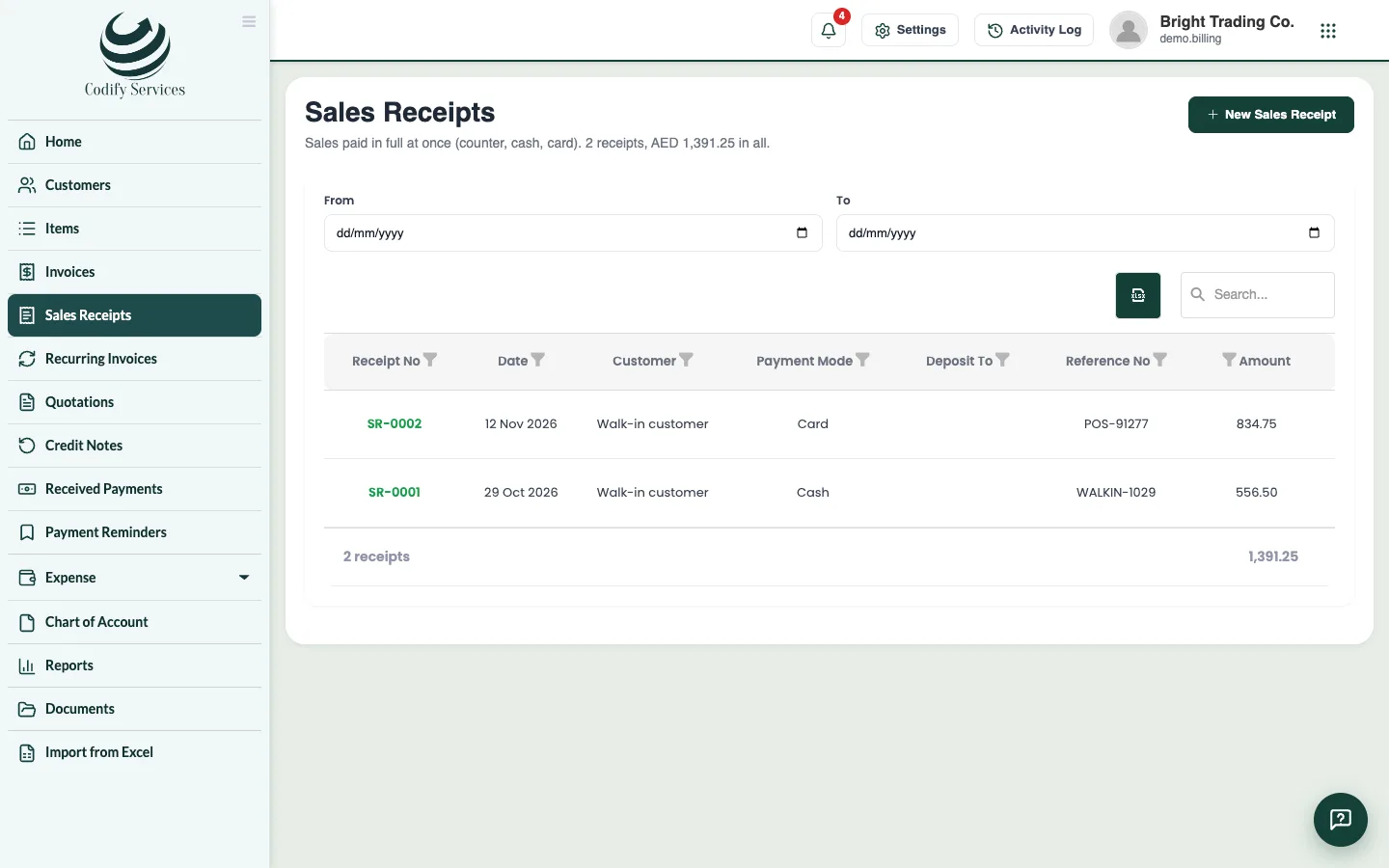
Record a sale paid in full at once (counter, cash, card) in one step, and print or send its receipt.
A sales receipt is a sale paid in full at once: you do not make an invoice and then record a payment, you do both in one step.
Steps
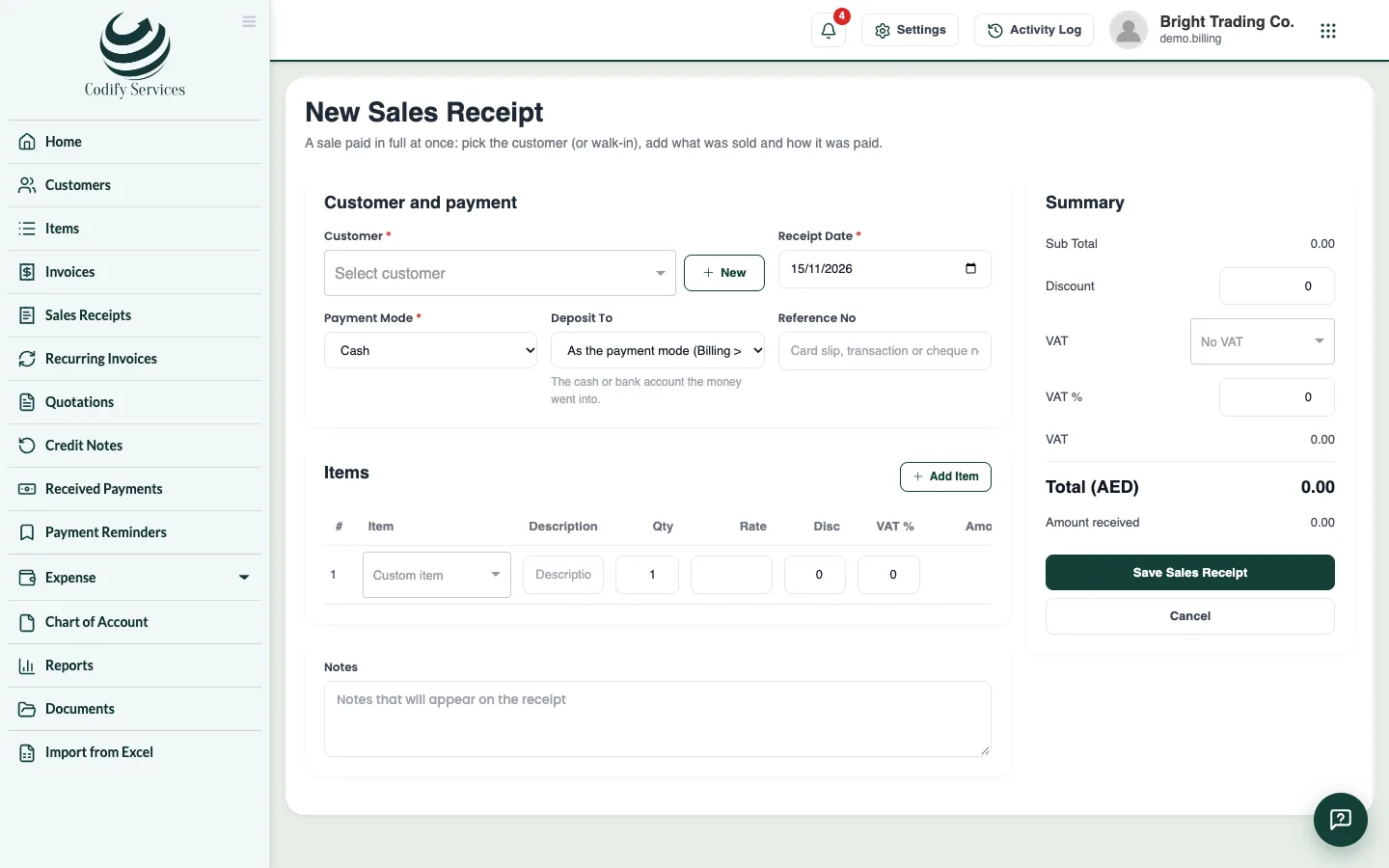
- Open Sidebar > Sales Receipts and press New Sales Receipt.
- Choose the Customer (or a walk-in customer).
- Enter the Receipt Date and choose the Payment Mode.
- Choose where the money went under Deposit To (or keep As the payment mode), and enter the Reference No.
- Add the items, discount and tax.
- Press Save Sales Receipt.
- Open it to Print it, email it, send it on WhatsApp or save it as PDF.
Good to know
- The list shows the receipts of the dates you choose, with their total.
- A sales receipt prints in its own design from Document Templates.
- If Billing is linked to Finance, the sale and its payment each get a voucher.
Related
More in Payments
Ready to try it? Open Billing & Invoicing