
Billing & Invoicing · Import and files
Keep your files in Documents
Upload contracts, receipts, PDFs, pictures, Excel and Word files, keep them in folders, and rename, download or delete them.
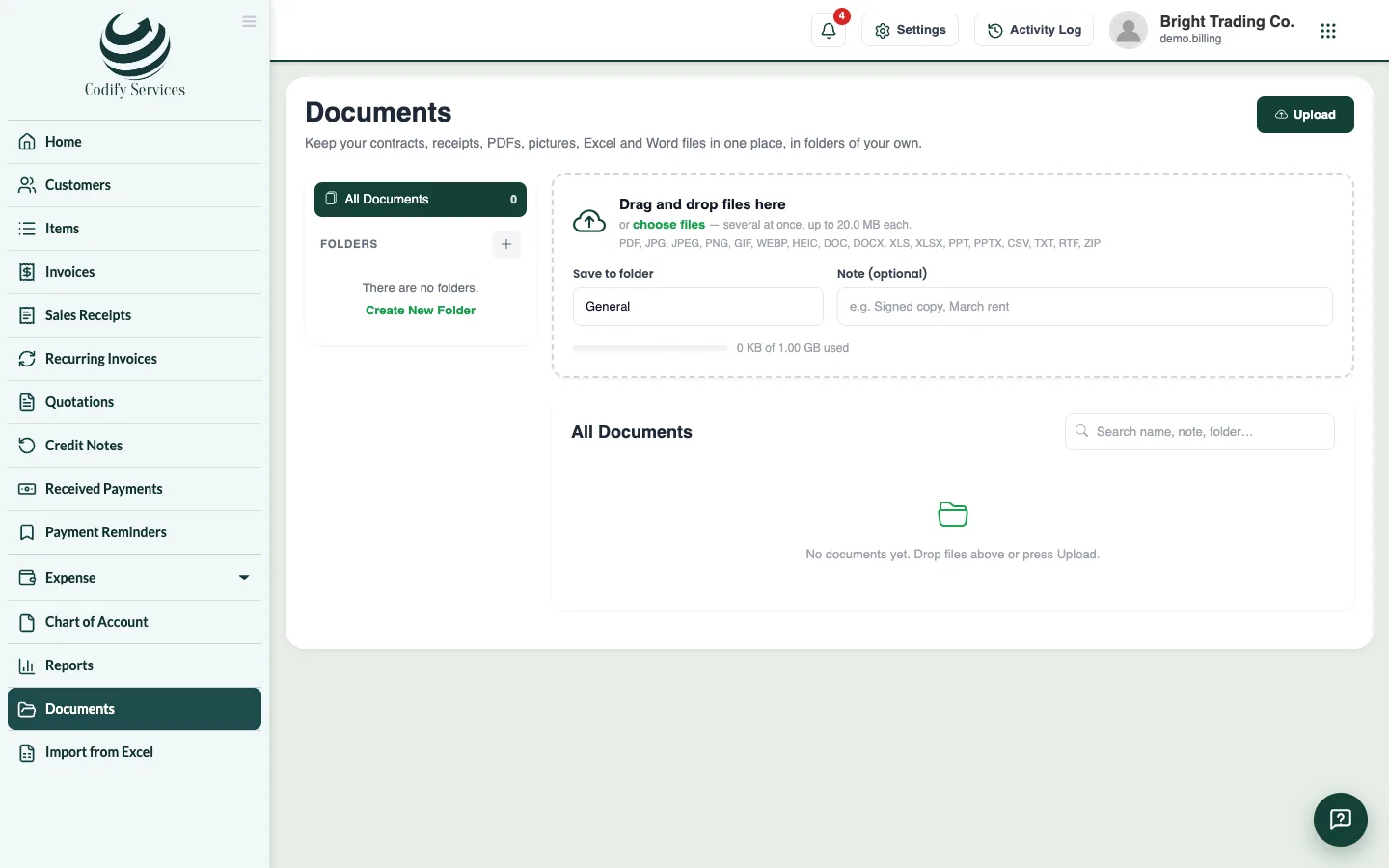
Documents keeps your company's files in one place, in folders of your own: contracts, receipts, PDFs, pictures, Excel and Word files.
Steps
- Open Sidebar > Documents (at the bottom of the sidebar).
- To make a folder, press New folder under FOLDERS (or Create New Folder).
- Press Upload, or drag and drop files onto the page (several at once).
- Choose the folder under Save to folder and add a Note (optional).
- To change a file, press Rename, move or add a note on its line, then Save Changes.
Good to know
- Pick a folder on the left to see only its files, or All Documents. Search by name.
- The page shows how much of your space is used.
- Each file shows who uploaded it and when.
- Documents needs its own permission; ask your administrator under User & Roles > Role Claims.
Related
More in Import and files
Ready to try it? Open Billing & Invoicing