
Billing & Invoicing · Payments
Send payment reminders
Remind customers who owe you by email or WhatsApp, by hand or every month by themselves, and see the reminders sent.
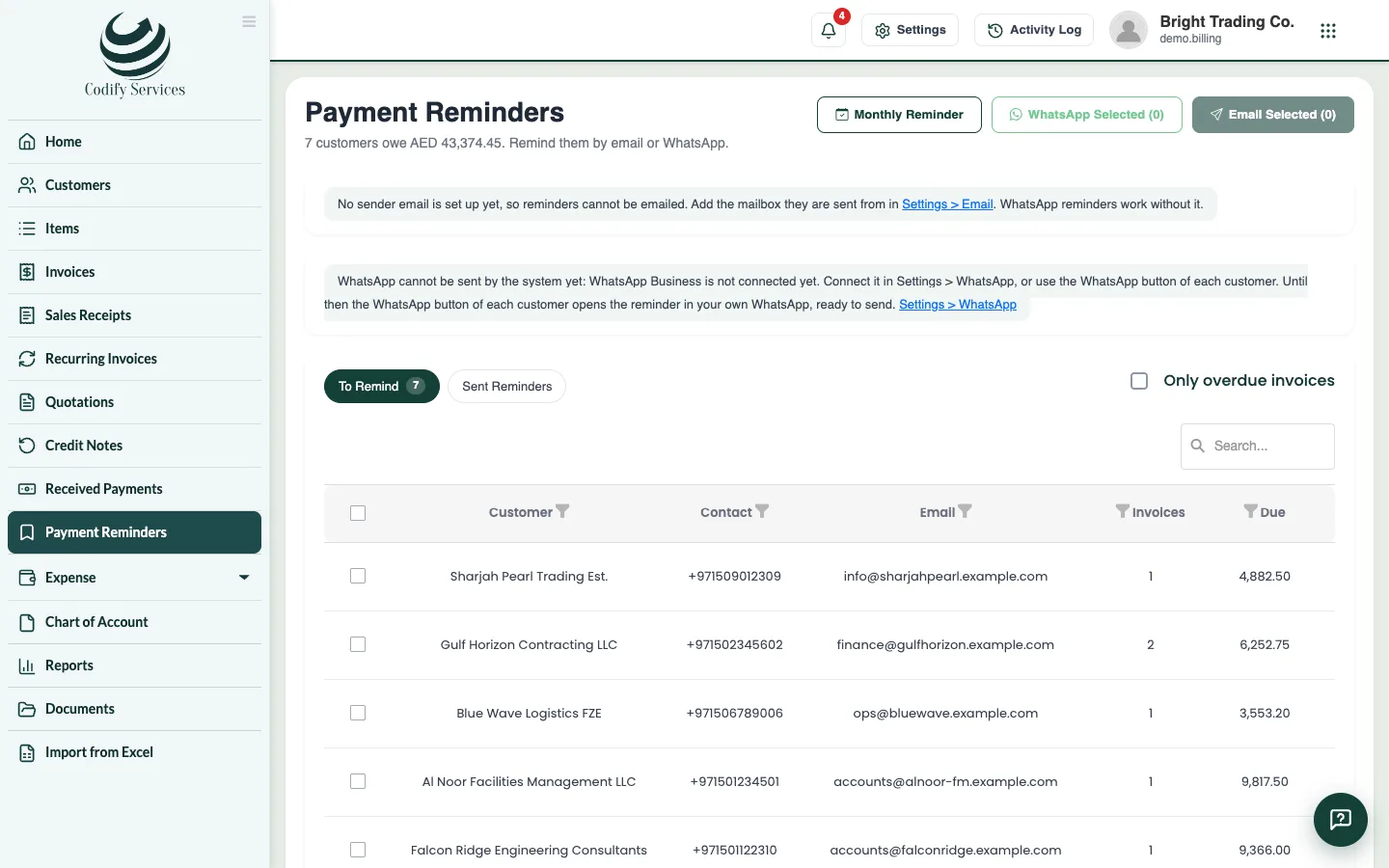
Payment Reminders lists every customer who owes you, with the total. Remind them by email or WhatsApp now, or let reminders go out every month by themselves.
Before you start
- For email, add the mailbox reminders are sent from: the gear > Integrations > Email. For Gmail use an App Password, not the normal password.
- For WhatsApp sent by the system, connect WhatsApp Business once under Integrations > WhatsApp. Without it, each customer's WhatsApp button opens the reminder in your own WhatsApp, ready to send.
Steps
Remind now
- Open Sidebar > Payment Reminders.
- On To Remind, tick the customers. Tick Only overdue invoices if you like.
- Press Email Selected or WhatsApp Selected.
Every month by themselves
- Press Monthly Reminder.
- Under Send by, tick Email, WhatsApp or both.
- Choose the Day of the month, and tick Only overdue invoices to skip invoices not due yet.
- Add a Message added to every reminder if you like.
- Press Save.
Good to know
- Sent Reminders shows every reminder sent, by which channel and whether it went.
- The list shows when each customer was last reminded.
- Sending reminders needs Can Send Billing Reminders.
Related
More in Payments
Ready to try it? Open Billing & Invoicing