
Billing & Invoicing · Sales
Credit notes and refunds
Record what you owe back to a customer (goods returned, a price cut, a mistake), apply it to their invoices or refund the money.
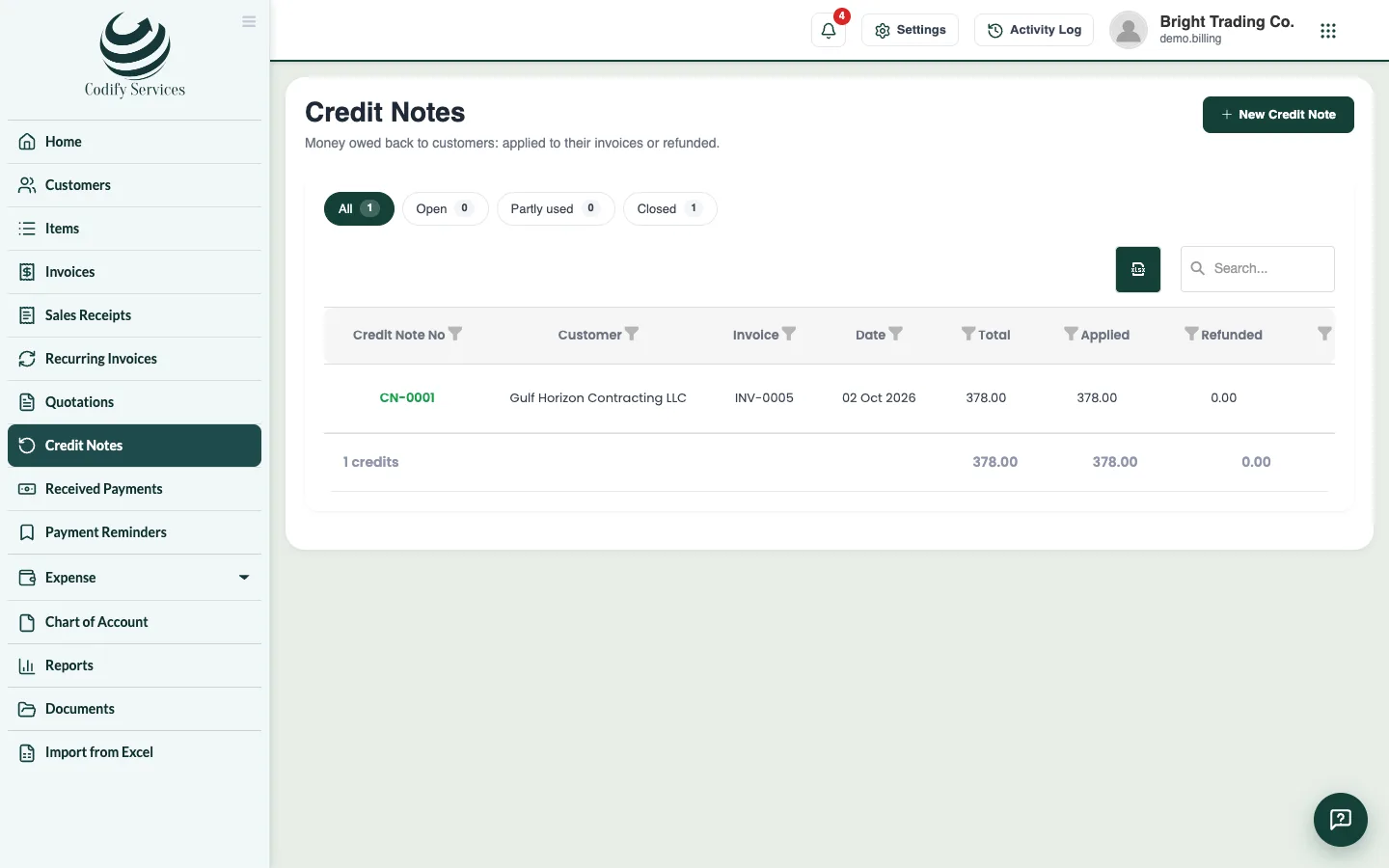
A credit note is what is owed back to a customer: goods returned, a price cut or a mistake on an invoice. You apply it to their invoices, or refund the money.
Steps
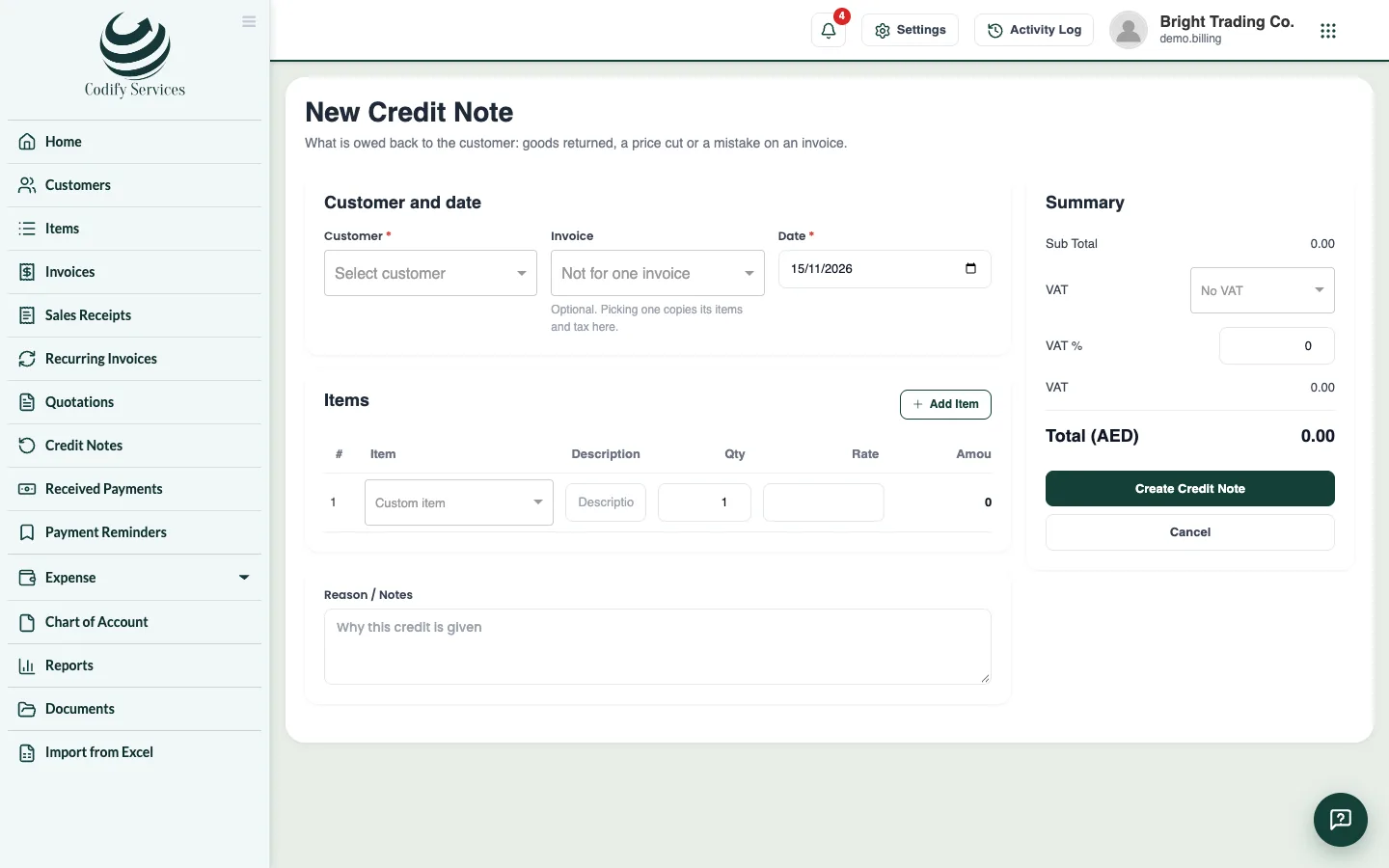
- Open Sidebar > Credit Notes and press New Credit Note (or open the invoice and press Credit note).
- Choose the Customer and, if you like, the Invoice: its items and tax are copied in.
- Enter the Date, and change the items to what is credited.
- Write the Reason / Notes and press Create Credit Note.
- Open the credit note and:
- press Apply to Invoice, choose the invoice and amount, then Apply Credit; or
- press Refund, enter the Amount, Refund Date, Mode and Reference No, then Save Refund.
Good to know
- The credit note shows the total, what has been applied, what was refunded and the Credit remaining.
- A credit note prints in its own design from Document Templates.
- The reports Credit Note Details and Refund History list them.
- Credits you get from vendors are Vendor Credits. See Vendor credits.
Related
More in Sales
Send a quotation and turn it into an invoiceMake a quotation (estimate) for a customer, send it, mark it accepted or declined, and turn an accepted one into an invoice in one click.Create and send an invoiceMake an invoice with items, discounts, tax and payment terms, then print it, email it, send it on WhatsApp or save it as PDF.Recurring invoicesBill the same customer every week, month, quarter or year by itself, with a template that turns into an invoice on each date.
Ready to try it? Open Billing & Invoicing