
Billing & Invoicing · Customers and items
Add the items you bill for
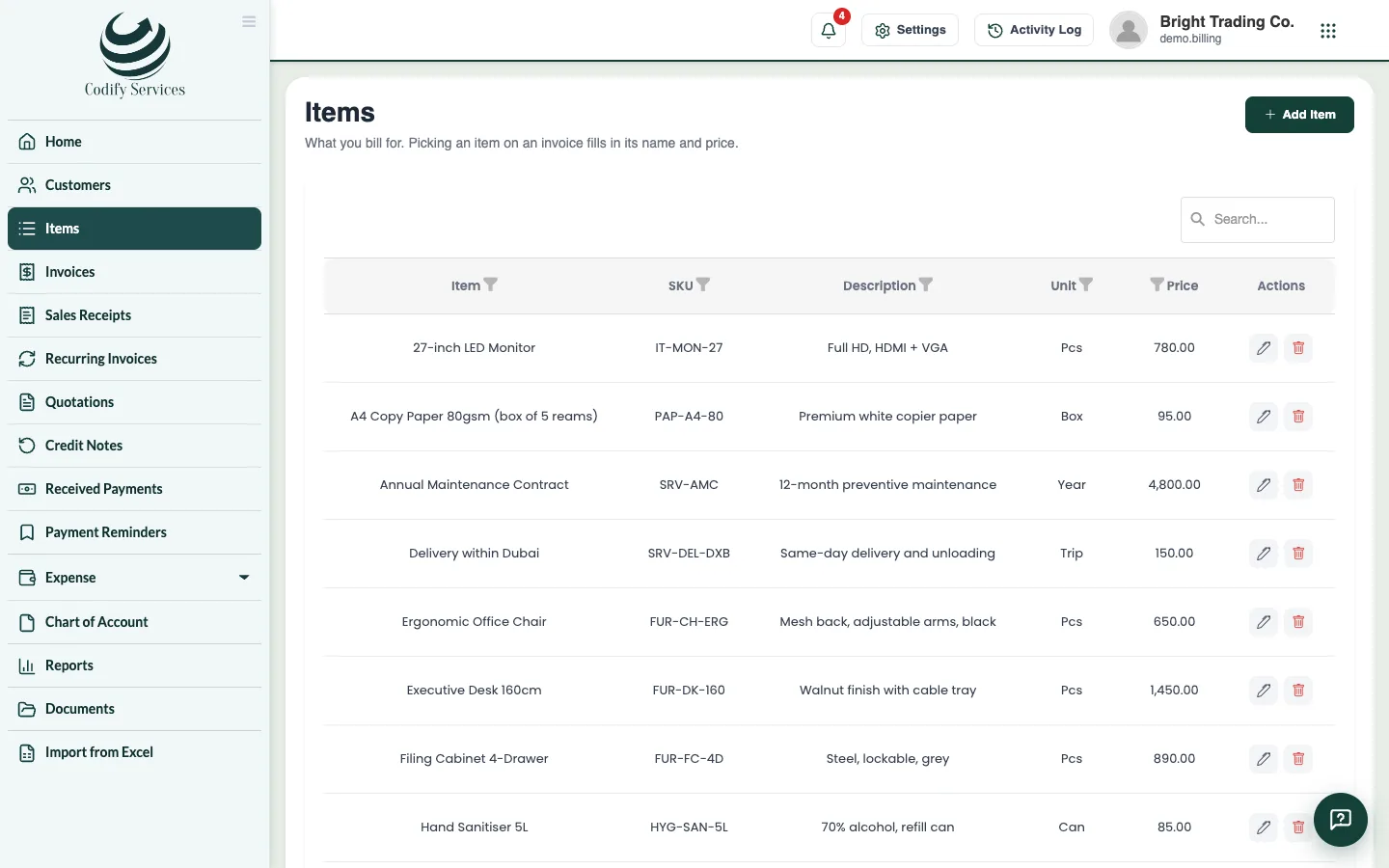
Keep a list of your products and services with their price and unit, so picking an item on an invoice fills in its name and price.
Items are the products and services you bill for. Picking an item on an invoice, quotation or bill fills in its name and price.
Steps
- Open Sidebar > Items.
- Press Add Item.
- Enter the Item Name and Price.
- Enter the Unit (for example hour, piece, month) and the SKU if you use one.
- Enter a Description: it is copied onto the invoice line.
- Press Add Item.
Good to know
- You can make a new item straight from an invoice or quotation line: type its name and press New item in the list.
- In India, an item can have an HSN / SAC code, printed on GST tax invoices.
- The Item Sales report shows what each item sold.
Related
More in Customers and items
Ready to try it? Open Billing & Invoicing