
Billing & Invoicing · Accounts and reports
Tax summary and your country's tax return
See the tax charged on invoices and paid on bills for a period, and the boxes of your country's VAT, GST or sales tax return.
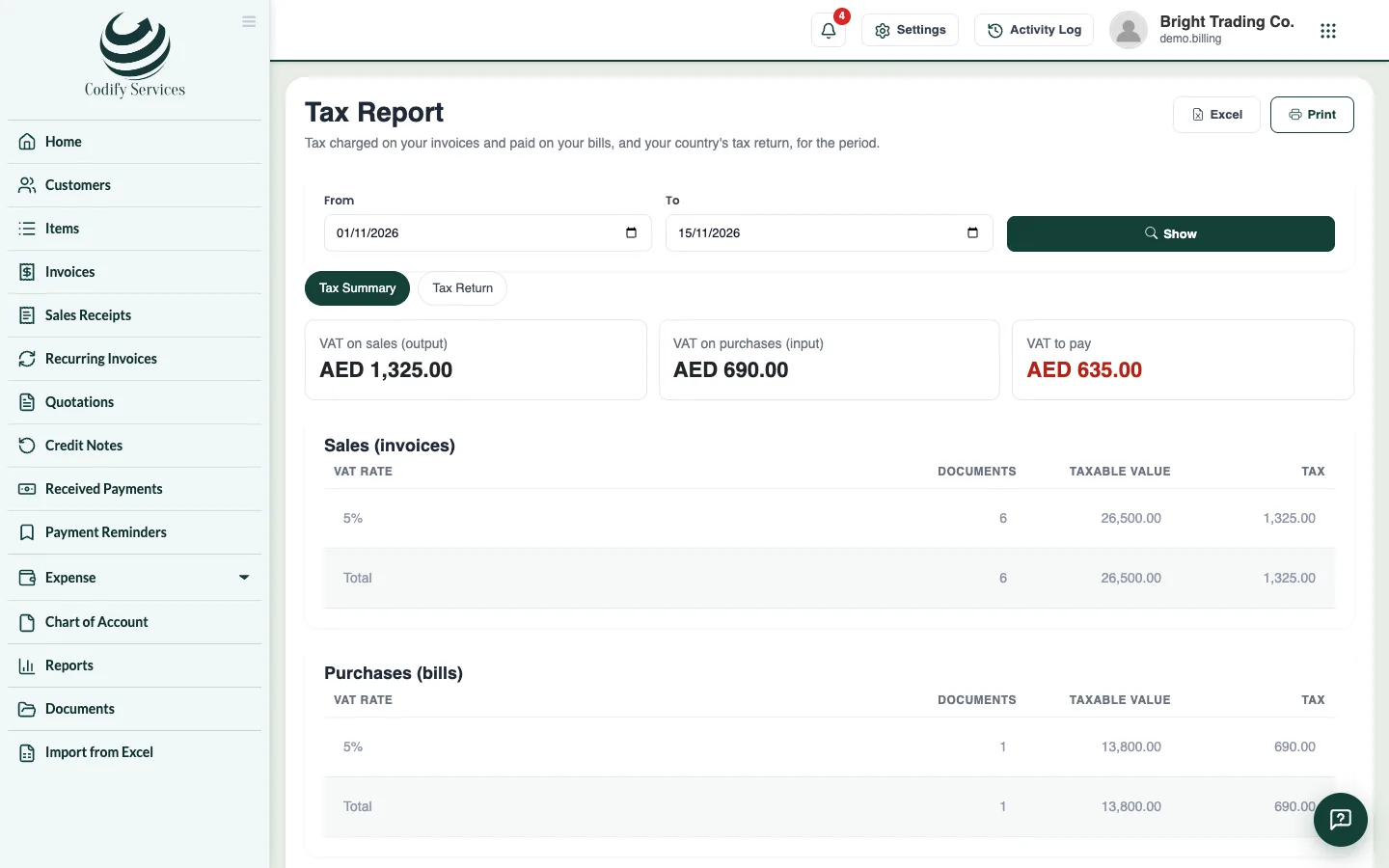
The Tax Report shows the tax charged on your invoices (output) and paid on your bills (input) for a period, and what you pay or claim back. Its Tax Return view fills in your country's return.
Steps
- Open Reports in the sidebar and choose Taxes > Tax Summary (or Tax Return).
- Enter From and To.
- Check the Country's return (it follows your company's country) and press Show.
- On Tax Summary, see the tax on sales, the tax on purchases and the net to pay or claim back, by rate.
- On Tax Return, see each box of the return with its amount and tax, and the sales and purchase lists.
- Press Print or Excel.
Good to know
- Returns are ready for the UAE (VAT 201), Saudi Arabia, Bahrain and Oman, Pakistan, India (GSTR-3B summary), the UK (9 boxes), Canada, Australia, New Zealand, Singapore, Malaysia, Bangladesh, South Africa, Egypt, Kenya and Nigeria. Other countries get a general VAT / GST / sales tax summary.
- Check the figures before you file: the return is a summary to help you, not a filing with your tax authority.
- It needs Can View Billing Reports.
Related
More in Accounts and reports
Link Billing to your accountsChoose the accounts invoices, payments, bills and expenses post into, switch on posting to Finance, and post older documents.Billing reportsFind sales, receivables, payments, payables, purchases and expenses reports, plus profit and loss, balance sheet and the general ledger.
Ready to try it? Open Billing & Invoicing