
Billing & Invoicing · Getting started
Get started with Billing & Invoicing
What Billing & Invoicing does, where to find each page, and the first steps - company profile, country, taxes, customers and items.
Billing & Invoicing bills your customers and keeps track of what you buy and spend. It has its own site, billing.codifyservices.com, and is also an add-on inside the other Codify products. Invoices, bills and payments can post into its own accounts (Finance).
Steps
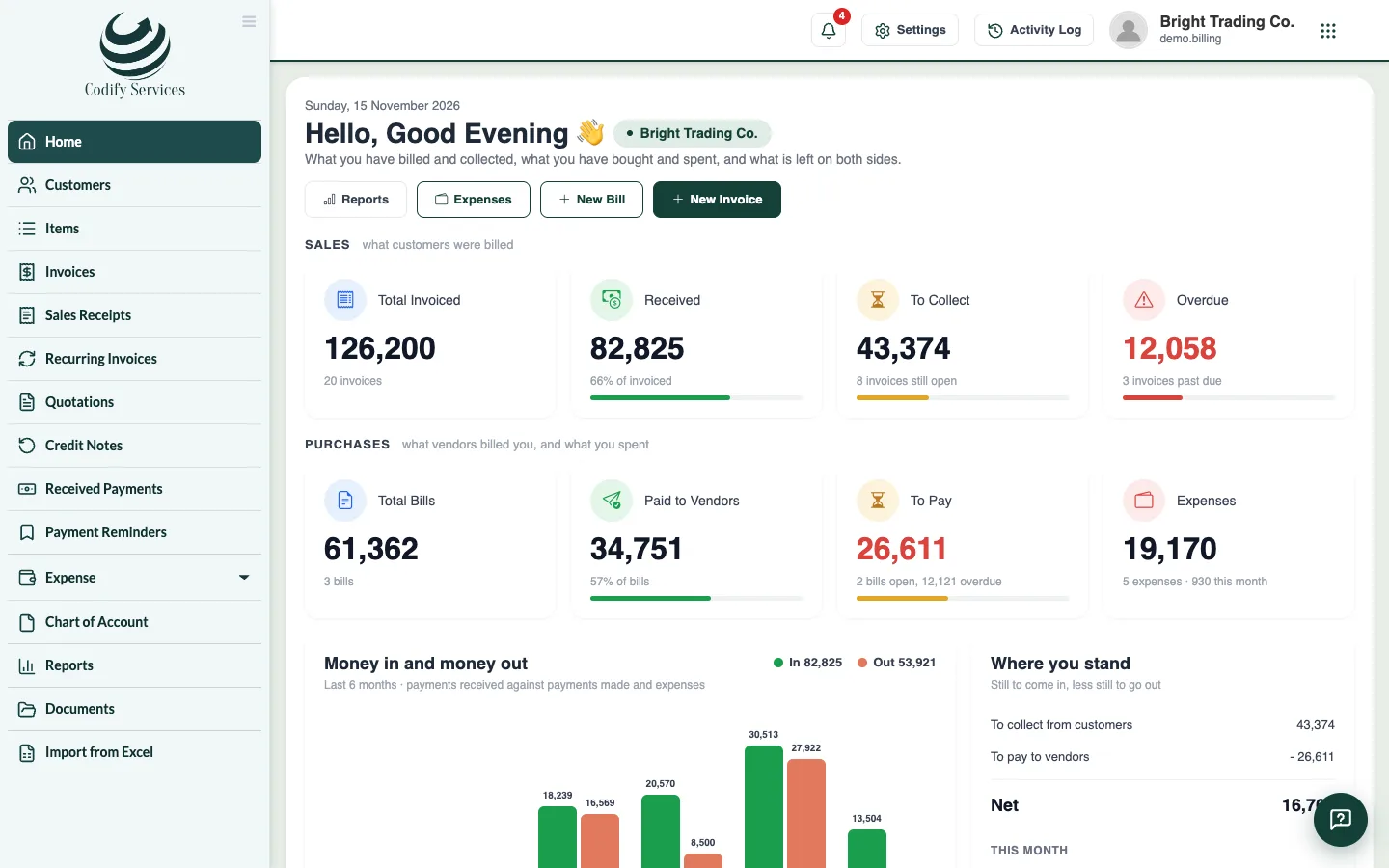
- Sign in. The Home page shows what you have billed and collected, what you have bought and spent, and what is left on both sides.
- Open the gear at the top right (All Settings) and choose Company Profile. Enter your company's name, address, phone, logo and country.
- In All Settings, open Currency, Language and Time Zone and check your currency.
- Set your document numbers, payment terms and invoice design. See Design your documents and set their numbers.
- Add your customers and items (or import them from Excel).
- Create your first invoice from Sidebar > Invoices > New Invoice.
Good to know
- Your country changes what Billing shows: the tax's name (VAT, GST, Sales Tax ...), what a tax number is called (TRN, NTN, GSTIN, ABN ...), the invoice's usual title, the common tax rates, the names of payment modes (JazzCash / Easypaisa in Pakistan, UPI in India ...), how dates print, and the country's tax return.
- On the Billing site the sidebar lists Customers, Items, Invoices, Sales Receipts, Recurring Invoices, Quotations, Credit Notes, Received Payments and Payment Reminders; the purchase pages (Vendors, Expenses, Bills, Payments Made, Vendor Credits) are under Expense. In the other Codify products, Billing is under Accounts & Finance > Billing Management, with the purchase pages under Purchases.
- A page you cannot see in the menu is not given to your role. Ask your administrator to give it under User & Roles > Role Claims.
Related
More in Getting started
Set up taxesSave your tax rates (VAT, GST, sales tax), pick them on invoice and bill lines, and print your own tax number on every document.Design your documents and set their numbersGive invoices, quotations, receipts and credit notes your design, logo, colour and terms, and set the number prefixes and payment terms.
Ready to try it? Open Billing & Invoicing