
Getting started · The basics
Give members access to the mobile app
Members of a housing society can see their files, installments and receipts in the mobile app. Make their app password and send it by WhatsApp.
In the Housing Society ERP, members can use the mobile app to see their files, installments, receipts, statements, history and your announcements. They log in with their CNIC and an app password that you make for them.
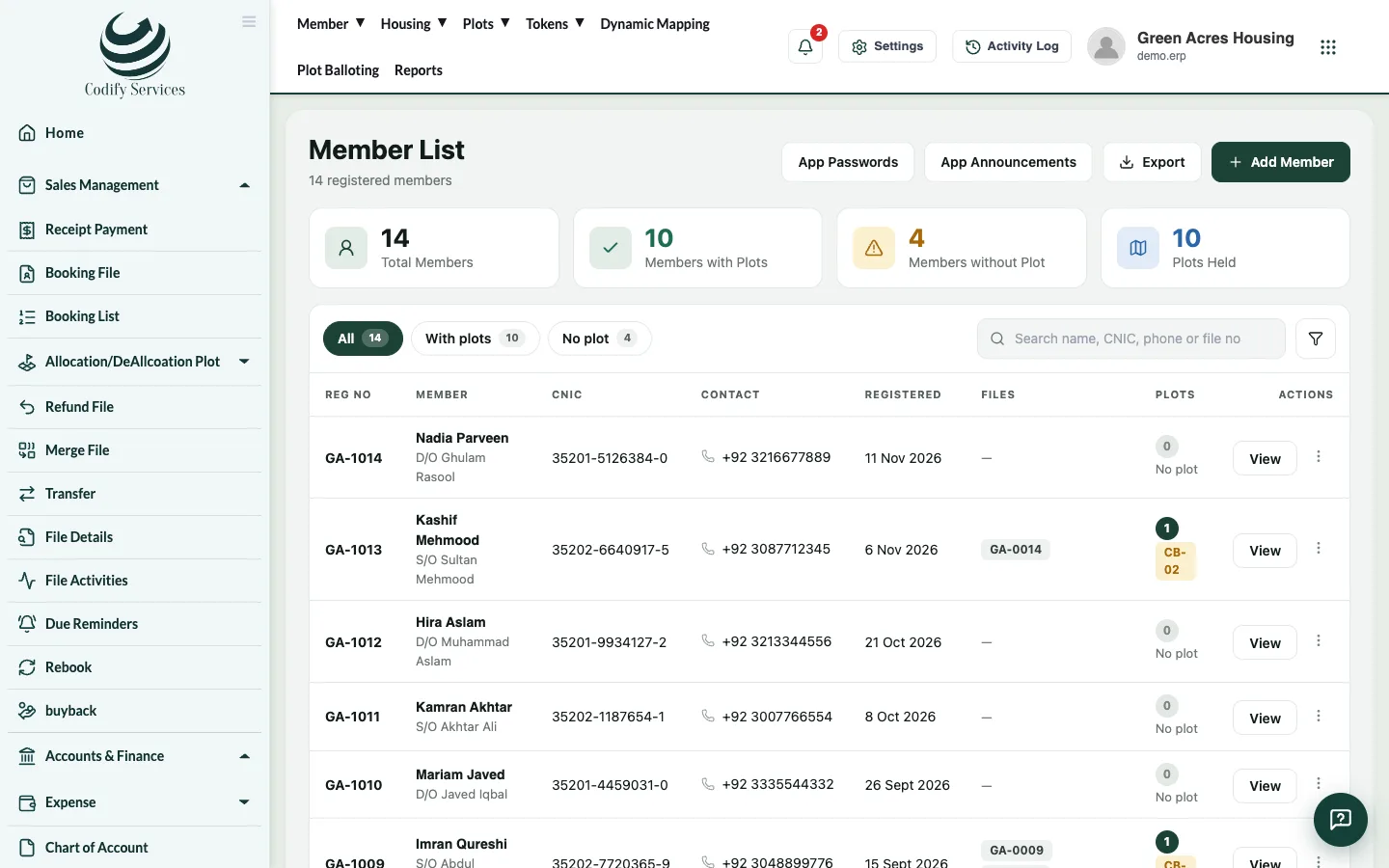
Steps: one member
- Open the member's profile: Member > Member List in the top menu, then click the member's name.
- Press Mobile App Login in the profile's menu.
- Press Make password (or New password to replace an old one).
- The password is shown once. Press Copy, or Send on WhatsApp to send it to the member.
- Press Done.
Steps: every member at once
- Open Member > Member List.
- Press App Passwords. It makes app passwords for every member who has none.
Good to know
- The profile shows whether the password is made, when it was sent and the member's last app login.
- Only a hash of the password is kept, so you can't see it again later. Make a new one if the member loses it.
- Send on WhatsApp needs a correct contact number with the country code.
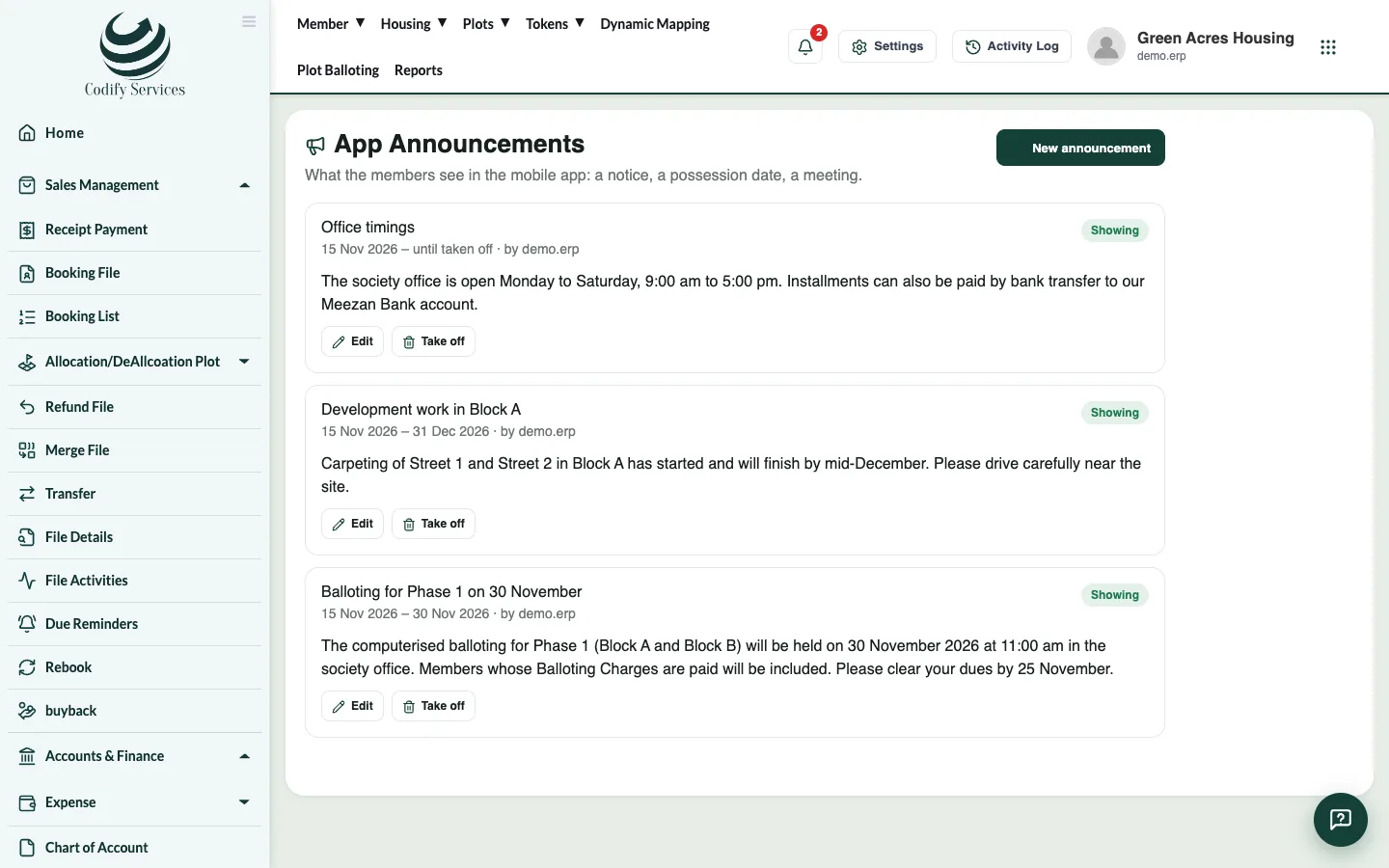
- News for the app: Sidebar > App Announcements > New announcement (title, message, Show from, Show until). Take off removes it.
Related
More in The basics
Find your way around the softwareA quick tour of the sidebar, the top menu, Settings, the Activity Log, notifications, your profile panel and the help chat.Use the All Settings pageEvery setting of the software in one place - company profile, users and roles, fiscal year, accounts set-up, integrations and module settings.Open and print reportsUse the Reports window to find any report, run it for your dates, then print it or export it to Excel.Every report in the Reports windowThe full list of reports in the Reports window, grouped as Finance, Billing, Sales and Members, Property and Inventory, and Charges and Notices.Set your company name, logo, currency, language and time zoneChange your society or company name, address, logo, country, currency, language and time zone in Settings.