
Getting started · Account and sign-in
Change your own password, email and photo
Use My Account to change your user name, email, profile photo and password.
Every user can change their own account details. You don't need any special permission.
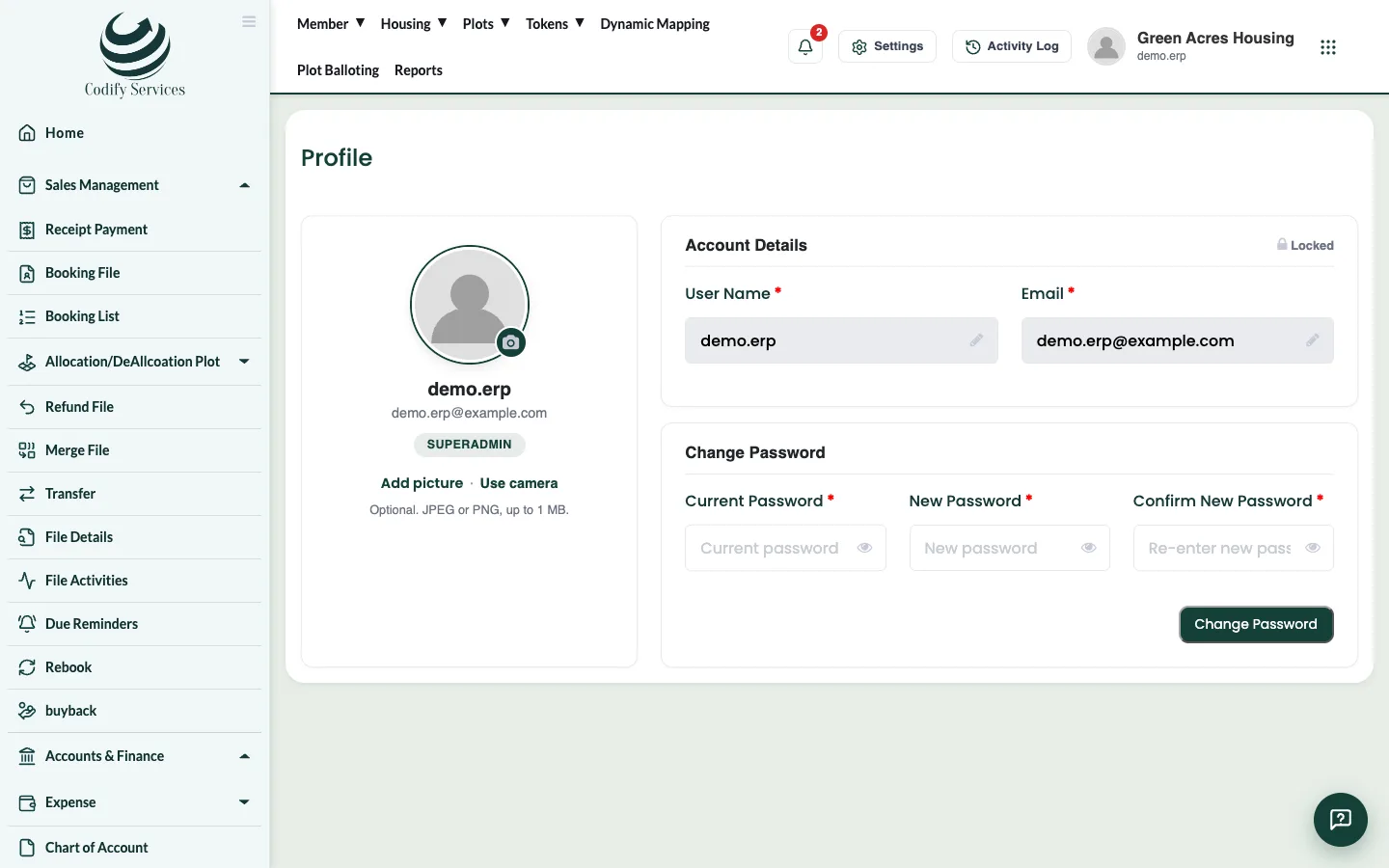
Steps
- Click your picture or name at the top right.
- Press My Account.
- Under Account Details, change your User Name or Email. To take a new photo, use Capture, then Use Photo.
- Enter your password when asked to confirm the change, then press Save Changes.
- To change your password, go to Change Password: type your Current Password, the New Password and Confirm New Password, then press Change Password.
Good to know
- Keep your email up to date: it is used to reset your password and for login codes.
- The same page is in Settings > Users & Roles > My Profile.
Related
More in Account and sign-in
Sign up and start your free trialCreate your Codify account on the sign-up page, choose a package and add-ons, and start using the software straight away.Log in to CodifyHow to log in with your user name and password, choose your society or company, and sign out again.Reset a forgotten password or usernameGet a verification code by email to set a new password, or find the user names linked to your email.