
Getting started · Data and support
Get help with chat, tickets and support access
Ask the help chat, raise a support ticket with Codify, follow the answer, and control when Codify's team may change your data.
You can get help in three ways: the help chat inside the software, a support ticket to the Codify team, or WhatsApp and email. Every user can write to Codify, whatever the package, even after the trial has ended.
Ask the help chat
- Click your picture at the top right.
- Press Chat with the help assistant (or Help Guide).
- Type your question in English, Urdu or Roman Urdu. Modules lists every topic of the guide.
Raise a support ticket
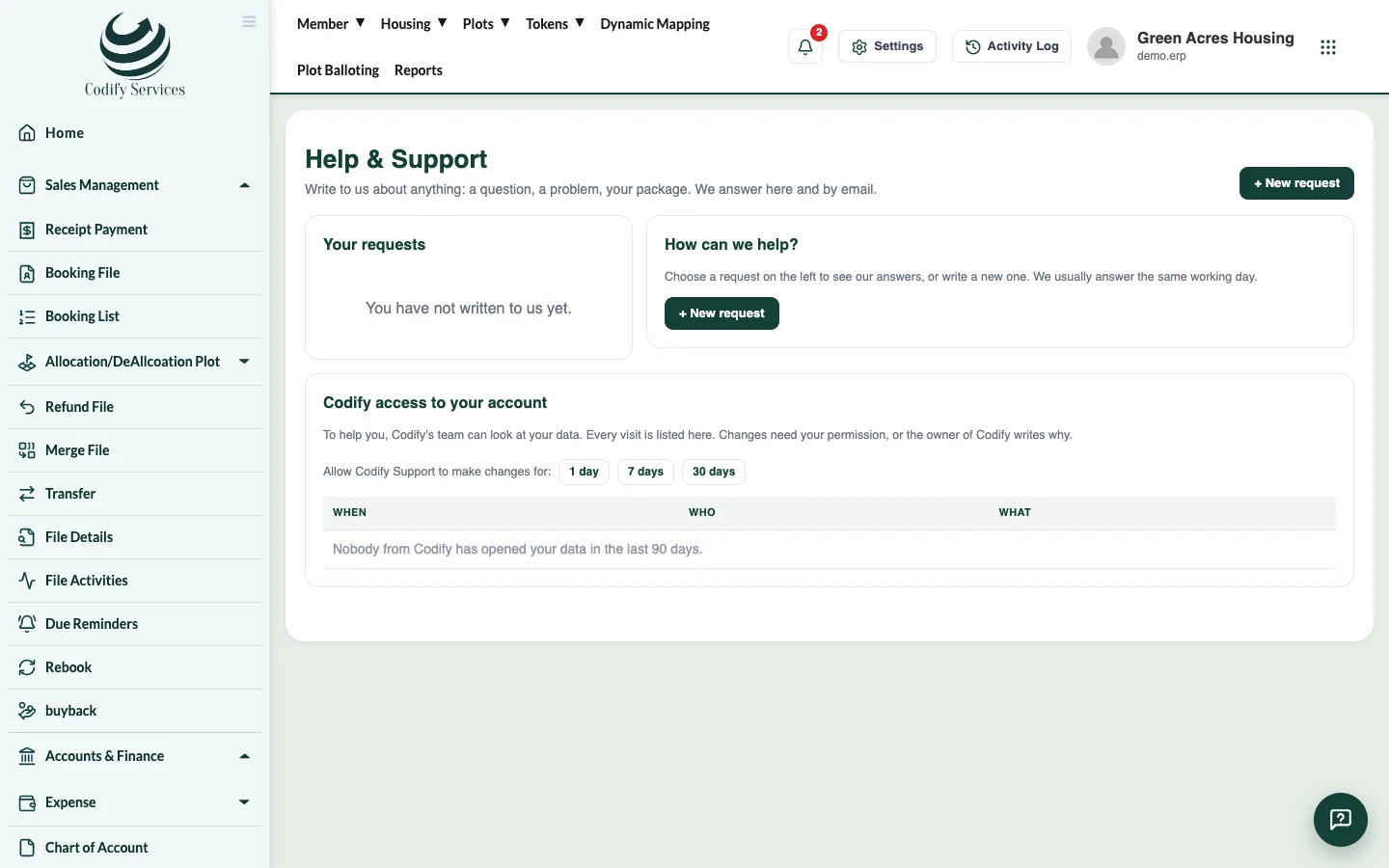
- Click your picture at the top right and press Raise a support ticket (or Settings > Organization > Help & Support).
- Press + New request.
- Enter a Subject, choose what it is About and How urgent it is (Low, Normal, High, Urgent).
- Write your Message and press Send.
- The answer comes on the same page and by email. Press Send reply to add more.
- When it is done, press My problem is solved: close it.
Codify access to your account
- To help you, Codify's team can look at your data. Every visit is listed on the Help & Support page under Codify access to your account (who, when, what).
- Codify Support changes your data only with your permission. A user who manages the subscription can allow it for a number of days and press Take it back now at any time.
Good to know
- Request states: Waiting for Codify, Answered, Closed. A closed request opens again when you reply.
- Your profile panel also has WhatsApp our team, Send an email and Book a free training session.
- When you contact support, give your User ID and Society ID from the top of your profile panel (click to copy).