
Getting started · Users and permissions
See who did what with the Activity Log
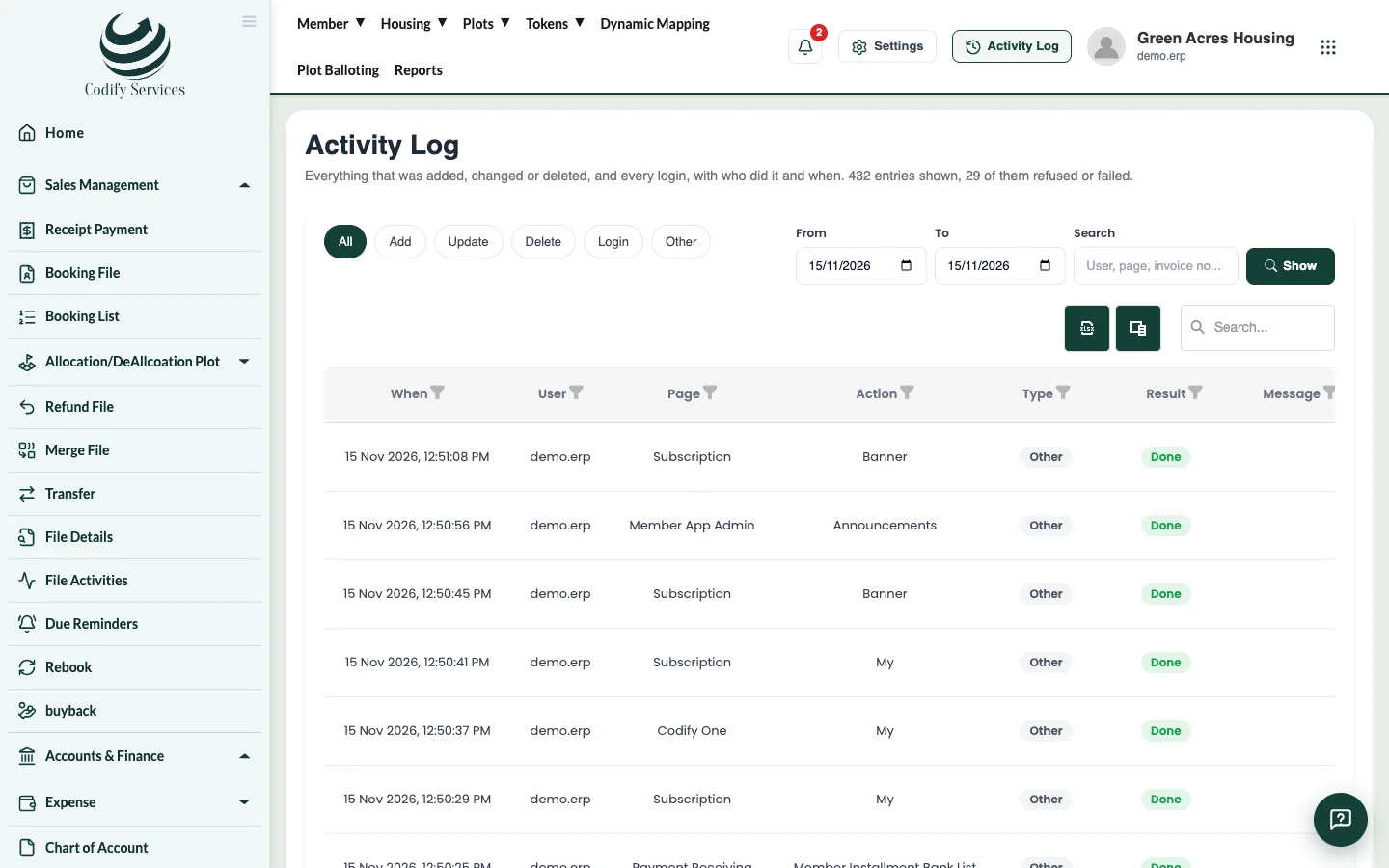
The Activity Log lists every action in the software with the user, page, time and result, so you can check who changed what.
The Activity Log records what each user did: which page, which action, when, and whether it worked. Use it to check who made a change or deleted a record.
Steps
- Press Activity Log at the top right (or Settings > Users & Roles > Activity Log).
- Choose the dates in From and To, and press Show.
- Type a name, page or record number in Search to narrow the list.
- Open a row's Details to see What was sent with that action.
Good to know
- Columns: When, User, Page, Action, Type, Result, Message, Record ID and IP Address.
- Only roles with the Activity Log permission see it.
- The Activity Log is not part of your data backup.