
Getting started · Subscription
Use several Codify products with one account (My Codify)
Connect your company's Codify products in My Codify, open any of them with one sign-in, add a product and pay one combined bill.
If your company uses more than one Codify product (for example the Housing Society ERP and Codify HR), My Codify puts them in one account. You see every product with its plan and renewal, open any of them without signing in again, add a new product, and pay one bill for all of them.
Before you start
- My Codify is for your company's own users. Each product keeps its own users and permissions.
- Adding a product or paying the bill is for your company's administrator.
Steps
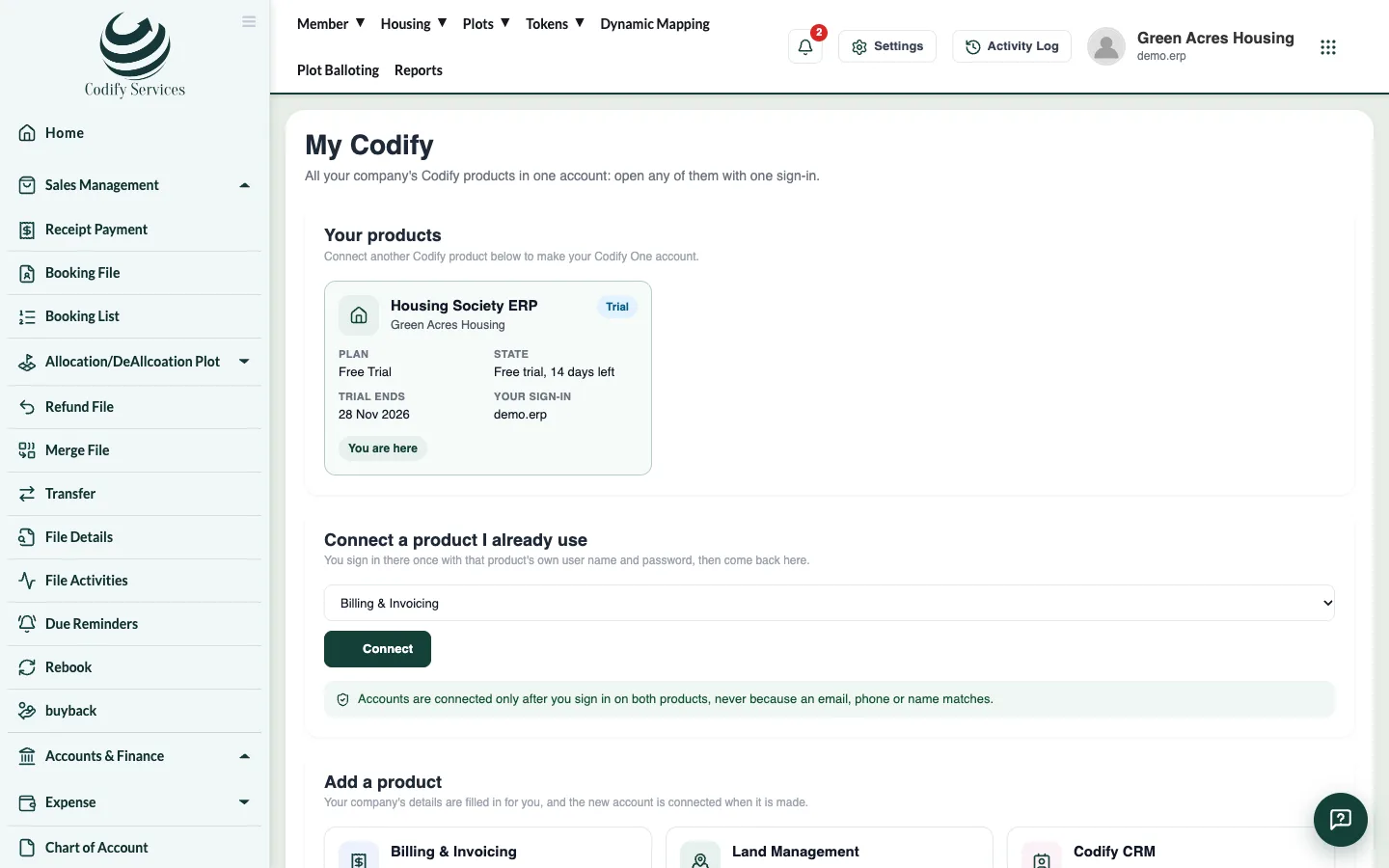
- Open your profile (your name, top right) and choose My Codify.
- Under Your products you see each connected product with its Plan, State and Next renewal. The one you are in says You are here.
- Press Open on a product to go to it with your own sign-in.
- To connect a product you already use, find it under Connect a product I already use and press Connect. Sign in there once with that product's own user name and password, then come back: it is now in your account.
- If a product says Connect my sign-in, press it and sign in there once. From then on Open takes you straight in.
- To start a new product, go to Add a product and press Start free trial (or Get). Your company's details are filled in for you, and the new account is connected as soon as it is made.
Pay one bill for all your products
- Under Your bill you see each product's amount for the period, the discount for using several products, and the Total.
- Press Pay with the total. Pay by Bank transfer, JazzCash or Easypaisa to the account shown.
- Enter the transaction ID (and attach the screenshot if asked), then press Send payment.
- Codify checks the payment and renews every product on the bill. You can see it under Past bills.
Good to know
- Using two or more products together gives a discount on the combined bill: the percentage is shown on your bill.
- Codify's own staff accounts are never connected to your company's account.
- If a product shows a part of a month, it joined the combined bill in the middle of the period and is charged only for those days.
- Prices are on the pricing page.
Related
More in Subscription
Manage your subscription and paySee your package, renew or change it, pay by bank transfer, JazzCash or Easypaisa, and download receipts from the Subscription page.Add or remove add-on modulesAdd extra modules such as Billing & Invoicing, HR, CRM or Land Management to your package, or remove them at the end of the period.What happens when your free trial endsAfter the free trial the software becomes read-only. You can see everything but change nothing until you choose a paid package.