
Getting started · The basics
Use the All Settings page
Every setting of the software in one place - company profile, users and roles, fiscal year, accounts set-up, integrations and module settings.
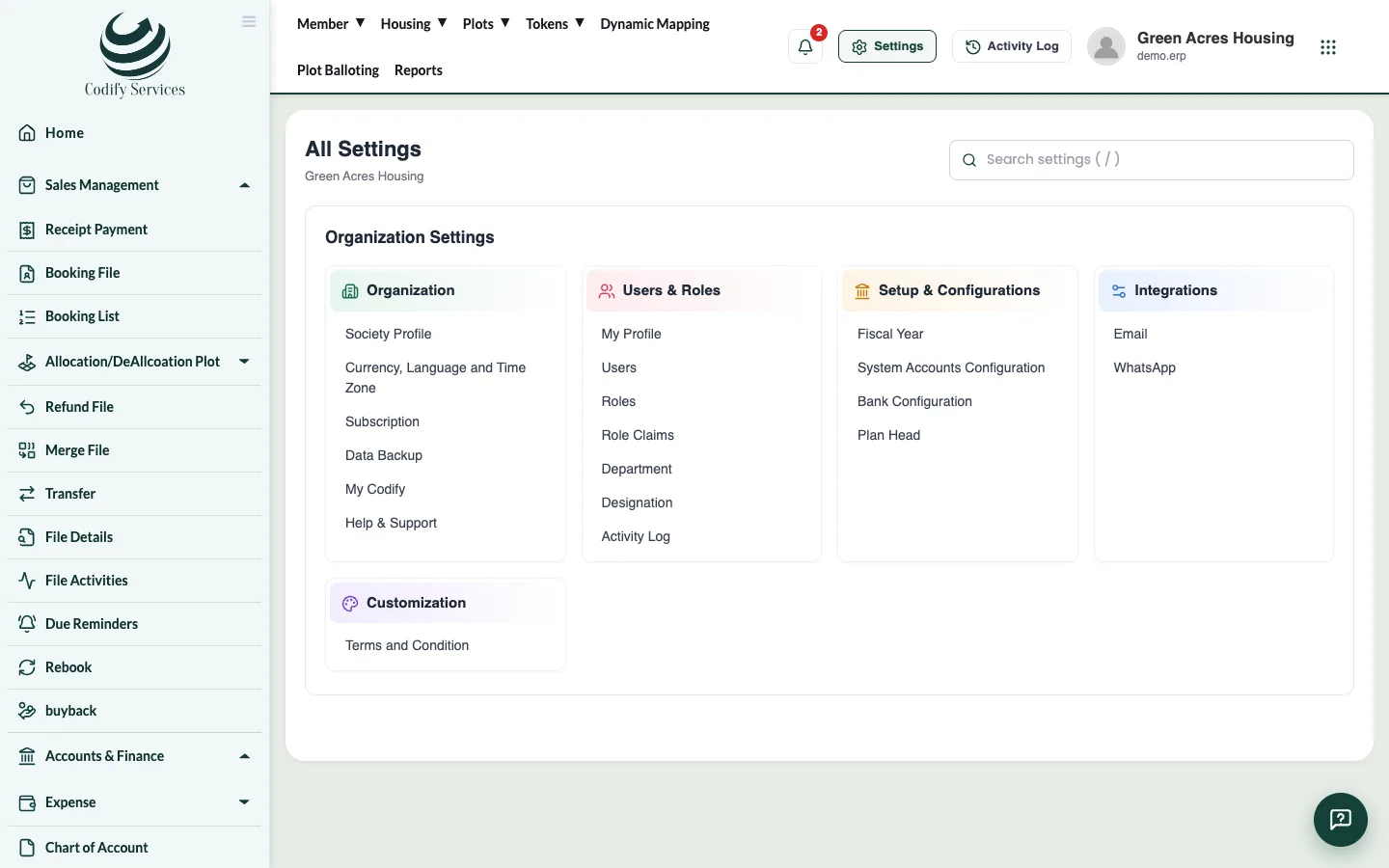
All Settings collects every set-up page of the software in groups, so you don't have to search the menus. Nothing is changed on this page itself: each line opens the page that does the job.
Steps
- Press Settings (the gear) at the top right, or open your profile panel and press Settings.
- Find the group you need, or type in the search box (press / to jump to it).
- Click a line to open its page.
What you find there
- Organization: Society Profile (name, logo, country), Currency, Language and Time Zone, Subscription, Data Backup, Help & Support.
- Users & Roles: My Profile, Users, Roles, Role Claims, Department, Designation, Activity Log.
- Setup & Configurations: Fiscal Year, System Accounts Configuration, Bank Configuration, Plan Head (and Billing Finance Settings if you have Billing).
- Integrations: Email (the mailbox that sends reminders) and WhatsApp.
- Customization: document and voucher designs, Terms and Condition.
- Module Settings: the settings of each module you have, such as Store, Property, HR, CRM or Land.
Good to know
- You only see the lines your role may open. A group with nothing for you is hidden.
- Each product shows its own settings: a Codify Store site shows Store Settings, the Housing ERP shows Plan Head, and so on.
Related
More in The basics
Give members access to the mobile appMembers of a housing society can see their files, installments and receipts in the mobile app. Make their app password and send it by WhatsApp.Find your way around the softwareA quick tour of the sidebar, the top menu, Settings, the Activity Log, notifications, your profile panel and the help chat.Open and print reportsUse the Reports window to find any report, run it for your dates, then print it or export it to Excel.Every report in the Reports windowThe full list of reports in the Reports window, grouped as Finance, Billing, Sales and Members, Property and Inventory, and Charges and Notices.Set your company name, logo, currency, language and time zoneChange your society or company name, address, logo, country, currency, language and time zone in Settings.