
Getting started · Subscription
What happens when your free trial ends
After the free trial the software becomes read-only. You can see everything but change nothing until you choose a paid package.
The free trial lasts 14 days unless Codify told you otherwise. When it ends, the software becomes read-only: you can open and print everything, but you can't add or change anything. Nothing is deleted.
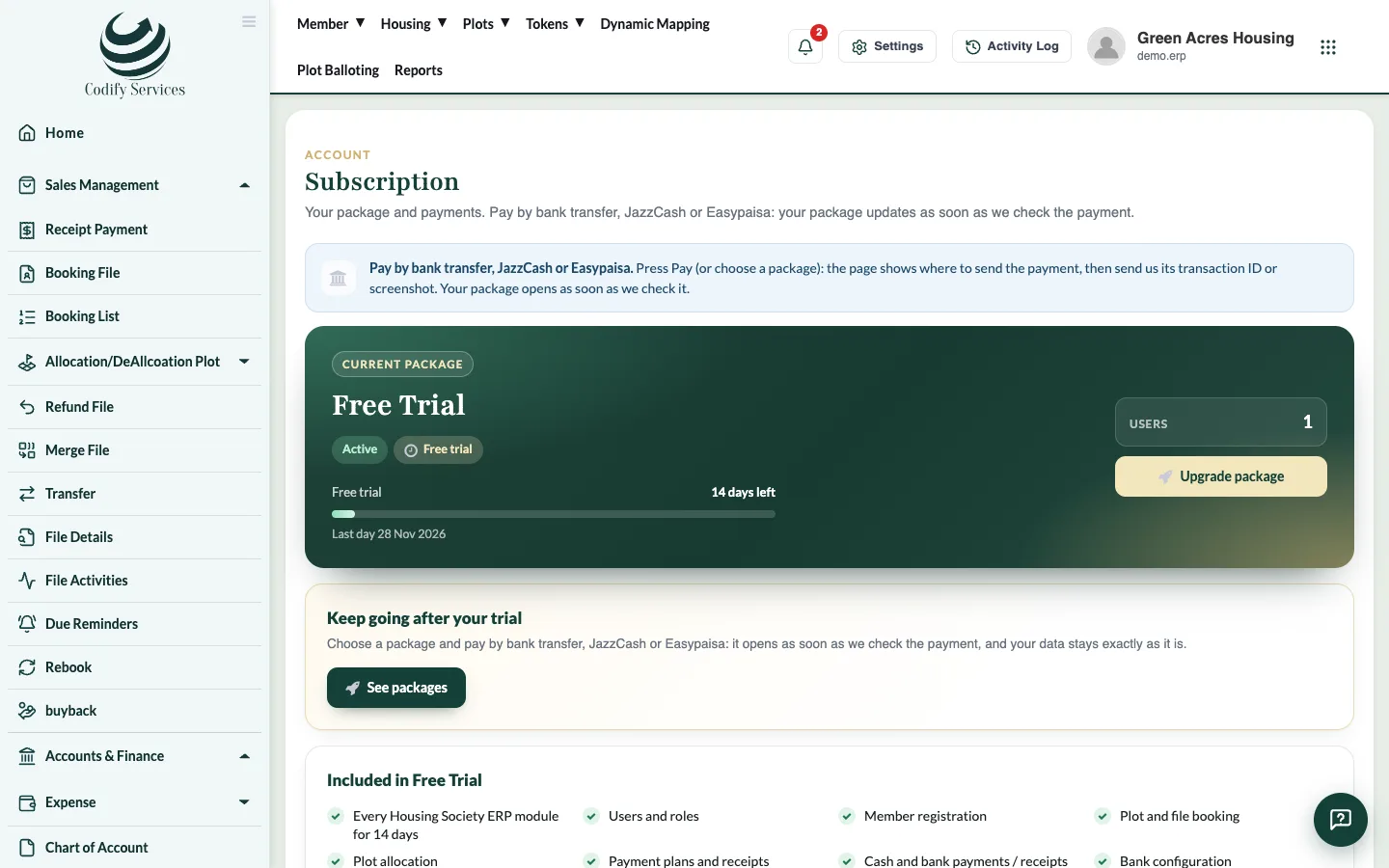
Steps: continue after the trial
- Open Subscription from your profile panel (click your picture at the top right).
- Press Choose a package (or See packages).
- Choose a package, Monthly or Yearly.
- Pay and send the transaction ID or screenshot, then press Send for checking.
- Once Codify approves the payment, you can make changes again. Your data stays exactly as it was.
Good to know
- The page says Your free trial has ended, so the software is read-only while you are on the expired trial.
- If a paid subscription is suspended (not renewed after the grace days), only the Subscription page opens until it is paid.
- Help & Support always works, even when the trial is over.
Related
More in Subscription
Manage your subscription and paySee your package, renew or change it, pay by bank transfer, JazzCash or Easypaisa, and download receipts from the Subscription page.Add or remove add-on modulesAdd extra modules such as Billing & Invoicing, HR, CRM or Land Management to your package, or remove them at the end of the period.Use several Codify products with one account (My Codify)Connect your company's Codify products in My Codify, open any of them with one sign-in, add a product and pay one combined bill.